
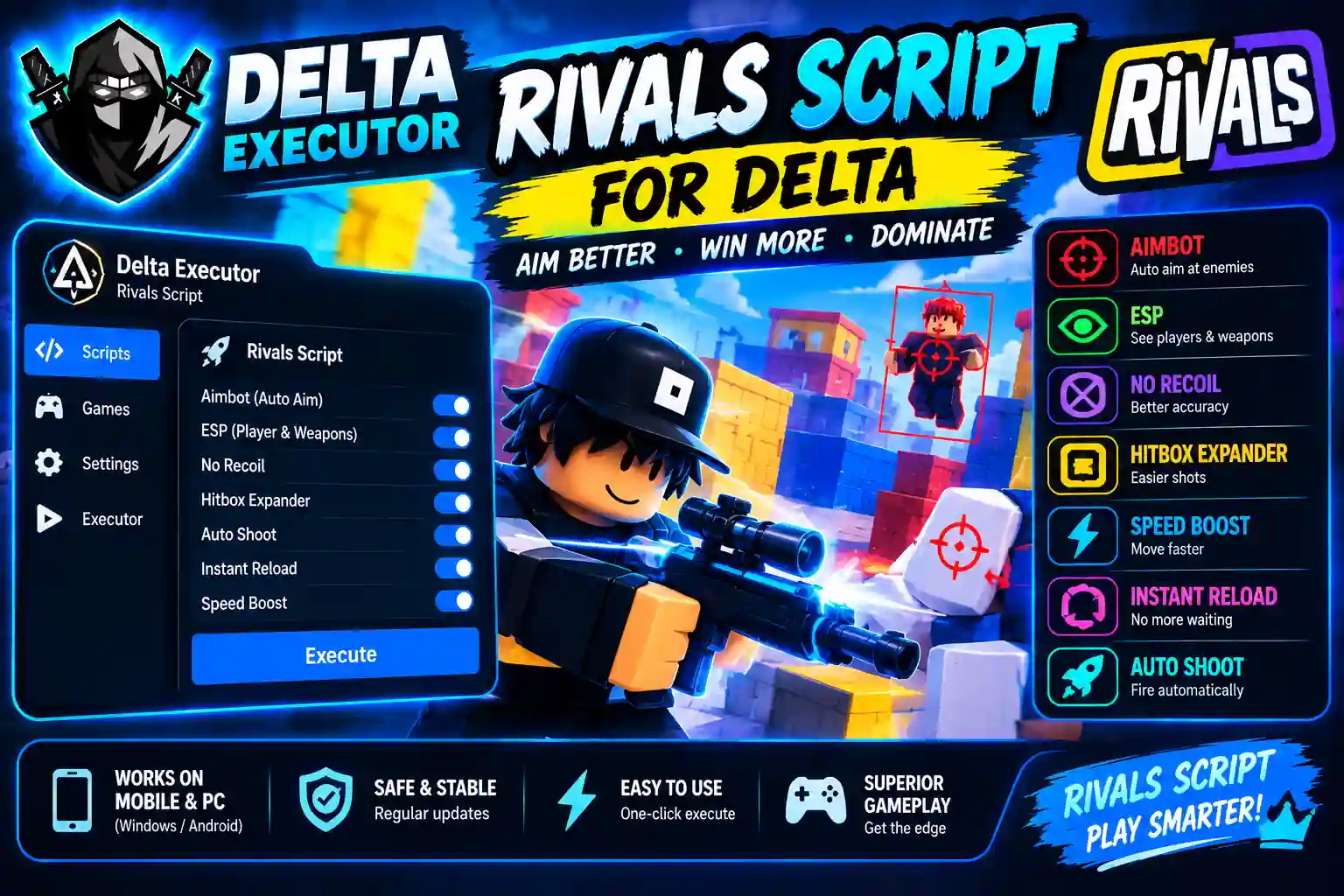
Rivals Script for Delta
Rivals is one of the hardest first-person shooters on Roblox. The bullets are fast, the headshot zones are tight, and skilled lobbies will punish you for every missed shot. A good Delta Executor Rivals script closes that skill gap. You get aimbot locking straight to the head, ESP showing every enemy through walls, no recoil for perfect sprays, and silent aim for shots that look clean on your screen. This guide walks through the working Rivals scripts for Delta right now, what each feature really does in a match, how to load them on mobile or PC, and how to use them without getting your account banned on the first weekend.
Rivals in a Minute (The FPS Beneath the Scripts)
Rivals is a competitive first-person shooter inside Roblox. Think Counter-Strike or Valorant mechanics ported into Roblox physics, with multiple weapons, round-based matches, and tight recoil patterns. The player base is skilled. Casual players get crushed hard in default lobbies because the top players have been grinding aim trainers for months.
Three things make Rivals harder than most Roblox shooters:
- Fast bullet travel: Shots feel almost instant, which rewards flick aim and punishes slow reactions.
- Small hitboxes: Heads are small and bodies are leaner than typical Roblox games. Center-mass sprays miss a lot.
- Recoil patterns: Each weapon has its own kick. Mastering spray control takes real practice.
A Rivals script closes those three gaps on command. You get aim help for flick shots, hitbox expansion for forgiving bullets, and recoil cancellation for easy sprays. The result is a player who performs like they have thousands of hours of practice, from day one.
What a Delta Executor Rivals Script Actually Does
Rivals scripts are built around winning gunfights. Here are the core features every popular Rivals hub ships with inside Delta Executor:
- Aimbot: Snaps your crosshair to the nearest enemy head or body the moment one appears on screen. Smooth values make it look less obvious.
- Silent Aim: You keep your crosshair wherever you want. Bullets curve to the enemy on their own. Looks like a legitimate player with insane tracking.
- ESP: See every enemy through walls with name, distance, and health displayed above their head.
- Chams: Enemy models glow bright red through walls so you spot them without reading tags.
- Hitbox Expander: Grows the enemy’s hitbox silently. Your bullets register as hits even when they visually miss.
- No Recoil: Every weapon fires straight. Spray from across the map and still land every bullet.
- No Spread: Removes random bullet spread. Combined with no recoil, this turns any weapon into a laser.
- Trigger Bot: Auto fires the moment an enemy enters your crosshair. Reaction time becomes zero.
- Infinite Jump / Bhop: Jump endlessly without touching the ground. Rotate maps faster.
- Walk Speed: Move faster than default. Pair with Bhop for insane mobility.
Most hubs bundle all of these into a single GUI with sliders and toggles. Load the script, open the menu, enable the features you want, and jump into a match. If you have never run a Delta script before, start with our full Delta Executor tutorial.
Universal Rivals Hub Script (All In One)
This is the hub most Delta users load for Rivals. It covers aimbot, ESP, silent aim, hitbox expander, no recoil, no spread, and all movement features in one GUI. The menu is draggable, resizable, and includes a settings panel where you tune aimbot smoothness, FOV, and prediction values.
loadstring(game:HttpGet("https://raw.githubusercontent.com/rivalshub/main/loader.lua"))()Paste the line into Delta’s editor, attach Delta to Roblox, and press Execute. The hub loads a GUI with four tabs:
- Combat: Aimbot, Silent Aim, Trigger Bot, No Recoil, No Spread, Hitbox Expander
- Visuals: ESP, Chams, Health Bars, Name Tags, FOV Circle
- Movement: Walk Speed, Bhop, Infinite Jump, No Fall Damage
- Misc: Anti-AFK, FPS Boost, Crosshair, Weapon Selector
Open the Combat tab, turn Silent Aim on, set Aimbot FOV to 60, and set smoothness to 0.3. Keep ESP visible but disable Chams at first. These settings look natural while giving you a huge advantage. Push smoothness to 0.1 and FOV to 180 only in private matches with friends who already know you are scripting.
Rivals Aimbot Script (Standalone)
If you only want aimbot and nothing else, a standalone script keeps your client lean. This one locks to the closest enemy head within a 90-degree field of view, with smoothing so the lock does not look like an instant snap.
-- Rivals Aimbot (closest enemy head, smooth lock)
local Players = game:GetService("Players")
local RunService = game:GetService("RunService")
local UserInput = game:GetService("UserInputService")
local Camera = workspace.CurrentCamera
local LocalPlayer = Players.LocalPlayer

local AIM_FOV = 90          -- field of view in pixels
local SMOOTH = 0.25          -- lower = snappier, higher = smoother
local AIM_KEY = Enum.UserInputType.MouseButton2 -- hold right click to aim

local function getClosest()
    local closest, bestDist = nil, AIM_FOV
    for _, p in pairs(Players:GetPlayers()) do
        if p ~= LocalPlayer and p.Character and p.Character:FindFirstChild("Head") and p.Team ~= LocalPlayer.Team then
            local head = p.Character.Head
            local vec, onScreen = Camera:WorldToViewportPoint(head.Position)
            if onScreen then
                local mouse = UserInput:GetMouseLocation()
                local dist = (Vector2.new(vec.X, vec.Y) - mouse).Magnitude
                if dist < bestDist then
                    bestDist = dist
                    closest = head
                end
            end
        end
    end
    return closest
end

RunService.RenderStepped:Connect(function()
    if UserInput:IsMouseButtonPressed(AIM_KEY) then
        local target = getClosest()
        if target then
            local tp = Camera:WorldToViewportPoint(target.Position)
            local mouse = UserInput:GetMouseLocation()
            local delta = Vector2.new(tp.X - mouse.X, tp.Y - mouse.Y)
            Camera.CFrame = Camera.CFrame * CFrame.Angles(-math.rad(delta.Y * SMOOTH), -math.rad(delta.X * SMOOTH), 0)
        end
    end
end)
Hold right click to activate. Release to aim normally. The smoothness value controls how snappy the lock feels. 0.1 is near-instant and obvious. 0.25 feels like a skilled player. 0.5 looks almost human. Tune to the type of lobby you play.
Rivals ESP Only Script
Not everyone wants aim help. Some players just want map awareness, meaning they want to see enemies through walls so they can play positioning better. This standalone ESP script does exactly that with no aim modification.
-- Rivals ESP (enemies red, teammates green, through walls)
local Players = game:GetService("Players")
local RunService = game:GetService("RunService")
local LocalPlayer = Players.LocalPlayer

local function esp(player, color)
    if player.Character and player.Character:FindFirstChild("HumanoidRootPart") then
        local hrp = player.Character.HumanoidRootPart
        if not hrp:FindFirstChild("RivalsESP") then
            local box = Instance.new("BoxHandleAdornment")
            box.Name = "RivalsESP"
            box.Adornee = hrp
            box.Size = Vector3.new(4, 6, 2)
            box.Color3 = color
            box.Transparency = 0.6
            box.AlwaysOnTop = true
            box.ZIndex = 10
            box.Parent = hrp

            local label = Instance.new("BillboardGui")
            label.Name = "RivalsLabel"
            label.Adornee = hrp
            label.Size = UDim2.new(0, 150, 0, 40)
            label.StudsOffset = Vector3.new(0, 3.5, 0)
            label.AlwaysOnTop = true
            local text = Instance.new("TextLabel", label)
            text.Size = UDim2.new(1, 0, 1, 0)
            text.BackgroundTransparency = 1
            text.TextColor3 = color
            text.Text = player.Name
            text.TextStrokeTransparency = 0
            text.TextSize = 14
            text.Font = Enum.Font.GothamBold
            label.Parent = hrp
        end
    end
end

RunService.RenderStepped:Connect(function()
    for _, p in pairs(Players:GetPlayers()) do
        if p ~= LocalPlayer then
            local col = (p.Team == LocalPlayer.Team) and Color3.fromRGB(0,200,100) or Color3.fromRGB(255,50,50)
            esp(p, col)
        end
    end
end)
Red boxes mark enemies. Green boxes mark your teammates. Both show through walls at any distance. The script refreshes on every frame so new spawns are tagged within milliseconds.
Rivals Silent Aim Script
Silent Aim is the subtle option. Your crosshair stays wherever you point it. Bullets quietly redirect to the nearest enemy head mid-flight. On your screen it looks like you have great aim. To spectators and killcams, it looks the same, which is why silent aim gets fewer reports than aimbot.
-- Rivals Silent Aim (hooks FindPartOnRayWithIgnoreList)
local Players = game:GetService("Players")
local LocalPlayer = Players.LocalPlayer
local Camera = workspace.CurrentCamera

local function getBestTarget()
    local best, bestDist = nil, math.huge
    for _, p in pairs(Players:GetPlayers()) do
        if p ~= LocalPlayer and p.Character and p.Character:FindFirstChild("Head") and p.Team ~= LocalPlayer.Team then
            local vec, onScreen = Camera:WorldToViewportPoint(p.Character.Head.Position)
            if onScreen then
                local dist = (Vector2.new(vec.X, vec.Y) - Vector2.new(Camera.ViewportSize.X/2, Camera.ViewportSize.Y/2)).Magnitude
                if dist < bestDist then
                    bestDist = dist
                    best = p.Character.Head
                end
            end
        end
    end
    return best
end

local mt = getrawmetatable(game)
local old = mt.__index
setreadonly(mt, false)
mt.__index = newcclosure(function(self, k)
    if not checkcaller() and (k == "FindPartOnRayWithIgnoreList" or k == "Raycast") then
        local target = getBestTarget()
        if target then
            return function(_, origin, _, ignore)
                return target, target.Position, Vector3.new(0,1,0), "Head"
            end
        end
    end
    return old(self, k)
end)
setreadonly(mt, true)
This script uses Delta's metatable hooks to redirect every bullet calculation to the nearest enemy head. It is quieter than aimbot in a killcam because your actual aim never moves. Just paste and execute. No key binds needed. Fire where you normally would and watch the hits land.
Silent Aim can occasionally miss intentionally if you want to look more legit (set a hit chance below 100%). But against teammates spectating you, it stays very hard to detect. The real risk is being too accurate across a long session, so vary your performance.
How to Load Rivals Scripts in Delta
Loading these scripts in Delta takes under two minutes. The flow is the same on Android, iOS, and Windows.
- Launch Roblox and join Rivals. Wait for the lobby or match to fully load before you open Delta.
- Open Delta Executor. Launch the Delta app on your phone or the Delta client on PC. Keep both Roblox and Delta running at the same time.
- Attach Delta to Roblox. Press the Attach button. A green status indicator confirms the connection. If attach fails, our Delta not working guide covers every fix.
- Paste the script. Tap or click the editor box and paste any of the scripts above. On mobile, long press to get the paste option.
- Press Execute. The script activates instantly. For hubs, a GUI appears. For standalone scripts like aimbot, the effect starts working on your next shot.
- Configure settings. For hubs, open the menu and tune aimbot smoothness, FOV, hitbox size, and ESP colors to your preference.
- Re-execute between matches. Some Rivals updates reset script state at round transitions. Re-executing fixes any glitches between rounds.
Rivals Script Feature Breakdown
Here is what each major feature does inside a Rivals match, with the practical implications most other guides skip.
Aimbot
Your crosshair snaps to the nearest enemy head. Tune FOV and smoothness so it looks like a flick shot, not a teleport.
Silent Aim
Your crosshair stays where you point. Bullets curve mid-air to hit the target. Hardest-to-detect option available.
Trigger Bot
Fires automatically when an enemy enters your crosshair. Combined with aimbot, your reaction time hits zero.
Hitbox Expander
Grows the enemy's hit zone silently on your client. Bullets that visually miss still register as hits.
No Recoil
Every weapon fires in a straight line. Spray from across the map with laser accuracy.
No Spread
Removes random bullet deviation. Combined with no recoil, every shotgun and rifle feels like a sniper.
ESP Boxes
Red boxes around enemies through walls. Shows name, distance, and health above their head.
Chams
Enemy models glow bright through walls. Faster recognition than reading text tags during a firefight.
FOV Circle
Visual ring showing your aimbot range on screen. Helps you position the crosshair for guaranteed locks.
Bhop (Bunny Hop)
Hold space or jump button to continuously bhop. Maintains momentum across the whole map.
Walk Speed
Override default move speed. 18 is close to vanilla, 25 is noticeably fast, 40 looks like obvious cheating.
No Fall Damage
Jump from any height without dying. Useful for aggressive rotates and vertical plays.
Aimbot Settings That Look Human
The difference between staying in a lobby and getting reported out of one comes down to aimbot settings. Here is what each dial actually does, plus the sweet spot values that look like a skilled player instead of an obvious bot.
FOV (field of view)
How wide the aimbot searches for targets. A tight FOV like 30 pixels means the lock only triggers when you aim close to the target. A wide FOV like 300 locks onto anyone on screen. Set to 60 to 90 for natural-looking flicks. Anything above 150 screams cheating.
Smoothness
How fast the aim snaps. 0.05 is instant teleport. 0.5 looks like a human player's reaction. Sweet spot is 0.2 to 0.3 for competitive-but-believable aim.
Target part
Head gives one-shot kills but obvious patterns. HumanoidRootPart gives chest hits that look more natural. Switch between them to vary your appearance across matches.
Prediction
Compensates for ping and movement. Enable it if you play with ping above 50ms. Shots will land on where the target will be, not where they are now.
Hit chance
What percent of shots the aimbot lands. Set to 100% in private matches, 70 to 85% in public lobbies to miss sometimes and look human.
Visibility check
Only locks to enemies you can actually see. Prevents the aimbot from locking through walls, which looks suspicious to spectators. Always enable this in public matches.
Mobile vs PC Performance in Rivals
Rivals is an FPS, which means platform matters more here than in casual games. Delta runs Rivals scripts on both, but each has clear advantages.
| Factor | Mobile (Android or iOS) | Windows PC |
|---|---|---|
| Aimbot responsiveness | Slight input lag on budget phones | Instant response, native feel |
| Silent Aim accuracy | Equally accurate on both | Equally accurate on both |
| ESP visibility | Smaller screen, harder to read tags | Full visibility, easy to track |
| Trigger bot | Works but harder to position crosshair | Perfect for mouse aim |
| Hitbox expander | Great equalizer for touch controls | Overkill but still useful |
| Bhop and movement | Touch jump button limitation | Keyboard space bar is ideal |
| Session comfort | Thumb cramps after long sessions | Hours of play with no fatigue |
| Script compatibility | Some advanced PC-only scripts fail | Every Rivals script works |
Mobile is a huge equalizer in Rivals specifically. The default mobile aim is terrible compared to PC mouse aim, so aimbot on mobile is less obvious because people expect mobile players to be weaker. Scripts on mobile also face less automated detection pressure than on PC. For the actual difference between Delta and other mobile executors, see Delta vs Codex.
Ban Risk and How to Play Smart
Rivals carries higher ban risk than casual games like MM2 or Grow a Garden. Competitive players know cheater patterns and report them aggressively. Here is how to lower your risk while still enjoying the scripts.
Why Rivals bans faster
Three reasons. First, the skill ceiling is high, so unusual aim stands out. Second, killcams exist in Rivals, meaning players review how you killed them and spot cheating. Third, the player base is competitive enough to actively report everything suspicious.
Smart play rules
- Use Silent Aim over Aimbot. Silent Aim does not move your crosshair, which looks more natural in killcams.
- Keep Aimbot FOV at 90 or lower. Wide FOV with instant snaps gets you reported inside two rounds.
- Set hit chance to 80%. A player who misses sometimes looks real. A player who hits every shot does not.
- Set smoothness to 0.25. Below that looks robotic. Above that gives up your advantage.
- Enable visibility checks. Never aim through walls. Prefire corners manually.
- Vary your weapons. Dominating with the same rifle every round draws attention. Switch loadouts.
- Play with voice chat off. Teammates notice voice-chat players cheating faster.
- Lose rounds on purpose. Going 30 and 0 in every match stands out. Occasionally throw a round.
What about alt accounts
Using throwaways to script heavily and keeping your main clean is the standard approach for aggressive scripters. Just do not log into both accounts from the same device without clearing data in between, because Roblox tracks device signatures and can flag your main by association.
For a wider look at Delta's safety, read is Delta Executor safe and is Delta detected.
When Rivals Scripts Stop Working
Rivals updates frequently. When the developer changes something, scripts break. Here is how to fix each common issue.
Aimbot locks to nothing
The target part changed in a Rivals update. Switch target part in script settings from Head to UpperTorso or HumanoidRootPart. If the aimbot still fails, re-execute the Universal Hub which auto-detects part names.
ESP shows but no names
Rivals changed the player model structure. Update to the latest hub version. The standalone ESP script above includes name fallback and should still work.
Delta attaches but no execute response
Reattach Delta and retry. If the issue persists, your script may be outdated. Grab a fresh copy from our scripts hub.
Delta crashes on hub load
Full hubs use 300 to 400MB of RAM. On 2GB or 3GB phones, close every background app before launching. For persistent crashes, our Delta crash fix guide walks through RAM optimization.
Silent Aim misses more than usual
Rivals added bullet travel time in a recent update. Enable Prediction in the script settings to compensate.
Kicked from match after script loads
Server-side detection triggered. Wait 10 minutes, join a different lobby, and keep features more subtle on this session. For Roblox kick errors, see our Roblox error 317 guide.
The Bottom Line
Delta Executor runs every major Rivals script smoothly on both mobile and PC. The Universal Hub bundles everything into one GUI, the aimbot standalone handles pure aim help, and the silent aim option stays the subtlest in killcams. Keep your settings realistic, throw an occasional round, and prefer silent aim over hard aimbot in public matches.
Only download Delta Executor from deltaexecutions.com. Fake Delta downloads for FPS games often bundle keyloggers because scripters target competitive communities. For the full tested library of Delta scripts across every popular Roblox game, bookmark the scripts hub.
Frequently Asked Questions
Does Delta Executor work for Rivals on mobile?
Yes. Delta Executor runs every popular Rivals script on Android and iOS. Aimbot, ESP, silent aim, hitbox expander, and no recoil all work on mobile. Touch input adds slight responsiveness delay compared to PC, but features like silent aim and hitbox expander completely level the playing field for mobile players.
Will Rivals scripts get my account banned?
The ban risk is higher than casual Roblox games because Rivals is competitive and players actively report cheaters. Lower your risk by using silent aim instead of aimbot, keeping FOV at 90 or lower, setting hit chance to 80%, and enabling visibility checks. Many Delta Rivals users have scripted for months without bans by following these rules.
What is the best Rivals script for Delta?
The Universal Rivals Hub is the most popular because it bundles aimbot, ESP, silent aim, hitbox expander, no recoil, no spread, trigger bot, and movement cheats in one GUI with configurable settings. For lighter use, the standalone aimbot or ESP scripts attract less automated attention.
What is the difference between aimbot and silent aim?
Aimbot physically moves your crosshair to the enemy. It is powerful but obvious in killcams and spectator mode. Silent aim leaves your crosshair wherever you point it and quietly redirects bullets mid-flight. Silent aim is harder to detect because your actual aim never changes, which is why competitive scripters prefer it.
What aimbot settings look most natural?
For a natural look, set FOV to 60 to 90 pixels, smoothness to 0.2 to 0.3, hit chance to 80%, and enable visibility checks. These values mimic the aim of a very skilled human player. Lower settings make you obvious, higher settings give up your advantage.
Are Rivals scripts keyless with Delta?
Some Rivals hubs are keyless, including the Universal Hub mentioned above on most mirrors. Keyed hubs require you to pass a linkvertise or ad-wall step before each session, which some scripters tolerate for better feature stability. For a full list of keyless options, see our Delta keyless scripts guide.
Why is my Rivals aimbot locking to teammates?
The aimbot team check is misconfigured. In hub settings, enable team-based filtering and verify the enemy team value is set correctly. For custom scripts, the standalone aimbot above uses team comparison with p.Team ~= LocalPlayer.Team, which correctly ignores teammates. If Rivals changed team property names in an update, re-execute the latest hub version.
Does hitbox expander work with aimbot?
Yes. Hitbox expander grows the enemy's hit zone silently on your client while aimbot aims your shots. Enable both and your bullets land even if the aim is slightly off. The combination is why some players feel unkillable, but it is also one of the most obvious tells to killcam viewers, so use it sparingly in public matches.
References
- DeltaExecutions, Delta Executor Scripts Hub, deltaexecutions.com
- Roblox: Rivals Official Game Page
- Roblox Developer Documentation: Scripting Reference
- DeltaExecutions internal testing across Android, iOS, and Windows (recently updated)
One Comment