
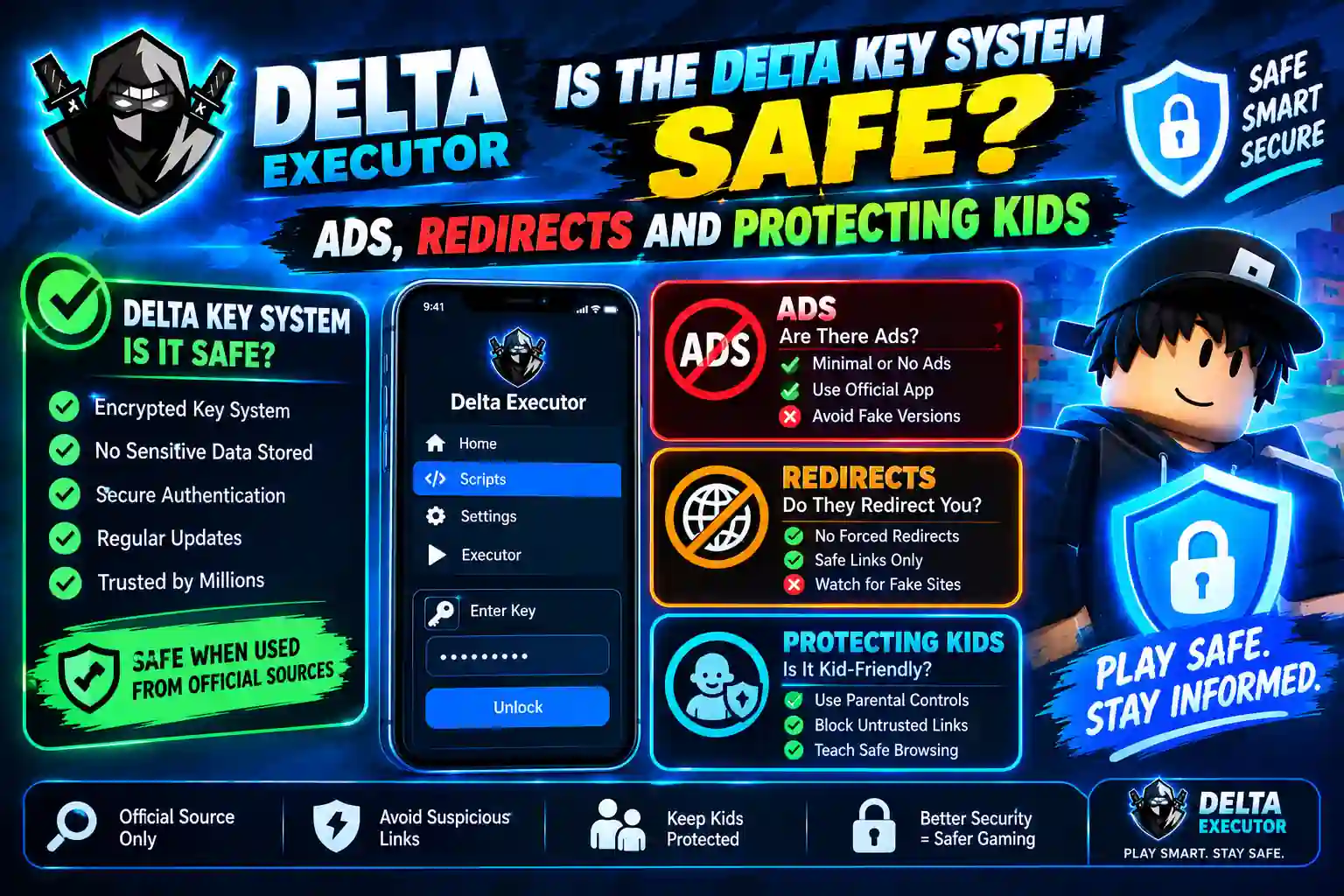
Is the Delta Key System Safe? Ads, Redirects and Protecting Kids
If you searched for “Delta Executor key system,” you probably ran into a confusing mix of answers. Some sites claim Delta has a key. Others say it is keyless. The truth matters, especially if a younger user is involved. This guide clears up what Delta’s key system actually is, exposes the ads and redirects that fake Delta key sites use to trick users, and gives parents a safety playbook that works today.
The Truth About the Delta Executor Key System
Here is the short version. Delta Executor does not have a key system. The official Delta app, downloaded from deltaexecutions.com, launches, attaches to Roblox, and runs scripts with zero verification steps. No Linkvertise. No Lootlabs. No ad walls. No codes to copy. This is why Delta grew to dominate the mobile executor market in the first place.
Our full breakdown of this design is in our Delta Executor keyless guide, but the core fact is simple. The real Delta is free, is keyless, and stays that way. Every search result or video that promises a “Delta key” or a “Delta key generator” is pointing at something else, something that is not actually Delta.
Why so many people search for a Delta key
Several reasons. First, almost every other mobile Roblox executor uses a key system (Codex, Krnl, Fluxus, Arceus X Neo), so new users assume Delta must have one too. Second, bad actors create fake Delta sites that pretend to require a key and route users through ad networks to make money. Third, YouTube videos with “Delta key tutorial” titles get millions of views because the topic is confusing enough to pull curious searchers.
If a website asks you for a Delta key, that website is not Delta. The real Delta Executor is keyless. Any key wall you encounter is a scam, affiliate funnel, or malware delivery system.
Why Fake Delta Key Sites Exist and Who Runs Them
Fake Delta key sites are not accidents. They exist because they make money. Understanding the business model behind them helps you recognize one on sight.
Affiliate ad revenue
Services like Linkvertise and Lootlabs pay website owners per completed ad task. When a user walks through a key generation flow (watch ad, wait 10 seconds, click button, repeat 3 times), the site operator earns a few cents. Multiply that by millions of users searching for Delta, and the economics work out even if the “key” they receive is fake or doesn’t unlock anything.
Malware distribution
Some fake Delta sites bundle their “Delta installer” with adware, keyloggers, or token stealers. A kid downloads what they think is Delta, grants installation permissions, and the device is compromised. This is particularly common with APK files from sketchy mirror sites.
Phishing for Roblox credentials
A smaller but dangerous category of fake Delta sites presents a Roblox-style login screen inside the key flow, claiming you need to verify your Roblox account to generate the key. Users who enter their credentials have just handed their Roblox account to attackers. Google’s own Safe Browsing project flags these types of phishing pages when it can detect them, but fresh phishing domains often slip through for days.
SEO parasites
Fake Delta sites compete fiercely on Google for terms like “delta executor key” and “delta executor key system.” Their entire goal is to intercept searchers before they find the real Delta site. The content on these pages is designed to confuse rather than inform.
How Key Ad Walls Actually Work
Even on legitimate executors that do use a key system (Codex, Krnl, Fluxus), the key flow involves ad walls that expose users to content they may not expect. Understanding the mechanics is useful even if you only ever plan to use the keyless Delta, because you will see these systems linked to all over the executor community.
- Click a key link. The user clicks a “Get Key” button on the executor’s homepage or inside the app. This opens a Linkvertise or Lootlabs flow in a browser.
- Hit the first ad gateway. A full-page ad appears, often themed around dating apps, gambling, VPNs, or mobile games. The user has to wait 10 seconds then click Continue.
- Walk through 2 to 5 more ad pages. Each page shows a different ad. Some are harmless app installs. Others are more adult-leaning content that depends on the ad network’s current fill rate.
- Encounter popup redirects. Many of these pages trigger browser notifications requests, popups, and sometimes redirects to completely different sites with their own ads.
- Reach the key. After completing the full flow, the user gets a text key to copy. On a legitimate executor this key unlocks the app. On a fake Delta site, the key is random text that does nothing.
The entire flow typically takes 2 to 5 minutes and exposes the user to a dozen or more ad impressions. The ad quality varies by region and by what advertisers happen to be bidding at that moment.
The Real Risks of Going Through Key Ad Walls
These are the specific risks that key systems and fake Delta sites expose users to. Not all of them hit every user, but any of them can hit any user on any given day depending on which ads happen to serve.
Adult or sexual content ads
Linkvertise and similar networks occasionally serve dating site or adult content ads despite official filters. These ads load full-screen and sometimes autoplay video.
Malware and adware downloads
Some ad links trigger APK or EXE downloads disguised as “required software.” Users who tap through can end up installing malware that logs their keystrokes or hijacks their browser.
Phishing login pages
Fake Delta sites sometimes insert a Roblox-style login prompt into the key flow. Credentials entered there go straight to attackers who can then access the user’s actual Roblox account.
Scam advertisements
Common scams include fake “You won a prize” popups, “Your device is infected” fake virus warnings, and crypto giveaway scams. These are designed to trick users into entering personal information or making payments.
Browser notification spam
Ad pages aggressively request browser notification permission. Users who grant it start receiving spam notifications even after closing the browser, some of which link to adult content or scam pages.
Tracking and data collection
Ad networks collect behavioral data, device fingerprints, and sometimes location data from users walking through key flows. This data is sold to third parties and feeds into ad targeting elsewhere.
Why Kids and Teens Face Higher Risk
Roblox skews young. The platform’s own public data has long shown that a majority of its users are under 16. That demographic reality means fake Delta key sites and legitimate ad walls primarily expose children to risks they are not equipped to recognize.
Lower pattern recognition for scams
A 13 year old does not have the pattern library an adult has for spotting fake “You won a prize” popups or phishing login pages. Scammers specifically target this demographic because conversion rates are higher.
No credit cards, but social accounts
Kids often don’t have payment methods to lose, but they do have Roblox accounts with Robux balances, limited items, and sometimes years of social history. Account theft hits them in ways that financially-focused scams do not.
Device sharing with family
Kids often use family devices. Malware installed on a shared tablet or laptop can expose parents’ banking apps, work accounts, and personal information to the same attackers who delivered the malware through the kid’s “Delta key” download.
Harder to report problems
Younger users are less likely to tell a parent when they encounter an adult ad or a creepy popup during a key flow. The behavior gets normalized as “that’s just how you get executors,” and the family only finds out when something concrete goes wrong.
If a child in your household uses or is trying to use any Roblox executor, the keyless design of Delta is actually one of the safer paths available. The alternative, which involves walking a child through Linkvertise ad walls on competing executors, is where the real risks live.
Red Flags: How to Spot a Fake Delta Key Site
Every fake Delta key site shares a few telltale signs. If a page you are on hits two or more of these, close it immediately.
It asks for a key for Delta
Delta is keyless. If a site presents a key flow for Delta, it is not Delta. Close it.
The domain is not deltaexecutions.com
Watch for lookalike domains like delta-executor.net, deltaxecutor.io, delta-exe.com. The official source is spelled deltaexecutions.com. Anything else is a copy.
The page immediately opens a popup or redirect
Legitimate sites do not launch popups the moment you land on them. Any site that opens a new tab, triggers a notification request, or redirects you to an unrelated page in the first 5 seconds is bad news.
The download button leads to Linkvertise or Lootlabs
If clicking “Download Delta” takes you to a Linkvertise or Lootlabs ad flow, you are not on the real Delta site. The real download at deltaexecutions.com is a direct link.
It asks for your Roblox login
No executor needs your Roblox login outside of the Roblox app itself. If any key page asks for Roblox credentials, it is phishing. Close the tab and change your Roblox password if you already entered them.
The page is overloaded with ads
Legitimate executor homepages have minimal ads. Pages that look like 60 percent of the screen is advertising are affiliate funnels, not official sources.
Grammar errors and inconsistent branding
Fake sites are often built fast and cheap. If the copy reads awkwardly, if logos look wrong, or if the design feels sloppy, trust that instinct and close the page.
The Safe Way to Get Delta Executor
Avoiding all the risks above is actually simple. Here is the only path you need.
Go directly to deltaexecutions.com
Type the URL in your browser rather than clicking a search result. This bypasses the fake sites that compete for the top Google positions.
Download from the official download page
The real Delta download is a direct APK, IPA, or installer. No key wall, no Linkvertise, no waiting.
Install using standard unknown-sources permission
On Android, you only need to enable installation from unknown sources once. The real Delta does not require you to disable Play Protect, Chrome Safe Browsing, or your antivirus.
Open and run
Launch the app, attach to Roblox, paste a loadstring, and execute. No keys, no verification. If you want a step by step walkthrough, our Delta Executor tutorial covers every detail.
If you want more context on how to evaluate executor safety broadly, our dedicated guide on whether Delta Executor is safe to use breaks down the full picture including Roblox Terms of Service risk, account action risk, and malware risk from fake sites.
Safety Guide for Parents
If a child in your household is using or wants to use a Roblox executor, these steps keep them safer regardless of which executor they end up with.
Install together, not alone
Sit with your child the first time they install an executor. Watch which domain they visit. Watch which download link they click. If the flow involves any ad wall or Linkvertise flow, that is a strong signal to redirect to Delta instead.
Separate device for scripted play
If your child is going to script in Roblox, do it on a secondary device that does not have family photos, banking apps, or shared accounts installed. A cheap older phone or tablet works. Malware exposure on that device does not touch the rest of the household.
Separate Roblox account for scripted play
Create a secondary Roblox account for scripting that does not hold Robux, limited items, or any purchases. If the account gets banned or compromised, the loss is minimal. The main account with real value stays untouched.
Enable Roblox parental controls
Roblox offers built-in parental controls that limit who can message your child, which experiences they can join, and how they can spend Robux. These controls do not prevent executor use, but they reduce the impact if an account gets compromised through a phishing fake Delta site.
Watch for malware signs
After any new APK install on a kid’s device, watch for signs of malware over the next few days: unusual battery drain, new apps you did not install, pop-up ads appearing when the device is idle, redirects in the browser. If you see any of these, uninstall the APK immediately and run a security scan.
Talk about what to do if something feels wrong
Tell your child that if any page shows them something that feels adult or scary, they should close it immediately and tell you. The point is not to shame them for using scripts; it is to make sure they feel safe telling you when something crosses a line.
Safety Guide for Younger Users
If you are a younger user reading this directly, here are the rules that keep you out of trouble.
Only use the keyless Delta
If any site asks you for a key to get Delta, close it. The real Delta does not have a key. Go to deltaexecutions.com directly and nothing else.
Never type your Roblox password anywhere except Roblox
No executor, no key page, no “verification” asks for your Roblox password. If any site shows you a Roblox login screen outside of the Roblox app or Roblox website itself, close it. If you already entered your password, change it immediately on Roblox.
Do not download extra “required software”
If a key page tells you to download an extra app to generate the key, that extra app is probably malware. The real Delta does not need any extra apps.
Use a different account than your main one
Make a second Roblox account just for using scripts. If something goes wrong, you don’t lose your main account’s progress, limited items, or Robux.
Tell someone if something feels off
If a page shows you something gross or scary, close it and tell a parent, older sibling, or someone you trust. You will not get in trouble for that. The bad people counting on you to stay quiet are the problem, not you.
Keep antivirus and system updates on
Do not disable Play Protect on Android, Safe Browsing in Chrome, or your antivirus on PC just because a download tells you to. Legitimate downloads do not need those turned off.
The Bottom Line on Delta’s Key System
The real Delta Executor is keyless. Any website demanding a “Delta key” is a fake, a scam, or a malware funnel. The ads and redirects on fake Delta key sites expose users (especially kids) to adult content, phishing attempts, malware downloads, and account theft. None of that applies when you download Delta from the correct official source.
The practical rule for parents and younger users is simple. Only use deltaexecutions.com. Only install the direct download. Never complete a key wall to get Delta. If a flow looks like a key system, it is not Delta, and you should close the page and start over.
Frequently Asked Questions
Does Delta Executor really have no key system?
Correct. Delta Executor is officially keyless. The real app downloads directly from deltaexecutions.com, installs with standard permissions, and runs scripts without any verification. If a site asks you for a Delta key, that site is not the real Delta.
Why do so many YouTube videos talk about getting a Delta key?
Because confusion drives views. Many of those videos either confuse Delta with other executors that do have keys (like Codex or Fluxus) or point viewers to fake Delta sites that profit from affiliate ad revenue through Linkvertise and similar services. The real Delta remains keyless regardless of what any video claims.
What is Linkvertise and why is it in so many executor key flows?
Linkvertise is a monetization service that pays site owners when users complete multi-step ad flows. Many executor websites use it to monetize their user base. Users have to walk through several ad pages before receiving a key. The real Delta Executor does not use Linkvertise, which is why Delta is keyless.
Can a fake Delta key site steal my Roblox account?
Yes, if the fake site includes a phishing login step. Some fake Delta sites display a Roblox-style login prompt as part of the “key verification” flow. Credentials entered there go directly to attackers. Never enter your Roblox password on any page outside the official Roblox app or roblox.com itself. If you already did, change your Roblox password immediately.
What should I do if I already downloaded a fake Delta installer?
Uninstall it immediately. Run a security scan with your antivirus (Play Protect on Android, Windows Defender on PC, built-in Mac scanner on macOS). Clear your browser cookies and cache. Change your Roblox password if you entered it anywhere during the install. Then download the real Delta from deltaexecutions.com.
Is it safe to let my child use Delta Executor?
The keyless design of real Delta is actually one of the safer executor paths because it eliminates the ad walls where most risks live. However, executors still violate Roblox’s Terms of Service and carry account action risk. If you decide to allow it, use a secondary Roblox account, install on a secondary device if possible, and read our full guide on whether Delta Executor is safe for the complete picture.
How can I tell the real Delta site from a fake one?
The real Delta Executor is at deltaexecutions.com. The real site has no key system, no Linkvertise flow, no ad wall, no popups demanding you click through tasks. Fake Delta sites typically have slightly different domain spellings (deltaxecutor, delta-exe, delta-executor-pro), launch popups immediately, and route downloads through Linkvertise or Lootlabs. If any of those appear, you are not on the real Delta site.
Are the keys on legitimate executors like Codex safe?
The key systems themselves are legitimate, but the ad flows users walk through to generate keys expose them to the same adult ads, popups, and occasional malware links as fake Delta sites. If keyless use matters to you, Delta is the only major executor without any key flow. See our Delta vs Codex comparison for a direct look at the key friction difference.
References
- DeltaExecutions, Delta Executor Official Download and Documentation, deltaexecutions.com
- Google Safe Browsing Project (Phishing and Malware Protection)
- Roblox Corporation: Official Account Safety Tips
- DeltaExecutions internal review of fake Delta key site patterns (recently updated)

3 Comments