
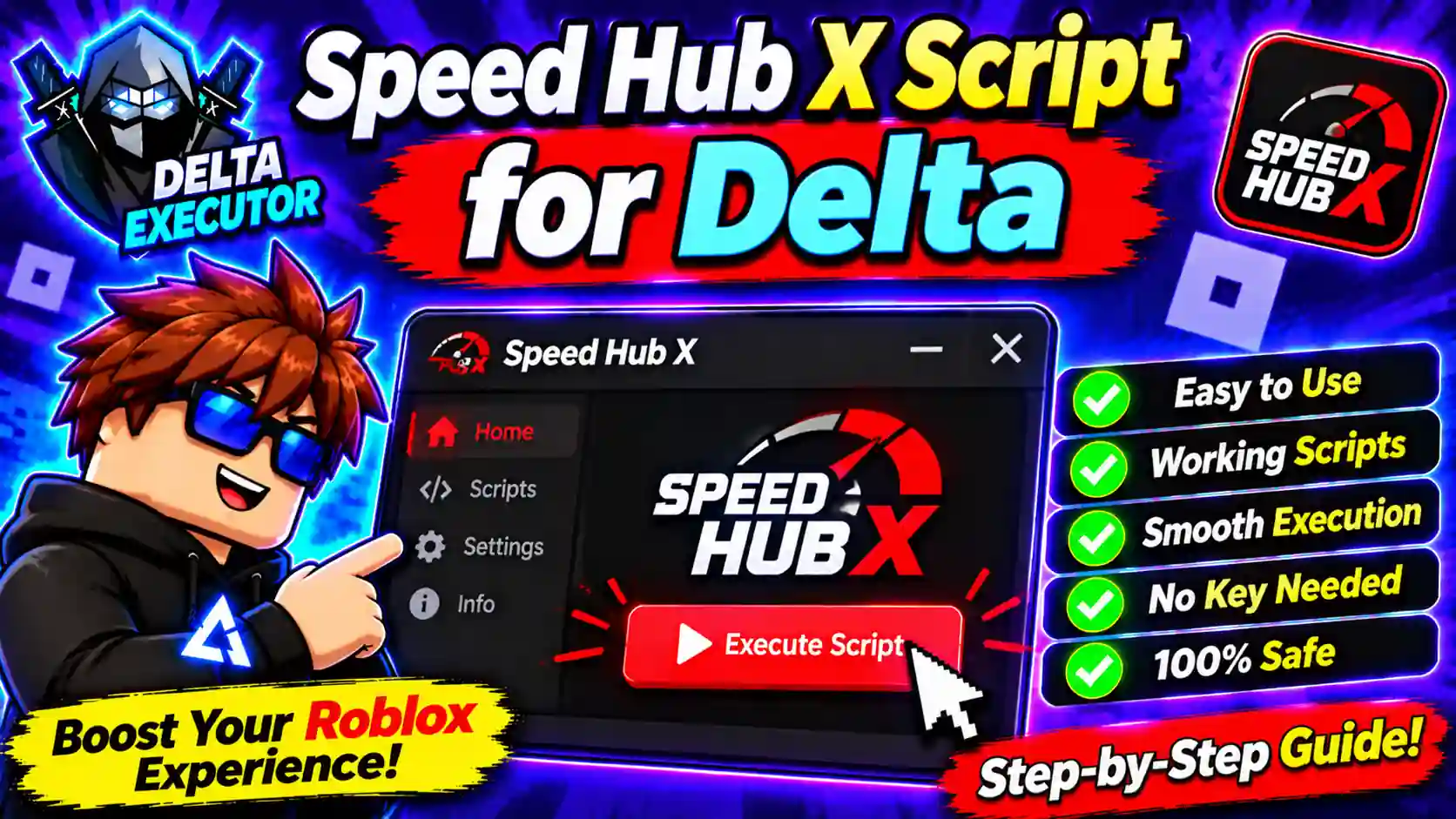
Speed Hub X Script for Delta: Best Features, Auto Farm & How to Use
Speed Hub X is one of the longest-running universal script hubs for Roblox. It started as a Blox Fruits auto-farm and grew into a cross-game hub covering dozens of popular titles, including Pet Simulator, King Legacy, Grand Piece Online, Anime Fighting Simulator, and more. What keeps Speed Hub X popular is simple: active updates, a clean UI, strong Blox Fruits support, and reliable universal features that work across any game. In this guide, we cover what Speed Hub X does, every category of feature it offers, how to run it on Delta Executor across Android, iOS, and PC, troubleshooting common issues, safety considerations, and whether it still deserves a spot in your 2026 rotation.
What Is Speed Hub X
Speed Hub X is a free universal script hub developed by community coder AhmadV99 and a small team. It launched originally as a Blox Fruits focused tool and grew over time into a broader hub covering most of the top grind games on Roblox.
The hub is distributed as a single loadstring. You paste the loadstring into Delta’s input, execute, and a UI appears with tabs for the current game’s supported features. If you load it in an unsupported game, you still get a “Universal” section with walk speed, jump, fly, and other game-agnostic tools.
Speed Hub X runs on nearly all executors that implement the UNC (Universal Naming Convention) standard, Delta included. For a refresher on UNC and compatibility, see our UNC guide.
Why Speed Hub X Is Popular
Dozens of universal hubs exist. Why does Speed Hub X have staying power?
- Active updates. Blox Fruits updates often; Speed Hub X updates alongside. Many competing hubs break for days after a game patch.
- Clean UI. The tabbed interface is readable on mobile, not just PC. For a hub used heavily on Delta iOS and Android, that matters.
- Comprehensive Blox Fruits. Auto-farm, Devil Fruit farming, raids, boss quests, Sea Beast hunting, and more.
- Keyless. No separate key gate on top of Delta’s own.
- Lightweight universal fallback. Loads fast in unsupported games and still gives you the basics.
None of that makes it bulletproof. Specific competitors (like game-specific scripts for one title) often do that one title better. But for one-script-covers-everything, Speed Hub X is a favorite.
Games Speed Hub X Supports
The full list changes with updates, but these are the games with dedicated feature sets at the time of writing.
| Game | Feature Depth | Notable Features |
|---|---|---|
| Blox Fruits | Deep (main focus) | Auto farm, raids, Devil Fruit, bosses, Sea Beast, ESP |
| King Legacy | Medium | Auto farm, teleport, fruit sniper, raid farm |
| Grand Piece Online | Medium | Auto farm, race farm, fruit farm |
| Anime Fighting Simulator | Medium | Auto train, boss farm, quest farm |
| Pet Simulator X / 99 | Light | Auto click, teleport, egg hatch |
| Bee Swarm Simulator | Light | Auto farm, pollen boost |
| Pet Catchers | Light | Auto catch, teleport |
| Reaper 2 | Medium | Auto farm, boss killer |
| Peroxide | Medium | Auto farm, hollow farm |
| Universal (any game) | Basic | Walk speed, jump, fly, noclip, ESP, teleport |
If your game is not listed, Speed Hub X falls back to the universal menu with all the basic game-agnostic tools.
Core Feature Breakdown
Speed Hub X features cluster into three categories.
Auto Farm (per game)
Automatic grinding of levels, mobs, or quest targets without manual input. The headline feature for Blox Fruits.
Auto Raid / Boss
Automates specific boss encounters and raid rotations, the most efficient way to farm high-value drops.
Auto Quest
Accepts and completes repeatable quests. Best for XP farming during passive play.
Teleports
Instant teleport to islands, NPCs, bosses, raid spots, and shops. Save minutes on every quest.
Walk Speed / Jump Power
Universal movement modifiers. Works in any game.
Fly and Noclip
Vertical movement and wall-passing. Essential for reaching sky islands and shortcuts.
ESP Players and NPCs
See through walls to find players, boss NPCs, and loot. Universal and per-game variants.
Auto Click / Attack
Rapid auto-attacking. Useful for combat games with manual click cycles.
Each feature has its own toggle inside the UI, so you can leave only the ones you need on and save performance.
Blox Fruits Features in Detail
Blox Fruits is where Speed Hub X shines brightest. Here is what the Blox Fruits tab offers.
Leveling
- Auto Farm Level. Target mobs at your level range and auto-attack them.
- Select Monster. Pick the specific mob the auto-farm targets.
- Fast Attack. Removes attack cooldown so damage is continuous.
- No Clip. Pass through walls to skip travel.
- Auto Haki. Toggle Buso Haki automatically for damage buff.
Devil Fruits
- Auto Buy Fruit Sniper. Grabs Devil Fruits the moment they appear on the map.
- Auto Store Fruit. Stores purchased fruits for later use or sale.
- Teleport to Fruit Spawn Points. Instantly scan known spawn islands.
- Fruit Notifier. Alerts when a fruit spawns in your server.
Raids
- Auto Join Raid. Enters raids automatically when started.
- Auto Complete Raid. Kills mobs through the full raid cycle.
- Raid Teleport. Fast travel through raid stages.
Quests and Bosses
- Auto Boss Farm. Rotates between island bosses with respawn timing.
- Auto Quest. Accepts repeatable quests and clears them.
- Sea Beast Hunter. Auto-attacks Sea Beasts that spawn near you.
- Factory Farm. Dedicated loop for Factory boss grinding.
Utility
- Auto Rejoin. Rejoins the server if kicked.
- Server Hop. Jumps to low-population servers for less competition.
- Anti AFK. Prevents Roblox idle kick (critical for AFK farming).
For deeper Blox Fruits optimization, see our dedicated Blox Fruits script guide.
Universal Features (Work in Any Game)
Even if your game is not supported directly, Speed Hub X gives you a universal tab.
| Feature | What It Does | Game Risk |
|---|---|---|
| Walk Speed | Faster movement (default 16) | Low (visual only in most games) |
| Jump Power | Higher jumps (default 50) | Low |
| Fly | Free-form vertical flight | Medium (physics anti-cheat triggers) |
| Noclip | Pass through walls | Medium (position checks catch this) |
| Infinite Jump | Jump in mid-air repeatedly | Low |
| ESP | See players through walls | Low (client-side only) |
| Chams | Colored silhouettes on players | Low |
| Teleport to Player | Move to another player’s location | Medium (teleport detection) |
| Anti AFK | Prevents Roblox idle kick | None |
Speed Hub X Script (Copy and Paste)
Paste this into Delta’s script box, execute, and Speed Hub X loads. Always get the latest version from the hub’s official repository; this loadstring fetches the current build on every run.
loadstring(game:HttpGet("https://raw.githubusercontent.com/AhmadV99/Speed-Hub-X/main/Speed%20Hub%20X.lua"))()That one line is the entire install. The remote script downloads, runs, and detects your current game automatically.
Universal hubs use a tiny bootstrap script that fetches the real hub code from a CDN on every execution. This way, you always get the newest version without manually updating. If the CDN link fails, the hub is down or moved; try again later or check the hub developer’s official channel for the current URL.
How to Run Speed Hub X on Delta
The steps are the same across Android, iOS, and PC.
- Install Delta. Download from deltaexecutions.com. Pick the right build: iOS, Android, PC, or Mac.
- Verify your key. Open Delta, tap Get Key, complete the Gateway and Loot Link flow. If anything fails, see our key system guide.
- Launch Roblox and join Blox Fruits (or any supported game).
- Attach Delta to Roblox. Tap the Attach button. Wait for “Attached” confirmation.
- Copy the Speed Hub X loadstring above.
- Paste into Delta’s script input.
- Tap Execute. The hub UI loads within 5 to 10 seconds.
- Open the game-specific tab (Blox Fruits, King Legacy, etc.) or Universal.
- Toggle features one by one. Do not enable everything at once; test what you need.
UI Tour and Settings
When Speed Hub X loads, you see a compact tabbed window. Here is what each section does.
Top bar
Hub title, minimize, and close buttons. You can drag the whole window to reposition.
Left tabs
Game-specific features (if a supported game is loaded) are at the top. Universal features, Settings, and Credits sit below.
Center panel
Toggles, sliders, and dropdowns for the active tab. Each toggle has a short description on hover (PC) or long-press (mobile).
Settings tab
- UI scale (critical on mobile; raise it to make toggles tap-friendly).
- UI theme (dark, light, custom colors).
- Hotkey assignment (PC only).
- Auto-save settings per game.
Mobile tips
If the UI feels cramped on your phone, bump UI Scale to 1.2 or 1.3 in Settings. Also, pin your most-used tab so you can toggle features fast without digging through menus.
Performance Tuning
Speed Hub X is capable, which means it can be heavy. Keep performance clean with these habits.
- Disable features you do not use. ESP across every player costs frames. Auto-farm loops cost CPU. Only enable what you actively need.
- Lower Roblox graphics to level 1 or 2. See our Delta lag and overheating fix guide for full tuning.
- Avoid running two hubs at once. Each hub adds its own loops. Running Speed Hub X plus another universal hub doubles the cost.
- Close background apps. RAM pressure is the number one cause of Speed Hub X lag on 3GB and 4GB phones.
- Use Anti AFK sparingly. Speed Hub X’s Anti AFK and Delta’s own Anti AFK do the same job; one is enough.
- Save your settings per game. Settings tab has a save feature so you do not re-configure every session.
Troubleshooting Common Issues
| Problem | Cause | Fix |
|---|---|---|
| Hub does not load | CDN URL changed or GitHub blocked | Check the hub’s official Discord for the current URL |
| UI appears blank | Older Delta build missing new API | Update Delta from the official source |
| Auto-farm stops after 1 minute | Game-side detection or script crash | Toggle off and on; if persistent, try server hop |
| Lag or FPS drops | Too many features enabled | Disable ESP, chams, and unused loops |
| Toggles do not respond on mobile | UI too small for touch | Raise UI Scale in Settings to 1.2 or higher |
| “attempt to index nil” error | Game loaded before script could find UI elements | Wait a few seconds after game loads, then re-execute |
| Kicked after script executes | Game-side cheat detection triggered | Disable fly, noclip, and teleport in that game; use safer features only |
| Can’t attach Delta | Injection issue | See our script not working guide |
Safety and Detection
Universal hubs carry detection risk because they use flashy features (fly, teleport, noclip) that some games watch for. Speed Hub X itself is safe; what you do with it decides your risk.
Low-risk features
- Walk speed (even values up to 50 pass in most games).
- Jump power.
- ESP and chams (client-side only).
- Anti AFK.
- Auto-farm in games without client-side anti-cheat (Blox Fruits auto-farm is generally safe).
Medium-risk features
- Fly and noclip (physics anti-cheat flags these in some games).
- Teleport (position checks catch repeated teleports).
- Fast attack (attack frequency detection).
High-risk games
Games with aggressive anti-cheat (Da Hood, Arsenal, Phantom Forces) catch most hub features. For a broader view on detection, our detection guide covers the current landscape.
Script use violates Roblox’s Terms of Service. Even with Delta’s low detection profile, using any hub (Speed Hub X included) in a game that bans for exploits can result in account action. Do not use hubs on accounts you cannot afford to lose. Alt accounts are the norm.
Alternatives to Speed Hub X
If Speed Hub X ever goes down or you want a second option, these are solid alternatives.
- Infinite Yield. Admin command suite rather than auto-farm. Cleaner for utility use. See our script library.
- Game-specific hubs. For Blox Fruits, Rip Indra Hub and Vynixu’s hub compete with Speed Hub X head-on. For other games, dedicated hubs usually have deeper features than universal ones.
- Hoho Hub. Another universal Blox Fruits competitor with similar feature parity.
- Standalone scripts. If you only want ESP or auto-farm, standalone scripts are lighter than full hubs. Write your own with our Lua scripting guide.
Keep two or three hubs in your script library so you always have a backup when one goes down for updates or redirect changes.
The Bottom Line
Speed Hub X earns its reputation. For Blox Fruits, it is near the top of the Delta-compatible hubs; for King Legacy, Grand Piece, Anime Fighting Simulator, and other popular grinders, it covers the essentials; and for everything else, its universal fallback gives you fly, noclip, ESP, and walk speed in one line. Keep it installed, pair it with Delta Executor from the official source, tune performance, and watch for hub updates in its creator’s Discord. For related Delta guides, see our script library, Delta tutorial, and autoexecute guide.
Frequently Asked Questions
What is Speed Hub X used for?
Speed Hub X is a universal Roblox script hub focused heavily on Blox Fruits auto-farming, with additional support for King Legacy, Grand Piece Online, Anime Fighting Simulator, Pet Simulator, and over a dozen other popular games. It provides auto-farm, auto-raid, teleport, fly, ESP, walk speed, and other common exploit features through a tabbed UI that loads with a single loadstring.
Is Speed Hub X free?
Yes. Speed Hub X is fully free and keyless; there is no separate key or paywall beyond Delta’s own daily key verification. The hub loads from a public CDN with a single loadstring you paste into Delta’s script box.
Does Speed Hub X work on Delta Executor?
Yes. Speed Hub X uses standard UNC functions that Delta implements fully, so it loads and runs normally on Android, iOS, PC, and Mac builds of Delta. Make sure you are on the latest Delta build from deltaexecutions.com for best compatibility, since outdated versions occasionally miss UNC functions newer hub features need.
What is the Speed Hub X Blox Fruits script?
The Blox Fruits tab inside Speed Hub X is the hub’s flagship offering. It includes auto-farm (level by level), auto-raid, auto-boss, Devil Fruit sniping, Sea Beast hunting, Factory farming, teleport to islands and bosses, auto-quest, anti-AFK, and server hop. It is one of the most comprehensive Blox Fruits automation sets available.
Will Speed Hub X get me banned in Blox Fruits?
Blox Fruits does not have aggressive client-side anti-cheat, so auto-farm, teleport, and most utility features in Speed Hub X go undetected for most players. However, using any exploit violates Roblox’s Terms of Service, so Roblox itself can act on your account at any time. Many players use alt accounts for script use so their main account stays untouched. Treat the risk as real, even if it is often small.
Why is my Speed Hub X not loading?
Common causes are an outdated Delta build (update from deltaexecutions.com), a changed CDN URL (check the hub’s official Discord for the current loadstring), too fast execution (wait for the game to fully load before executing), or network issues blocking GitHub access. If the error output shows “attempt to index nil,” the game loaded without needed UI elements; wait 10 seconds and re-execute. For general script loading issues, see our Delta script not working guide.
Can I run Speed Hub X on mobile?
Yes. Speed Hub X is optimized for mobile from the start. The UI scales well, toggles are tap-friendly, and loops are not wasteful. Blox Fruits auto-farm on mobile works smoothly on 4GB RAM phones and up. For best performance, raise UI Scale in Settings to 1.2 or 1.3, disable unused features, and lower Roblox graphics to level 1 or 2.
Who made Speed Hub X?
Speed Hub X was created by AhmadV99 and a small team of community developers. It is maintained through a public GitHub repository and updated frequently to match Blox Fruits patches. Community contributions through GitHub and the hub’s official Discord server help keep it alive.
References
- DeltaExecutions, Script Library and Testing Archive, deltaexecutions.com
- Roblox Creator Documentation: Engine API Reference
- Luau Language Official Documentation
- DeltaExecutions internal Speed Hub X compatibility testing (recently updated)


One Comment