
Delta Executor Download: Latest APK for Android and IPA for iOS (2026)
Free Roblox script executor for Android and iOS with 100% sUNC script support, a free key system, and no root or jailbreak. Download the latest Delta APK and IPA right here, checked and ready to install. Here at deltaexecutions.com, we offer safe and secure files to download and install.
Delta Executor
v2.729
Free Roblox script executor from the Delta team. Runs Luau scripts on Android and iOS, and on PC through an emulator. No root, no jailbreak, no cost.
5B+
Downloads
2.5M+
Discord members
50B+
Times launched
8.0+
Android
What’s New in Delta Executor 2026 Latest Version:
Important Information
Delta Executor comes from the Delta team, which brands itself Delta Exploits. We run an independent site, and neither we nor Roblox Corporation make or support Delta.Delta Executor is an independent third-party tool. Users are responsible for following all applicable platform guidelines.Always use a secondary account when testing any third-party tools.. So, always play on a spare account and download Delta only from a trusted source like this page.
Download Info:
4.5
Rating
100%
sUNC Score
v2.729
Version
8.0+
Android
|
Field |
Value |
|---|---|
|
App Name |
Delta Executor |
|
Category |
Roblox Script Executor / Gaming Tool |
|
Developer |
Delta team (Delta Exploits) |
|
Script Support |
100% sUNC on Android, 98% sUNC on iOS |
|
Roblox Version Supported |
2.729 |
|
Version |
v2.729 |
|
Last Update |
October 2026 |
|
Platforms |
Android and iOS (PC through an emulator) |
|
Requires Android |
8.0 and above |
|
Requires iOS |
13.0 and above |
|
Root / Jailbreak |
Not required |
|
Discord Members |
2,500,000+ |
|
Price |
Free (optional paid Premium) |
System Requirements and Device Permissions for Delta Executor
Before you install Delta Executor, check that your device meets these minimum requirements. Delta runs as a modified Roblox app, so it needs at least what Roblox itself needs.
Minimum System Requirements
| Requirement | Minimum Specification |
|---|---|
| Operating System (Android) | Android 8.0 (Oreo) or newer with OpenGL ES 3.0 |
| Operating System (iOS) | iOS 13 or newer (a recent iOS version works best) |
| Operating System (PC) | Windows 10 or 11 with MuMu Player or BlueStacks |
| RAM | 3 GB minimum, 4 GB recommended (8 GB for PC emulators) |
| Storage | About 500 MB free for the app and your scripts |
| Internet | Stable WiFi or mobile data for the key check |
| Roblox Account | A spare account, never your main one |
| Root or Jailbreak | Not needed on any platform |
Roblox ended support for Android 5 in April 2024 and for Android 6 and 7 in July 2025. So, if a page still says Delta runs on Android 5.0, it shares outdated facts.
Device Permissions Required
Delta asks for roughly the same permissions as the normal Roblox app. Here is what each one does.
| Permission | Why Delta Needs It |
|---|---|
| Install Unknown Apps | Lets your browser install the APK, only once |
| Storage Access | Saves your scripts, settings and Script Hub cache |
| Network Access | Loads cloud scripts and checks your key |
| Clipboard Access | Copies the key link so you can paste it into your browser |
| Microphone | Only if you use Roblox voice chat |
Red flags: A real Delta build never asks for your contacts, SMS, call logs or an Accessibility Service. If your file asks for any of these, delete it and download a clean copy from this page.
Download Delta Executor APK and IPA (Latest Version)
Delta Executor File Details and How to Spot Fake Downloads
Every file on this page matches the build the Delta team releases. We never change, repack or add anything to it. Here are the details of the current builds.
| File Detail | Delta APK (Android) | Delta IPA (iOS) |
|---|---|---|
| Version | 2.729.840 | 2.729.838 |
| Roblox Version Supported | 2.729 | 2.729 |
| File Type | APK | IPA (sideload) |
| Works On | Android 8.0 or newer | iOS 13 or newer |
| Script Support | 100% sUNC | 98% sUNC |
| Root or Jailbreak | Not needed | Not needed |
| Price | Free with key | Free with key |
| Last Checked | October 9, 2026 | October 9, 2026 |
How to Check Your Download Yourself
You do not need to take anyone’s word for it, including ours. Instead, run these quick checks on any Delta file before you install it:
- Scan it on VirusTotal. Upload the APK or IPA at virustotal.com. One or two generic flags are normal for executors, while many trojan or spyware flags mean you should delete the file.
- Check the version inside Delta. After you install it, open Settings, then About. The version should match the table above.
- Watch the permissions. A real build never asks for your contacts, SMS, call logs or an Accessibility Service.
- Test it on a spare account first. Join a simple game and run a basic script before you trust the build.
How to Spot a Fake Delta Download
Sadly, many sites that rank for “Delta Executor download” serve fake or repacked files. So, run these quick checks wherever you download Delta.
- Count the download buttons. Fake sites stack several buttons that open ads or unrelated files. A real download page shows one clear button per platform.
- Check the Discord link. Read our Delta Executor Discord server guide for community access and verification details. The real Delta Discord lives at discord.gg/deltax. A site that pushes a different invite probably shares fake files.
- Check the version number. A real build shows a version that matches the current Roblox version, such as 2.729.
- Ignore key gateway downloads. The key steps show ads, and some ads try to start an APK download. Cancel it every time.
- Watch the permissions. Delete any build that asks for contacts, SMS or an Accessibility Service.
And what about the official site? The Delta team runs deltaexploits.gg. So, any other domain that calls itself the official Delta site is a copy, even when it looks identical.
ABOUT DELTA EXECUTOR:
Delta Executor is a free Roblox script executor from the Delta team. It works as a modified Roblox app, so you play inside Delta and run Luau scripts that automate farming, show items through walls, teleport you around the map and more.
It runs on Android and iPhone without root or jailbreak, and Windows players run it through an Android emulator. According to the WEAO status tracker, Delta scores 100% sUNC on Android and 98% on iOS, so almost every modern script works on it.
The built in Script Hub covers popular games like Blox Fruits, 99 Nights in the Forest, Steal a Brainrot, Grow a Garden, Fisch and Brookhaven. However, Roblox can detect Delta, so you should always play on a spare account.
The official Delta Discord counts more than 2.5 million members, and the team posts every new build there first. Best of all, Delta costs nothing. The team earns money through the ads in its key system and through the optional Delta Premium.
Delta Executor Features: What Makes It Stand Out
Most free Roblox executors only run basic scripts and stop there. Delta goes further with near perfect script support, a mobile friendly editor and a huge community. Here is what you actually get in 2026.
Script Compatibility: 100% sUNC on Android
Script support decides whether a script runs or fails. The community measures it with UNC and sUNC tests, which check how many standard executor functions an executor supports. The WEAO tracker lists Delta at 100% sUNC on Android, 98% on iOS and 99% UNC. In practice, almost every modern script runs on Delta without changes.
Fast Updates After Roblox Patches
Roblox updates its app often, and every update breaks executors for a while. Delta follows each Roblox version closely. In fact, its version number matches the Roblox build it supports, such as 2.729. The team announces each new build on Discord, and we upload it here right after we check it.
Script Hub With Ready Scripts
The built in Script Hub lets you browse and run popular scripts without hunting for them. It covers Blox Fruits, Grow a Garden, Fisch, Murder Mystery 2, Brookhaven, Steal a Brainrot, 99 Nights in the Forest and more. Because games update often, some scripts stop working for a while, so always pick the newest version.
Works on Android and iPhone, No Root or Jailbreak
Delta installs on Android 8.0 or newer as an APK and on iPhone as an IPA that you sideload. Windows players run the Android version in MuMu Player or BlueStacks. Nowhere do you need to root or jailbreak your device.
Built In Script Editor With Auto Save
The script editor saves your work automatically and sorts scripts into labelled folders. So, a crash or an accidental close no longer wipes your script. You can also build your own folders and rerun saved scripts in one tap.
Live Console
The console logs every script run as it happens. It shows which line worked, which line failed and why. As a result, you can fix a broken script much faster.
Crash Protection
Delta keeps the game from freezing when you run large scripts. It also uses memory carefully, so it runs well on phones with 4 GB of RAM.
Free Key System
To use Delta for free, you get a key through a short ad gateway. A key usually lasts about 24 hours, and switching networks can end it early. Delta Premium removes the key completely.
Free to Use
Every core feature, from the editor to the Script Hub, costs nothing. The ads in the key flow pay for development. Delta Premium exists only for players who want to skip the key.
What Is Delta Executor?
Delta Executor is a free Roblox script executor for Android and iOS. Simply put, it lets you run your own Luau scripts inside Roblox games while you play. These scripts unlock things the normal Roblox app never offers, such as auto farming, ESP that shows players through walls, teleporting and custom menus.
So how does it work? Delta is a modified version of the Roblox app with a script runner built in. You open Delta instead of Roblox, sign in, and join a game. Then a floating Delta button appears. You tap it, paste a script into the editor or pick one from the Script Hub, and tap Execute.
Delta works on Android 8.0 or newer and iOS 13 or newer, and Windows players run it through an emulator. According to the WEAO status tracker, it scores 100% sUNC on Android, and the official Discord has more than 2.5 million members. However, the same tracker lists Delta as detected. That means Roblox can spot it and ban the account you use.
Delta Executor Versions Explained: 2.729, Delta X and VNG
You will see lots of version numbers and names around Delta. Here is what each one actually means.
| Name You See | What It Means |
|---|---|
| Delta 2.729.840 | The build that runs on Roblox version 2.729 |
| Delta X | Another name for Delta Executor |
| V2.0 or [V2.0] [Official] | A label from video titles, not a real version |
| Delta VNG | A build for the Vietnamese edition of Roblox |
What Do Delta Version Numbers Mean?
Delta’s version number follows the Roblox version it runs on. For example, Delta 2.729.840 runs on Roblox version 2.729. That is why people search for numbers like 2.724 or 2.708. Each number points to the Roblox release that build supports.
As a result, an old Delta build stops working as soon as Roblox updates. So, always install the newest build from this page. Older versions only help when you test something on an older Roblox app.
What Is Delta X?
Delta X is simply another name for Delta Executor. Many YouTube videos and download pages use it. Likewise, labels like “V2.0” come from video titles. They do not point to a special build, because the real version is always the long number.
What Is Delta VNG?
Delta VNG is a build for Roblox VNG, the Vietnamese edition of Roblox that VNG Corporation runs. You only need it if you play on the Vietnamese Roblox app. See our Delta Executor VNG download and installation guide for this regional version. Everyone else should install the normal Delta APK.
How to Install Delta Executor on Android?
Installing Delta Executor on Android takes about three minutes. Google Play does not allow Roblox executors, so you install Delta as an APK file. Follow these six steps, and you will run your first script in no time.
Step 01: Download the Delta APK
Tap the Download Delta Executor APK button on this page and wait for the file to finish. A broken download will not install, so keep your connection steady.
Step 02: Check the File
Make sure the download finished fully. If the file will not open or Android says it is damaged, delete it and download it again.
Step 03: Allow Installs From Your Browser
Open your Downloads folder and tap the APK. Android asks for permission to install unknown apps. Tap Settings, turn on Allow from this source for your browser, and go back to the APK.
Step 04: Install the APK
Tap Install and keep the screen open until it finishes. It usually takes 10 to 30 seconds. If Google Play Protect shows a warning, read it carefully before you continue.
Step 05: Sign In and Get Your Key
Open Delta and sign in with your spare Roblox account. Then join any game, wait for the floating Delta button, and complete the key steps.
Step 06: Run Your Scripts
Once Delta accepts your key, open the Script Hub or paste your own script, then tap Execute. That is it, you are ready to go.
Pro Tip: If your antivirus flags the APK, do not panic, but do not ignore it either. Some antivirus apps flag every executor because executors change how Roblox runs. So, scan the file on VirusTotal. One or two generic flags usually mean nothing, while many trojan or spyware flags mean you should delete the file.
App not installed? This error usually means an old Delta build conflicts with the new one, or the file broke during download. Uninstall the old build, download the APK again, and make sure your phone runs Android 8.0 or newer.
How to Install Delta Executor on iOS (iPhone / iPad)?
Apple does not allow executors in the App Store, so you sideload Delta on iPhone and iPad. You have two options. The IPA method works best, and Delta itself labels it as the official way. Direct Install skips the signing app, but Delta marks it as unofficial because it breaks often.
Method 1: Install the Delta IPA (Recommended)
Step 01: Tap the Download Delta Executor IPA button on this page and save the file.
Step 02: Install a signing app such as ESign or Scarlet on your iPhone, or use Sideloadly on a computer.
Step 03: Open ESign, tap the menu, and import the Delta IPA file.
Step 04: Find the file inside ESign, tap it, tap Signature, then tap Install.
Step 05: Go to Settings, then General, then VPN and Device Management. Tap the developer profile and tap Trust.
Step 06: Open Delta, sign in with your spare account, and complete the key steps.
Scarlet and Sideloadly follow almost the same import and signing steps, so pick whichever works on your device. Also, keep in mind that an app you sign with a free Apple ID runs for only 7 days. After that, Delta stops opening until you sign and install the IPA again.
Method 2: Direct Install (Unofficial)
Step 01: Open the Direct Install link in Safari and tap Install.
Step 02: Confirm the profile prompt on your screen.
Step 03: Go to Settings, then General, then VPN and Device Management.
Step 04: Under Enterprise App, find the developer profile and tap Trust.
Step 05: Open Delta, complete the key, and start running scripts.
Direct Install feels quicker, but it relies on shared enterprise certificates. Apple revokes those often, and then Delta shows Unable to Verify App and stops opening. When that happens, switch to the IPA method.
How to Download Delta Executor on PC (Windows / Mac)?
Delta Executor has no native Windows or Mac app. On Windows, you run the Android APK inside an Android emulator; see our Delta Executor for PC installation guide for the steps. Mac users can check our separate Delta Executor for Mac guide for macOS-specific options. MuMu Player and BlueStacks are common Windows emulator choices.
Step 01: Choose an Emulator
Download and install MuMu Player 12 or BlueStacks 5 on your Windows 10 or 11 PC. Both cost nothing.
Step 02: Set Up the Emulator
Open the emulator and give it at least 4 GB of RAM in its settings. You can skip the Google sign in if you only want Delta.
Step 03: Download the Delta APK
Open the browser inside the emulator and download the APK from this page. Or, download it on your PC and drag the file into the emulator window.
Step 04: Install the APK in the Emulator
Click the Install APK button in the emulator and pick the file. The emulator installs it within seconds.
Step 05: Open Delta and Play
Open Delta, sign in to Roblox inside it, join a game and complete the key. Remember, you play Roblox inside Delta, not in a separate Roblox app.
| Emulator | Best For | RAM Usage | Speed |
|---|---|---|---|
| MuMu Player 12 | PCs with 8 GB of RAM or less | Low | Very Fast |
| BlueStacks 5 | Gaming PCs with 16 GB of RAM or more | Medium | Fast |
| LDPlayer 9 | A stable, light alternative | Low | Fast |
Tip: On Windows, MuMu Player usually beats BlueStacks on PCs with 8 GB of RAM or less. On Mac, your options shrink, because most Android emulators run poorly on Apple Silicon. That is why many Mac players pick a Mac executor instead.
How to Get the Delta Executor Key
The Delta key is a long string of letters and numbers that unlocks Delta for a set time, usually about 24 hours. You do not create it. Instead, you get a fresh one through an ad gateway, and it ties to your current device session. So, if your network changes or the time runs out, the key stops working and you need a new one.
Why does Delta use keys at all? First, the ads in the key flow pay for development without charging you. Second, keys stop bots from abusing the executor. Finally, they let Delta check that each user runs a current build.
Step by Step: How to Get the Delta Key on Android
Step 01: Open Delta and join any Roblox game. Blox Fruits works fine.
Step 02: Wait for the game to load fully. The floating Delta button appears on the side of your screen within a few seconds.
Step 03: Tap the Delta button, wait for the key prompt, and tap Receive Key.
Step 04: Delta copies the key link to your clipboard.
Step 05: Open Chrome or any browser, paste the link into the address bar and open it.
Step 06: Cloudflare checks that you are a real person, which takes a few seconds. Then the Delta key page loads.
Step 07: Wait 5 seconds and tap Continue. If any file starts to download, tap Cancel right away.
Step 08: On the task page, tap each task, go back quickly, and repeat for every task. Never download anything these tasks offer.
Step 09: Wait for the Unlock Content button to turn green, then tap it.
Step 10: Tap Continue on the key page. Your key appears on screen.
Step 11: Copy the key, go back to Delta, paste it into the key box and tap Continue. Now Delta works until the key expires. For troubleshooting, renewal steps and common errors, see the Delta Executor key guide.
Once you know the flow, the whole process takes about 3 minutes. The tasks eat most of that time, so stay patient and never refresh the page halfway, or the timer starts over.
Step by Step: How to Get the Delta Key on iOS
Step 01: Open Delta on your iPhone or iPad and join a Roblox game.
Step 02: When the key prompt appears, tap Receive Key. Delta copies the key link for you.
Step 03: Press and hold the Safari address bar, then tap Paste and Go.
Step 04: The Delta key page loads. Tap Continue.
Step 05: On iOS, the gateway usually runs through Linkvertise. Tap Get Website, then I’m Interested, then Learn More.
Step 06: A few pages open. Visit each one briefly and close it after a few seconds.
Step 07: Tap I’ve Already Completed This Step, wait 10 seconds, then tap Get Website again.
Step 08: The key page loads. Wait for the 5 second timer, then tap Continue.
Step 09: Copy your key, go back to Delta, paste it and tap Continue.
The iOS process mirrors Android, but it runs through Linkvertise checkpoints instead of task pages. Plan for 3 to 5 minutes the first time. Also, gateway providers change from time to time, so your screens may look a little different.
How to Use Delta Executor: Run Your First Script
Most guides stop after the install. Yet “how do I use Delta?” ranks among the most common questions players ask. So, let’s walk through your first script step by step.
Step 01: Join the Right Game
Open Delta and join the game your script supports. For example, a Blox Fruits script only works inside Blox Fruits.
Step 02: Open the Delta Window
Tap the floating Delta button. The Delta window opens on top of the game.
Step 03: Pick or Paste a Script
Open the Script Hub and pick a script for your game. Or, copy a script from a script site you trust, such as ScriptBlox. Most scripts arrive as a single line that starts with loadstring.
Step 04: Paste It Into the Editor
Clear the editor first, then paste your script.
Step 05: Tap Execute
After a few seconds, the script’s own menu usually appears on screen.
Step 06: Use the Script Menu
Turn features on and off from that menu, not from Delta itself.
A few habits make a big difference here. First, run one script at a time, especially on budget phones. Second, avoid heavily scrambled scripts from unknown authors, because some of them steal your Roblox session. Finally, if a script does nothing, open the console to read the error.
Delta Not Working? Common Errors and Fixes
| Problem | Cause | Fix | Type |
|---|---|---|---|
| Gateway timeout on the key page | Cloudflare servers overloaded for a moment | Wait 5 to 10 minutes and try again | Server |
| Key expired right away | Your network changed during the session | Stay on the same WiFi or mobile data the whole time | Network |
| Receive Key button does nothing | The game had not fully loaded | Leave the game, rejoin, and wait for it to load | User |
| Key prompt never appears | Delta did not load properly | Close Delta fully, reopen it, and join the game again | User |
| Wrong key error after pasting | You copied an extra space with the key | Delete any spaces before or after the key | User |
| Cloudflare loop never clears | A VPN or ad blocker interferes | Turn off the VPN, pause the ad blocker, and retry the key link | Network |
| “Roblox is outdated” or upgrade prompt | Roblox updated before Delta caught up | Tap Not Now, then install the new Delta build once we upload it | Server |
| App not installed (Android) | An old build conflicts, or the file broke | Uninstall the old build and download the APK again | User |
| Unable to Verify App (iOS) | Apple revoked the signing certificate | Reinstall Delta with the IPA method | Server |
| Delta stops opening after 7 days (iOS) | Your free Apple ID signature expired | Sign and install the IPA again | User |
| Delta is down for everyone | A server issue or a pending update | Check status.deltaexploits.gg and the Delta Discord | Server |
Delta Executor Discord Server
The official Delta Discord, called DeltaX, gives you the fastest news on updates, scripts and support. According to the official Delta site, it has more than 2.5 million members, which makes it one of the biggest Roblox scripting communities on Discord.
Official Invite Link: discord.gg/deltax
The official Delta site links to this exact invite. If another site gives you a different one, check that the server shows DeltaX with millions of members before you join.
Which Games Are Compatible with Delta Executor
Delta Executor works with almost every Roblox game, because its 100% sUNC score on Android lets it run nearly any modern script. What changes is the scripts themselves. Popular games update often, and each update can break an older script for a while. If your game is missing from the Script Hub, you can paste any script you trust and run it directly.
| Game | Available Script Features |
|---|---|
| Blox Fruits | Auto FarmFruit SniperBoss KillerAuto RaidAuto QuestKill AuraFruit ESP |
| Fisch | Auto FishAuto CatchAuto SellTeleport to Fish Spots |
| Grow a Garden | Auto PlantAuto HarvestAuto SellFarm LoopRare Crop ESP |
| Pet Simulator X | Auto Egg HatchRebirth AutomationAuto FarmCoin Multiplier |
| Adopt Me | Pet SpawnerAuto HatchEgg Opener |
| Murder Mystery 2 | ESPCoin FarmPlayer Tracker |
| 99 Nights in the Forest | Auto FarmGod ModeDiamond CollectorResource Manager |
| Steal a Brainrot | Auto FarmResource CollectorESP |
| Brookhaven | Speed ModifierTeleportCustom GUINoClip |
| Anime Adventures | Auto FarmAuto PlaceAuto Upgrade |
| Doors | Entity TrackerESPItem ESP |
| Blade Ball | Auto DeflectAuto ParryAim Lock |
Script Performance Tips
Most Delta issues come from three things: outdated Delta, stale scripts, or low RAM. Follow these performance tips to keep your executor running smooth and your scripts firing without lag.
How to Update Delta Executor to the Latest Version
Delta Executor does not update itself, because it does not come from Google Play or the App Store. Roblox updates often, and the Delta team releases a new build soon after each update. Here is how to update Delta without losing your scripts or settings.
Step 01: Check Your Current Version
Open Delta, tap the Settings icon and look under About. Then compare your version with the latest build in our file details table or on the Delta Discord.
Step 02: Download the Latest APK or IPA
Download the newest APK for Android or IPA for iOS from this page. For iPhone and iPad installation steps, see our Delta Executor for iOS guide. Keep your current Delta installed for now.
Step 03: Install Over the Old Version
Open the new APK and tap Install. Android usually installs it over the old build and keeps your saved scripts. If Android refuses, uninstall the old build first. On iOS, sign and install the new IPA the same way as before.
Step 04: Reopen Delta and Check Your Key
Open Delta. If your key still works, you keep it. If it expired, get a new one with the key steps above.
Important: Never install Delta from random mirror sites or video links. Repacked files from those sources cause most executor malware infections. Instead, download every update from a trusted source like this page, and scan it on VirusTotal first.
Is Delta Executor Down? How to Check Its Status
When Delta suddenly stops working for everyone, the cause usually sits on Roblox’s side. Roblox pushes an update, and Delta needs a few hours or days to catch up. Here is how to check what is going on.
- Delta status page: status.deltaexploits.gg shows whether Delta’s services run right now.
- Delta Discord: The announcements channel posts outages and new builds first.
- WEAO tracker: weao.xyz shows whether each executor works with the current Roblox version.
- This page: We upload each new build as soon as we check it, and we update the version in our file details table.
Meanwhile, avoid any site that promises a “fixed” Delta build before the team releases one. Those files often carry malware.
How to Uninstall Delta Executor
Removing Delta takes a few seconds, and your Roblox account stays the same afterwards.
- Android: Press and hold the Delta icon, tap Uninstall, then confirm.
- iPhone and iPad: Press and hold the Delta icon, tap Remove App, then Delete App. You can also remove the developer profile in Settings, under General, then VPN and Device Management.
- PC: Open your emulator, press and hold the Delta icon, and uninstall it like any Android app.
However, uninstalling does not undo a ban that Roblox already issued. If you want to keep playing normally, reinstall the official Roblox app from Google Play or the App Store.
Delta Executor Premium: Is It Worth It?
Delta Executor stays free, and every core feature works without paying. However, if the key steps annoy you, Delta Premium deserves a look. The official Delta shop lists it as a mobile executor with advanced features and no key system.
What Delta Premium Changes
| Feature | Free | Premium |
|---|---|---|
| Script support (100% sUNC on Android) | Yes | Yes |
| Script Hub | Yes | Yes |
| Key system | Renew about every 24 hours | Removed |
| Ads in the key flow | Yes | No |
| Price | Free | Check the official shop |
Verdict: If you use Delta most days, Premium saves you real time on keys. On the other hand, if you only play now and then, the free version gives you the same script support. Before you pay, check the current price at shop.deltaexploits.gg and buy only from the official shop.
Delta Executor Alternatives
Delta remains the most popular free executor on mobile. Still, if you want other options, the table below uses data from the WEAO status tracker as of October 2026. Executor status changes fast, so check the tracker before you switch.
| Executor | Platforms | sUNC Score | Key System | Price |
|---|---|---|---|---|
| Delta Executor | Android, iOS | 100% Android, 98% iOS | Yes | Free |
| Codex | Android | 96% | Yes | Free |
| Vega X | Android | 98% | Yes | Free |
| Velocity | Windows | 100% | No | Free |
| Volcano | Windows | 96% | Yes | Free |
| MacSploit | Mac | 100% | No | Paid |
Codex
Codex runs on Android with a 96% sUNC score and a key system much like Delta’s. It makes a good backup when Delta needs time to catch up with a Roblox update.
Vega X
Vega X also runs on Android and scores 98% sUNC. It suits players who want a second mobile executor ready to go.
Velocity
Velocity runs natively on Windows, scores 100% sUNC, and costs nothing. So, PC players who want to skip the emulator often pick it over emulated Delta.
MacSploit
MacSploit runs on Mac with a 100% sUNC score, but it costs money. Right now, it remains one of the few working options for Mac players.
What about Fluxus, Arceus X, KRNL and Hydrogen? None of them appear on the WEAO tracker right now. So, treat any download page for them with extra care, because fake builds often hide behind old executor names.
Pros and Cons of Delta Executor
Is Delta Executor Safe?
The honest answer has two parts: your device and your Roblox account. A clean Delta build does not harm your phone, but using any executor puts your Roblox account at real risk.
Malware and Virus Safety
A clean Delta build contains no malware. Still, some antivirus apps flag every executor, because executors change how Roblox runs. So, a warning alone proves nothing either way. Instead, scan the file on VirusTotal and check the permissions it asks for. The real threat comes from repacked copies on clone sites and video links, which can carry adware, account stealers or crypto miners.
Roblox Account Ban Risk
Roblox’s Community Standards ban cheating and exploits. On top of that, the WEAO tracker lists Delta as detected on both Android and iOS, which means Roblox can spot it. Roblox often bans accounts in waves, days or weeks later. Obvious cheats like kill aura in competitive games draw the most reports, so they lead to bans fastest.
What Does Anti Ban Really Mean?
You will see “Delta atualizado anti ban” and “Delta anti ban” all over the internet. In reality, no executor offers a guaranteed anti ban. Pages use the phrase to win clicks. A current build simply works with the current Roblox version. It does not make your account safe, so a spare account stays your only real protection.
Privacy Considerations
Delta needs roughly the same permissions as the normal Roblox app: storage for your scripts, network access for scripts and keys, and the microphone only if you use voice chat. On the other hand, a real Delta build never asks for your contacts, SMS, call logs or an Accessibility Service. If yours does, delete it.
Safety Checklist Before Installing
| Safety Practice | Why It Matters |
|---|---|
| Download from a trusted source like this page | Repacked files from clone sites cause most infections |
| Scan every file on VirusTotal before you install | Many trojan or spyware flags reveal a fake build |
| Use a spare Roblox account only | Your main account stays safe if Roblox bans the spare |
| Never share your key or password | Delta staff never DM you for your login |
| Turn on 2FA for Roblox and Discord | It protects you if a script steals your session |
| Never download files from key gateway ads | Those files have nothing to do with Delta |
| Skip every free Robux offer | No script can create Robux, so these offers always scam you |
Bottom line: Delta stays safe for your device when you install a clean, verified build. Your Roblox account, however, always carries ban risk. That is why a spare account matters so much.
Latest Delta Executor Blogs
-
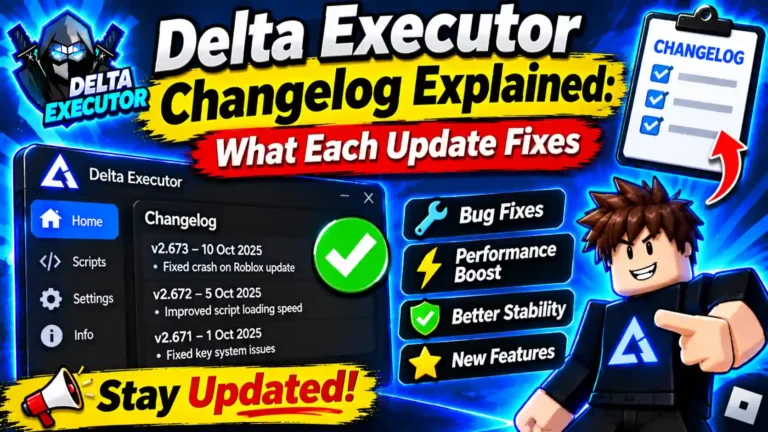
Delta Executor Changelog Explained: What Each Update Fixes
Delta Executor Changelog Explained: What Each Update Fixes Delta Executor Changelog Explained: What Each Update Fixes Written by DeltaExecutions Team deltaexecutions.com Delta Executor updates all the time. Sometimes once a week. Sometimes multiple builds in a single day after a Roblox version bump. Most users just hit update and move on. Reading the changelog is…
-
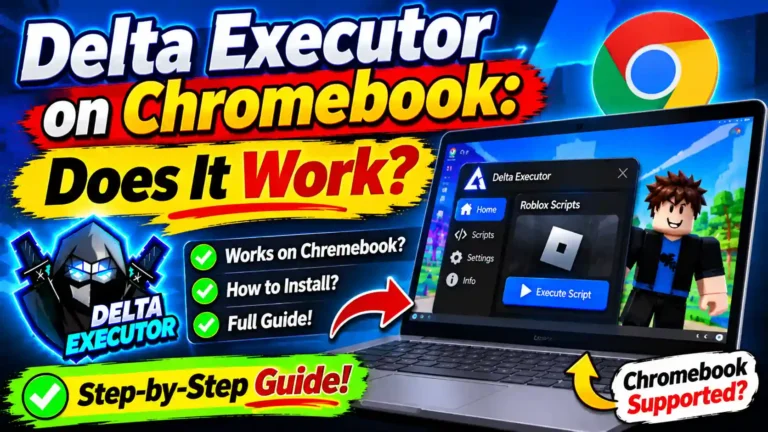
Delta Executor on Chromebook: Does It Work?
Delta Executor on Chromebook: Does It Work? Delta Executor on Chromebook: Does It Really Work Written by DeltaExecutions Team deltaexecutions.com Chromebooks are everywhere. Students carry them to class. Families buy them because they are cheap. Casual users run them at coffee shops. A huge portion of Roblox players play on Chromebooks too. So the question…
-
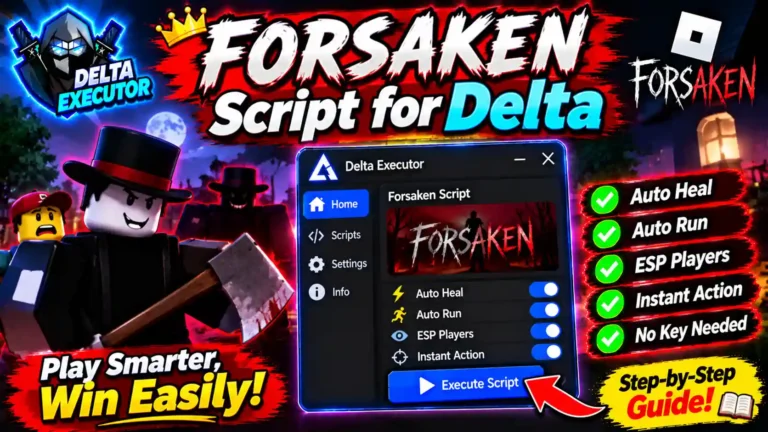
Best Forsaken Script for Delta Executor (Updated Guide)
Best Forsaken Script for Delta Executor (Updated Guide) Forsaken Script for Delta: ESP Auto Gen and Stun Killer Written by DeltaExecutions Team deltaexecutions.com Forsaken is the breakout Roblox horror game that pulls together every iconic Roblox lore character into one asymmetric survival nightmare. One killer hunts four survivors through creepy maps full of generators to…
-
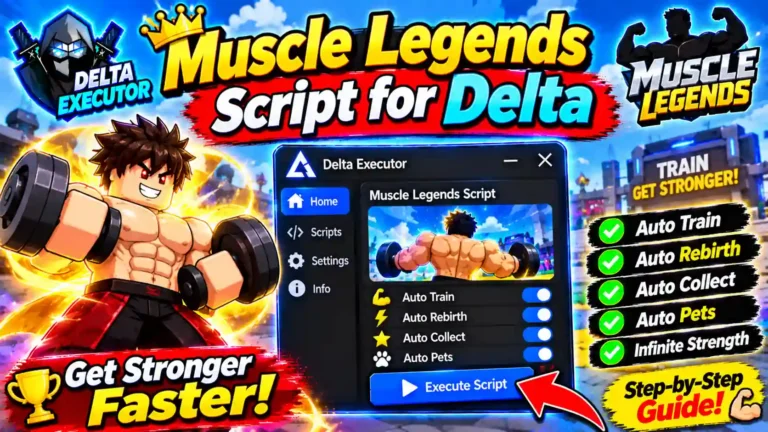
Muscle Legends Script for Delta: Auto Train, Auto Rebirth & Best Features
Muscle Legends Script for Delta: Auto Train, Auto Rebirth & Best Features Muscle Legends Script for Delta: Auto Lift and Gym Guide Written by DeltaExecutions Team deltaexecutions.com Muscle Legends is one of the longest running Roblox simulators. You lift weights for strength. You jump pads for jump power. You run tracks for speed. You hatch…
-
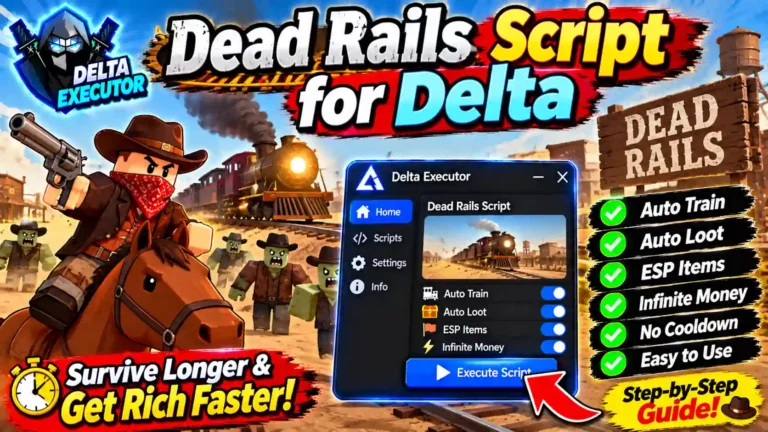
Dead Rails Delta Script: Auto Train, Auto Loot & More
Dead Rails Delta Script: Auto Train, Auto Loot & More Dead Rails Script for Delta: Auto Farm Infinite Ammo Guide Written by DeltaExecutions Team deltaexecutions.com Dead Rails is the Wild West zombie survival game that hooked Roblox hard. You board a train. You defend it across hundreds of miles of apocalyptic frontier. You stop at…
-
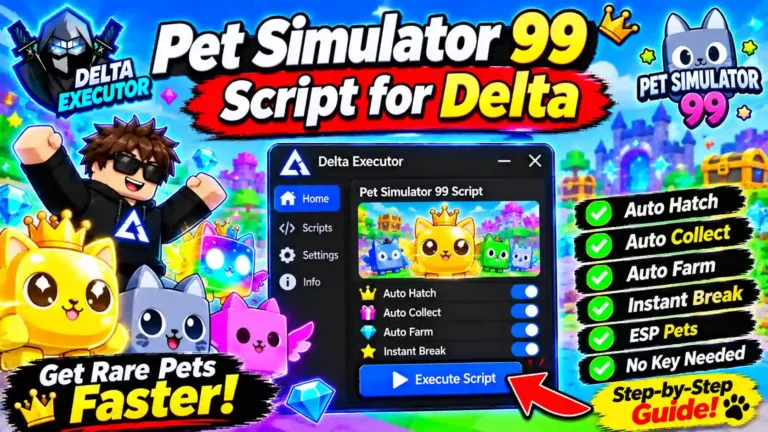
Pet Simulator 99 Delta Script: Auto Hatch, Auto Farm & More
Pet Simulator 99 Delta Script: Auto Hatch, Auto Farm & More Pet Simulator 99 Script for Delta: Auto Hatch and Farm Written by DeltaExecutions Team deltaexecutions.com Pet Simulator 99 built by BIG Games is the biggest pet simulator ever made on Roblox and one of the most grind heavy. You hatch eggs. You break objects….
Conclusion
Delta Executor gives you 100% sUNC script support on Android, a Script Hub full of ready scripts and a huge Discord community, all for free and with no root or jailbreak. The free key and the 7 day iOS signature remain the only real annoyances, and Delta Premium removes the key.
Most problems come down to three things: an outdated Delta build, an old script or too little RAM. Fix those, and Delta runs smoothly. Just remember that Delta breaks Roblox’s rules and Roblox can detect it. So, play on a spare account, download only verified files, and follow the steps above exactly.
Delta Executor: Frequently Asked Questions
Sources and References
We base the facts on this page on these sources. We recheck them every time we update the page.
- Delta official website: download stats, official Discord and Telegram links
- WEAO executor status tracker: Delta versions, sUNC scores and detection status
- Roblox Community Standards: Roblox’s rules on cheating and exploits
- Roblox mobile app requirements: minimum Android and iOS versions
- Luau documentation: the scripting language Roblox games use