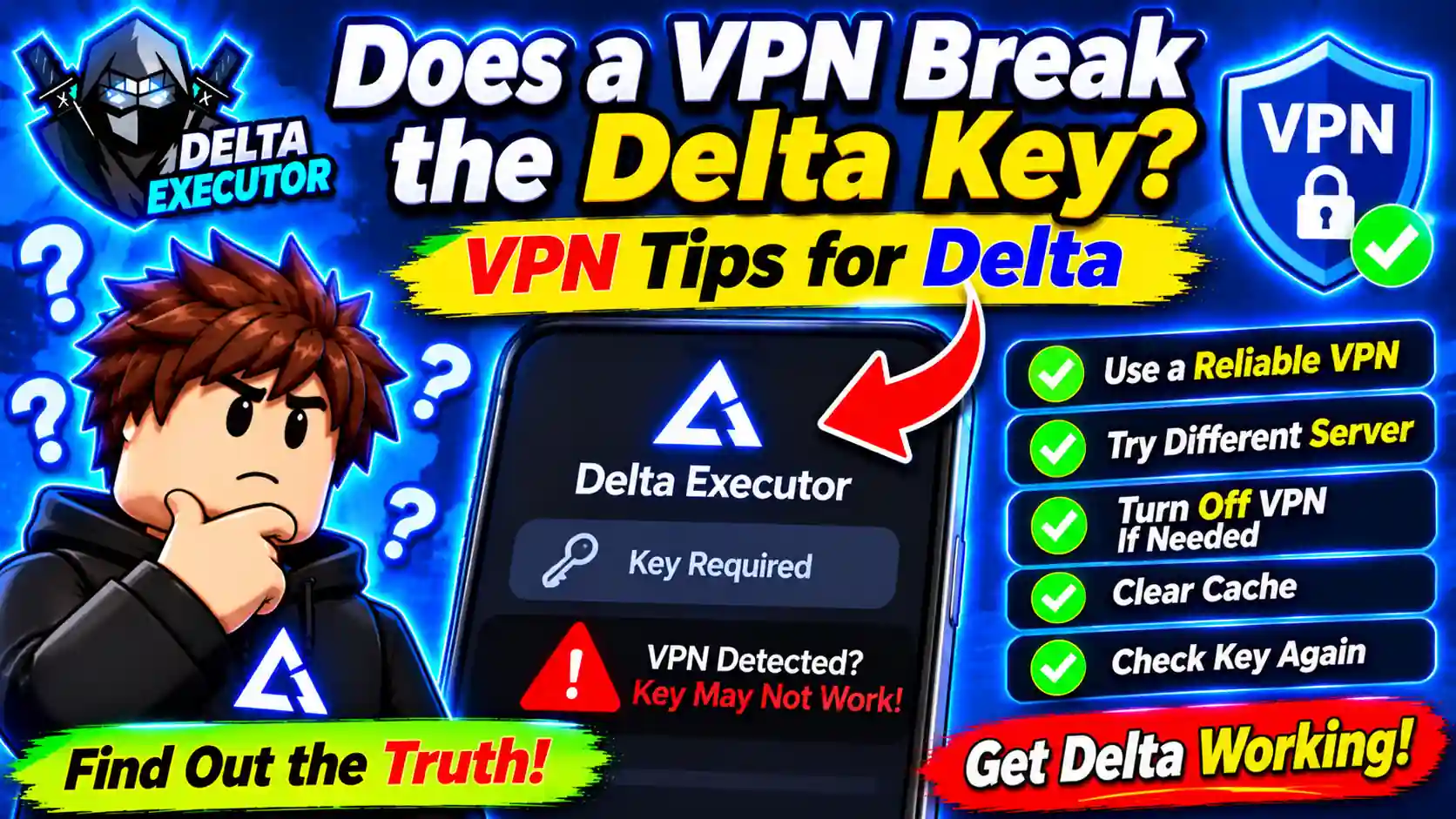
Does a VPN Break the Delta Key? VPN Tips for Delta
Here is the short version. In most cases, keeping a VPN on while you get your Delta key makes the key system worse, not better. Gateway’s session validation and Loot Link’s ad-wall both depend on your IP matching across requests, and VPNs break that consistency. However, there are specific situations where a VPN actually helps Delta work: if your ISP is throttling Delta’s domains, if you are in a country that blocks executor-related sites, or if you are trying to escape a crowded regional ad pool. This guide explains exactly when to turn your VPN on, when to turn it off, which servers work best, and which VPNs are known to play nicely with Delta Executor on Android, iOS, and PC.
Short Answer
Turn your VPN OFF before you start the Delta key flow (Gateway and Loot Link). Turn it back ON after Delta is running if you want it for Roblox gameplay. The key system fails too often with VPN on. Delta Executor itself and Roblox gameplay are fine with VPN on afterward.
That is the honest advice for most users in most situations. The rest of this guide explains the exceptions, which are real but narrower than people assume.
Why a VPN Breaks the Delta Key System
The Delta key flow depends on IP consistency across a chain of requests. VPNs break that chain in specific ways.
Gateway session validation
When you tap Get Key in Delta, Gateway creates a session tied to your current IP. When you come back from Loot Link, Gateway checks that the IP returning matches the IP that started the session. If your VPN rotated to a different server mid-flow, the IPs do not match, and Gateway rejects the return as suspicious. The key never issues.
Loot Link geolocation checks
Loot Link’s ad inventory is targeted by region. If your VPN exit says “Germany” on the first checkpoint and “United States” on the next (common with auto-rotating VPNs), Loot Link sees an impossible journey and may cut the session. Fresh checkpoints, nothing moves forward.
Shared IP flagging
Popular VPN servers have thousands of users on the same exit IP. If someone else abused Loot Link from that IP earlier today, the entire IP pool gets rate-limited or blocked. Your request is refused because of their abuse, not yours.
DNS leak mismatches
Some VPNs leak DNS (your DNS queries go through your real ISP even while traffic goes through VPN). This creates a mismatch where the key system sees you from two different places at once. Automated fraud detection flags that pattern.
WebRTC and IPv6 leaks
Browser WebRTC calls can reveal your real IP even with VPN active. If Loot Link’s analytics catches both your real IP and your VPN IP, it may reject the session.
Delta did not program the system to block VPNs on purpose. The anti-fraud logic in Gateway and Loot Link exists because both services get abused heavily. VPNs happen to collide with that logic. Disabling the VPN during the key flow sidesteps the collision entirely.
When a VPN Actually Helps With Delta
Despite the above, specific situations exist where a VPN makes Delta work better, not worse.
ISP blocks Delta domains
Some ISPs block executor-related domains at the DNS or routing level. A VPN tunnels around the block and restores access.
Country-level block
In regions where Roblox or specific executors face restrictions, a VPN to a permissive country (US, Netherlands, Germany) lets you reach deltaexecutions.com and complete key flows.
ISP throttling
Some ISPs throttle Roblox or executor traffic during peak hours. A VPN bypasses throttling by hiding the destination.
Public WiFi filtering
School WiFi, cafe WiFi, and corporate networks often filter executor domains. A VPN bypasses the filter.
Reduce ad targeting
If you prefer less personalized ads on Loot Link checkpoints, a VPN scrambles the targeting data. Ads load faster when they are generic.
Escape bad peering
If your ISP has bad peering with Delta’s hosting region, a VPN exit that peers well can reduce 504 timeouts dramatically.
In each of these cases, the fix is a VPN kept on through the whole flow with a static, high-quality exit server. Not a rotating or auto-select VPN.
When VPN Hurts Delta
Rotating/auto-select VPN
VPNs that switch servers automatically every few minutes break the IP consistency Gateway needs. Every rotation potentially kills your key session.
High-fraud region VPN exits
Servers in Russia, Vietnam, Nigeria, and some other regions have historical fraud associations. Loot Link blocks these shared pools.
Free VPNs with shared IPs
Free VPN services route thousands of users through one IP. One bad actor gets everyone blocked. Delta key flows are especially sensitive.
VPNs with DNS leaks
Your traffic goes via VPN but DNS goes via your real ISP. The mismatch gets your session rejected by fraud detection.
VPNs that trigger IP reputation
Some VPN IP pools are flagged by anti-abuse providers (MaxMind, IPQualityScore). Services using those providers reject VPN traffic by default.
Browser extensions VPN
Browser-only VPNs tunnel only browser traffic, not Delta’s app traffic. This causes Delta app to see one IP and the browser to see another, breaking token return.
On or Off Decision Tree
The right answer depends on your situation. Walk this short decision tree each session.
- Can you reach deltaexecutions.com without VPN? If yes, go to step 2. If no, keep VPN on and pick a US West or European server.
- Does Delta’s Gateway load without VPN? If yes, go to step 3. If no (persistent 504 timeouts), try a VPN on US West; if that also fails, see our Delta down status page.
- Does Loot Link load without VPN? If yes, keep VPN off, complete key flow, done. If no, troubleshoot via our Delta key link fix guide (adblock is usually the real cause, not VPN).
- After the key is active, do you want VPN for gameplay? If yes, turn VPN on now. Delta and Roblox themselves work fine with VPN on. If no, leave it off.
Rule of thumb
Key flow: VPN off (unless you need it to reach Delta at all). Gameplay after key is active: VPN on or off, your choice. Scripting features like VNG Error 261: VPN off because it breaks regional routing.
Best VPN Server Regions for Delta
If you need a VPN for Delta, server choice matters more than brand. Here is how different regions perform.
| Region | Delta Compatibility | Why |
|---|---|---|
| US West (LA, SF, Seattle) | Excellent | Low-fraud region, Delta hosts are nearby, fast routing |
| US East (NY, Virginia) | Very good | Low-fraud region, good peering with major CDNs |
| Netherlands (Amsterdam) | Excellent | Permissive, high-trust region, AMS-IX exchange routing |
| Germany (Frankfurt) | Excellent | Central European hub, excellent peering, low fraud |
| United Kingdom (London) | Good | Reliable routing, occasional ad targeting issues |
| Canada (Toronto) | Good | Similar to US, slightly more bandwidth constrained |
| Singapore | Moderate | Good for Asian users, higher latency to Delta hosts |
| Japan (Tokyo) | Moderate | Reliable but slower routing to US-hosted Delta services |
| India (Mumbai) | Mixed | Some IP pools flagged by Loot Link for shared use |
| Brazil (Sao Paulo) | Mixed | Some pools work, others blocked. Try different cities. |
| Russia | Poor | Many IP pools blocked by Loot Link |
| Vietnam | Poor | IP reputation issues, often blocked by ad services |
| Nigeria | Poor | High-fraud flag triggers Loot Link rejections |
| Turkey | Mixed | Varies significantly by VPN provider |
General rule
If you need a VPN at all, start with US West or Netherlands. Those are the most permissive regions for ad-wall services globally. Only move to other regions if you have a specific regional requirement.
VPN Compatibility With Delta
Not every VPN plays well with Delta. Here is how the major providers compare, based on how often their IP pools get rejected by Loot Link and Gateway.
| VPN | Delta Key Compatibility | Notes |
|---|---|---|
| NordVPN | Good | Dedicated IP add-on helps a lot. Shared IPs occasionally flagged. |
| ExpressVPN | Good | Most servers work. Lightway protocol performs well on mobile. |
| Surfshark | Moderate | Some shared IP pools flagged. Camouflage mode sometimes helps. |
| Mullvad | Very good | Smaller user pools, less flagged. Pro users’ favorite. |
| ProtonVPN | Good | Free tier has heavily shared IPs, paid is much better. |
| Private Internet Access | Moderate | Mixed results. Works well in some regions, flagged in others. |
| CyberGhost | Moderate | Streaming servers often flagged. Standard servers better. |
| Windscribe (paid) | Good | Static IP option is reliable. |
| Windscribe (free) | Poor | Free IPs heavily flagged by ad services. |
| Opera VPN | Poor | Browser-only, breaks Delta app key return. |
| Hola VPN | Do not use | Peer-to-peer model exposes your IP; privacy nightmare. |
| TurboVPN / HotspotShield free | Poor | Shared IPs heavily flagged. |
If you are picking a VPN specifically to help with Delta, Mullvad and NordVPN with dedicated IP are the most reliable. ExpressVPN is the best balance of speed and compatibility. Avoid free VPNs for the key flow unless you have no other option.
Free vs Paid VPN for Delta
Free VPN problems for Delta
- Shared IPs across thousands of users: One bad actor gets the entire pool flagged.
- Data limits: Free tiers cap monthly data. Loot Link checkpoints with video ads burn through quickly.
- Slow speeds: Free servers are congested. 504 timeouts become more common, not less.
- Random server rotation: Free tiers pick a server for you and may rotate it mid-session.
- Privacy concerns: Many free VPNs sell your browsing data. Hola literally uses your bandwidth to proxy other users.
When free VPN is still fine
If you only need a VPN once in a while to bypass a regional block to reach deltaexecutions.com, and you can live with a slower connection, free Proton VPN with a US server is usable. Just do not expect reliability for repeated key flows.
When paid VPN is worth it
If you use Delta regularly, play Roblox with privacy in mind, or live in a country with ISP-level filtering, a paid VPN pays itself back in avoided frustration. The $3 to $10 per month for a quality service is minor compared to the time you save on failed key flows.
Free VPN APKs from unofficial sources often bundle malware, similar to fake Delta sites. Only install VPN apps from Google Play, the App Store, or the VPN provider’s own website. Never run a VPN APK from a Discord link or random forum.
Best VPN Protocols for Delta
Modern VPNs let you pick a protocol. The choice affects speed, reliability, and how often Loot Link rejects your session.
WireGuard
Fastest modern protocol. Low overhead, quick reconnects. Best overall choice for Delta. Available under names like Lightway (ExpressVPN), NordLynx (NordVPN).
OpenVPN TCP
Slightly slower but very reliable. TCP (vs UDP) handles packet loss better, which matters on flaky WiFi. Use this if WireGuard is dropping packets mid-key-flow.
OpenVPN UDP
Faster than TCP but drops more packets. Avoid during key flow; use for gameplay only.
IKEv2
Good for mobile because it handles network switches (WiFi to mobile data) smoothly. Decent for Delta on phones.
L2TP, PPTP, SSTP
Older, slower, less secure. Do not use these if your VPN offers better options. PPTP is actually insecure and should be avoided entirely.
Protocol selection table
| Use Case | Best Protocol |
|---|---|
| Delta key flow on PC | WireGuard |
| Delta key flow on mobile | WireGuard (IKEv2 if switching networks) |
| Flaky WiFi | OpenVPN TCP |
| Streaming Roblox gameplay | WireGuard or OpenVPN UDP |
| Public WiFi (cafe, school) | OpenVPN TCP (most compatible with filtered networks) |
Platform-Specific VPN Tips
Android
- Install the VPN app from Google Play, not an APK. Play Store apps are signed and verified.
- Turn VPN on in the app, not through Settings’ built-in VPN tab. The provider’s app handles DNS leaks and WebRTC correctly; the system VPN sometimes does not.
- Enable Always-On VPN with Block Non-VPN Connections off. This prevents DNS leaks when the VPN reconnects.
- Before Delta key flow, open the VPN app and switch to a static US West or Netherlands server. Do not use auto-select.
- After Delta key is active, swap servers freely for gameplay.
- If Delta keeps failing with VPN on, turn VPN off, complete the key flow, then re-enable VPN before playing. For Android install troubleshooting, see our Delta APK install guide.
iOS
- Install the VPN from the App Store. App Store apps are notarized.
- Grant VPN configuration permission when prompted. Settings > General > VPN & Device Management shows the config.
- Use the VPN app’s own switch, not iOS Settings’ VPN toggle. The app knows about its own DNS settings.
- Pick a static US West or Netherlands server before starting the Delta key flow.
- Note: iOS Safari’s “Hide IP Address” feature (iCloud Private Relay) is a mini-VPN that can also break Delta’s key flow. Turn it off in Safari settings for the key flow if you use Private Relay.
- If Delta iOS has other install issues, see our Delta iOS not opening fix.
Windows PC
- Install the VPN desktop app, not just a browser extension. Browser extensions only tunnel browser traffic, not Delta’s app traffic.
- Enable DNS leak protection in the VPN app settings.
- Enable kill switch if you want all traffic blocked when VPN disconnects (prevents accidental leaks).
- Use WireGuard protocol.
- Before Delta key flow, pick a static US West or European server.
- For broader PC Delta setup, see our Delta for PC guide.
Does Using a VPN Affect Ban Risk With Delta?
Honest answer: not meaningfully. VPNs do not increase or decrease Roblox’s ability to detect Delta.
What VPNs do NOT do
- Hide Delta from Hyperion. Roblox’s anti-cheat runs locally on your device. It sees Delta’s memory injection regardless of your network path.
- Prevent Error 268. This platform-level kick fires based on client checks, not network. Our Error 268 guide covers the real fixes.
- Make scripts undetectable. Script detection happens inside Roblox’s client, not on the network.
What VPNs CAN do
- Hide your real IP from game servers. If a specific game logs IP addresses (rare for most Roblox games), VPN prevents correlation across accounts.
- Prevent IP-based bans from applying to your real address. If a game bans your VPN IP, you switch servers and continue. Your real IP is clean.
- Protect alt accounts. If you use multiple Roblox accounts, VPN prevents Roblox from grouping them by IP for shared enforcement.
Overall ban impact
If your ban risk comes from using Delta, VPN does not change it. If your ban risk comes from Roblox linking your alts, VPN helps slightly. For a broader look at Delta’s ban profile, see our is Delta Executor safe guide and is Delta detected analysis.
VPN and Roblox Itself (Not Just Delta)
Even setting Delta aside, there are considerations when using VPN with Roblox generally.
Roblox region matching
Roblox assigns you to game servers based on your IP region. Using a US VPN from Asia means you play on US servers with much higher ping. This affects game feel but not ban risk.
Roblox ToS
Roblox’s Terms of Service do not explicitly prohibit VPN use. Many players use VPNs for latency, privacy, or regional access. Using VPN is not itself a bannable offense.
Account flags from VPN
If you log into one account from many VPN IPs rapidly, Roblox may trigger a suspicious-login check and require 2FA verification. This is not a ban, just a security check. Enable 2FA on your Roblox account to make this smooth.
Payment and Robux purchases
Robux purchases through VPN sometimes get rejected by Roblox’s fraud detection because IP country does not match billing country. Turn off VPN before buying Robux, or use a VPN server matching your billing country.
When Something Goes Wrong With VPN and Delta
VPN on but key flow still fails
Switch to a different region (US West if you tried US East, or vice versa). If still failing, turn VPN off and retry.
Delta works but Roblox disconnects on VPN
Your VPN server has flaky routing to Roblox’s game servers. Try a different server in the same region. If Roblox throws specific disconnect codes, our Roblox Error 317 guide covers the common ones.
Key flow succeeded but Delta app cannot connect
Delta’s attach to Roblox is local; VPN should not affect it. If Delta cannot attach, the issue is unrelated to VPN. See our Delta not working guide.
VPN keeps auto-disconnecting mid-flow
Your VPN app’s “auto-rotate” or “best server” feature is cycling. Turn off auto-select and manually pin one server for the whole key flow.
Browser shows one IP, Delta app shows another
Classic browser-only VPN issue. Browser extension VPNs do not tunnel app traffic. Switch to the VPN’s system-wide app.
DNS leak test fails
Visit dnsleaktest.com. If it shows your real ISP’s DNS servers while VPN is on, you have a DNS leak. Enable DNS leak protection in your VPN app, or add Google DNS (8.8.8.8) manually.
Delta keys expire faster with VPN on
Gateway sometimes shortens key TTL for suspicious-looking sessions. If your keys last only 2 hours with VPN on vs 24 hours without, the VPN is being flagged. Switch to a cleaner IP pool (Mullvad, NordVPN dedicated IP).
The Bottom Line
Use the simple rule: VPN off during the Delta key flow, VPN on or off during gameplay as you prefer. Exceptions are regional blocks, ISP throttling, and public WiFi filtering, where VPN on with a US West or Netherlands server actually helps. Avoid rotating VPNs, browser-only VPNs, and low-trust regions (Russia, Vietnam, Nigeria) for the key flow specifically. Paid VPNs like Mullvad, NordVPN with dedicated IP, and ExpressVPN work far better than free VPNs for Delta.
Download Delta only from deltaexecutions.com regardless of VPN state. For the key-flow specific fix path, see our key link troubleshooting guide. For keyless scripts that skip the VPN question entirely, see our keyless scripts guide.
Frequently Asked Questions
Should I use a VPN with Delta Executor?
Not during the key flow in most cases. The Delta key system (Gateway and Loot Link) depends on IP consistency and VPNs often break that. Turn VPN off, complete the key flow, then turn VPN back on for gameplay if you want it. The exception is if your ISP blocks Delta’s domains, filters executor traffic, or if you are on restricted WiFi, in which case keeping VPN on with a US West or Netherlands server actually helps.
Does a VPN break the Delta key link?
Often yes. Gateway validates that the IP returning from Loot Link matches the IP that started the session. VPNs that rotate servers mid-flow cause this check to fail. Shared VPN IPs also get flagged by Loot Link’s anti-fraud systems. The simplest fix is to turn VPN off before starting the key flow. If you need a VPN (for regional reasons), use a paid service with a static server in US West or the Netherlands.
What is the best VPN for Delta Executor?
Mullvad is the most reliable because its IP pools are smaller and less often flagged. NordVPN with the Dedicated IP add-on is also excellent. ExpressVPN is a good balance of speed and compatibility. Avoid free VPNs (Opera VPN, Hola, TurboVPN) because their shared IPs are heavily flagged by Loot Link. For most users, the best VPN is no VPN during the key flow.
Can a VPN get me banned from Roblox?
Not for using a VPN alone. Roblox’s Terms of Service do not explicitly ban VPN use. Logging in from many VPN IPs rapidly may trigger a security check (not a ban), which 2FA resolves quickly. Payments made via VPN can be rejected if the IP country does not match billing country. Beyond that, VPN use is normal and widespread among Roblox players.
What VPN servers work best for Delta?
US West (Los Angeles, San Francisco, Seattle) and major European exchanges (Amsterdam, Frankfurt) perform best. These regions have low-fraud IP pools that Loot Link and Gateway trust. Avoid Russia, Vietnam, and Nigeria specifically, as their IP ranges are frequently flagged. US East and Canada are also good second choices. For users in Asia, Singapore is the best regional option.
Does a free VPN work with Delta?
Free VPNs are poor for Delta specifically because their IP pools are heavily shared across thousands of users. If any one of those users abused Loot Link, the entire pool gets blocked. Free Proton VPN is the best of the free options because its IP pools are better maintained. Opera VPN and Hola specifically should never be used for Delta flows (Opera is browser-only, Hola is privacy-destroying peer-to-peer).
Should I turn off VPN only during the key flow, or always?
Only during the key flow in most cases. Delta Executor itself and Roblox gameplay work fine with VPN on. Turn VPN off before tapping Get Key, complete Gateway and Loot Link without VPN, get your key, then turn VPN back on for Roblox gameplay. This gives you the best of both worlds: reliable key flow plus VPN privacy during play.
What VPN protocol should I use with Delta?
WireGuard is the best overall. It is fast, reliable, and handles reconnects well. For flaky WiFi networks, OpenVPN TCP handles packet loss better. Avoid older protocols like PPTP (insecure), L2TP, and SSTP unless your VPN does not offer newer options. IKEv2 is a good choice for mobile users who switch between WiFi and mobile data frequently.
References
- DeltaExecutions, Delta Executor Key System Hub, deltaexecutions.com
- Cloudflare: What Is a VPN Technical Overview
- Roblox Support: Account Security and Login Documentation
- DeltaExecutions internal testing of VPN compatibility across Android, iOS, and Windows (recently updated)