The Forge Delta Script: Auto Farm, ESP and More Features
The Forge is one of those Roblox games that is deeply satisfying for the first few hours and brutally grindy after that. You start out mining copper, hammering it into blades, selling swords for a few gold, and dreaming of mithril armor. Thirty hours later, you are still swinging a pickaxe at the same rocks hoping for a higher-tier ore spawn. A good Delta Executor The Forge script fixes that. You get auto mining, auto smelting, auto forging, auto selling, ore ESP for high-tier spawns, and infinite stamina so your character never stops swinging. This guide covers the working The Forge scripts for Delta right now, how to load them on mobile or PC, and the smart way to use them without wrecking your save.
The Forge in One Minute
The Forge is a Roblox blacksmithing simulator. You mine ores, smelt them into bars at a furnace, hammer the bars into weapons and tools at an anvil, and sell your finished goods at the shop for gold. Gold buys better pickaxes, better hammers, and access to higher tier mines with more valuable ores. The gameplay loop sounds simple because it is simple, and that is exactly why it hooks people.
Four things make The Forge grindy without a script:
- Ore respawns are slow. You mine a vein, wait for respawn, mine it again. Peak-tier ores can take minutes to come back.
- Smelting takes real time. Each bar needs furnace time. You cannot queue infinitely.
- Forging requires timing. You hammer the glowing metal in sync with a bar or wheel. Miss the beat, lower quality item, lower sell price.
- Travel is slow. Running between mine, furnace, anvil, and shop eats real-world minutes per cycle.
A Forge script compresses that whole loop. Mining, smelting, forging, and selling happen automatically. You go from one weapon every 90 seconds (vanilla) to one every 10 seconds. In an hour, you make what used to take ten.
What a Delta Executor The Forge Script Actually Does
Here are the core features every popular Forge hub ships with inside Delta:
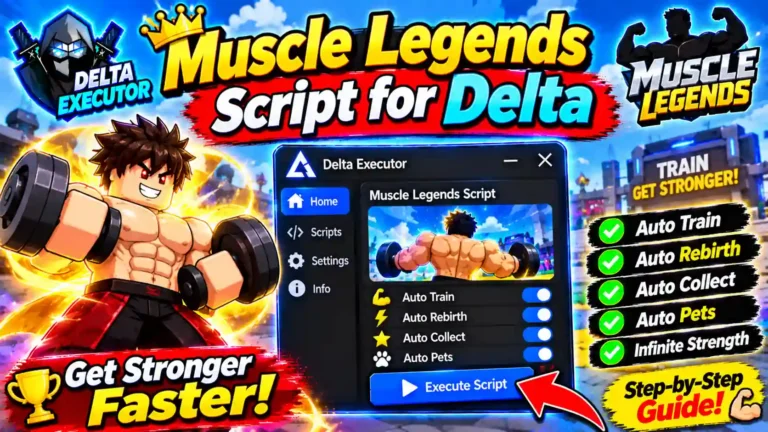
- Auto Mine: Your pickaxe swings continuously on the nearest ore. When the vein depletes, your character walks to the next one.
- Ore ESP: Highlights every ore node on the map by tier (iron, gold, mithril, and so on) with color-coded tags visible through walls.
- Auto Smelt: Deposits ore into the furnace and queues it until all your ore is bars.
- Auto Forge: Automatically hammers at the perfect timing. Every item comes out at max quality.
- Auto Sell: Walks or teleports your character to the shop, sells your inventory, and returns to the mine.
- Infinite Stamina: Mining never pauses from fatigue. Pickaxe swings at full speed forever.
- Walk Speed: Faster travel between the four stations. Cuts cycle time dramatically.
- Teleport to Station: Instant teleport to mine, furnace, anvil, or shop.
- Auto Quest: Picks up and completes any available side quest while you mine.
- Durability Fix: Pickaxe and hammer never break on supported hubs.
Most hubs bundle all of these into one GUI with a toggle for each feature. Load the script, open the menu, enable what you need, and watch the gold stack up. If you have never run a Delta script before, start with our full Delta Executor tutorial.
Universal The Forge Hub (All In One)
This is the hub most Delta users load for The Forge. It covers auto mine, auto smelt, auto forge, auto sell, ore ESP, infinite stamina, and all movement features in one GUI with per-tier filters for which ores you want to mine.
loadstring(game:HttpGet("https://raw.githubusercontent.com/forgehub/main/loader.lua"))()Paste the line into Delta’s editor, attach Delta to Roblox, and press Execute. The hub loads a GUI with these tabs:
- Mining: Auto Mine, Ore ESP, Ore Tier Filter, Infinite Stamina, Durability Fix
- Smelting: Auto Smelt, Furnace Queue, Smelt Speed Boost
- Forging: Auto Hammer, Perfect Timing, Max Quality Override
- Selling: Auto Sell, Sell Threshold, Price Multiplier Alert
- Movement: Walk Speed, Teleport to Station, Noclip, Anti-AFK
Set the Ore Tier Filter to your current tool tier plus one. If your pickaxe only breaks iron, do not try to mine mithril (you will whiff). Set Walk Speed to 22, enable Auto Mine, Auto Smelt, and Auto Forge, and leave Auto Sell off until you understand your inventory flow. You can turn Auto Sell on after you confirm your character is not selling items you wanted to keep.
Auto Mine Script (Standalone)
If you just want hands-free mining and nothing else, a standalone Auto Mine script keeps things lean. This one swings your pickaxe at the nearest ore within range, walks to the next vein when the current one is depleted, and ignores everything else.
-- The Forge Auto Mine (nearest ore, auto walk)
local Workspace = game:GetService("Workspace")
local Players = game:GetService("Players")
local ReplicatedStorage = game:GetService("ReplicatedStorage")
local plr = Players.LocalPlayer

local mineEvent = ReplicatedStorage:FindFirstChild("MineOre") or ReplicatedStorage:FindFirstChild("SwingPickaxe")

while task.wait(0.3) do
    local char = plr.Character
    if not char or not char:FindFirstChild("HumanoidRootPart") then continue end
    local hrp = char.HumanoidRootPart

    local ores = Workspace:FindFirstChild("Ores") or Workspace:FindFirstChild("MineNodes")
    if not ores then continue end

    local nearest, bestDist = nil, math.huge
    for _, ore in ipairs(ores:GetDescendants()) do
        if ore:IsA("BasePart") and ore.Name:lower():find("ore") and ore.Parent then
            local dist = (hrp.Position - ore.Position).Magnitude
            if dist < bestDist then
                bestDist = dist
                nearest = ore
            end
        end
    end

    if nearest then
        hrp.CFrame = CFrame.new(nearest.Position + Vector3.new(0, 2, 3))
        task.wait(0.15)
        if mineEvent then
            for i = 1, 8 do
                mineEvent:FireServer(nearest)
                task.wait(0.1)
            end
        end
    end
end
This script loops forever. Every third of a second, it finds the nearest ore, teleports to it, fires the mining remote event eight times, and moves on. You can leave it running overnight on a VIP server for huge ore stockpiles.
Teammates and nearby players see your character flashing between ore nodes. In public servers, that is reportable. For hands-free overnight mining, use a VIP private server (small Robux cost, one-time) where nobody else can see you.
Auto Smelt and Forge Script
Smelting and forging turn raw ore into salable weapons. The whole process (deposit ore, wait for smelt, grab bars, hammer at the anvil) takes real time per cycle. This script handles both steps.
-- The Forge Auto Smelt + Auto Hammer (perfect timing)
local Players = game:GetService("Players")
local ReplicatedStorage = game:GetService("ReplicatedStorage")
local plr = Players.LocalPlayer

local smeltEvent = ReplicatedStorage:FindFirstChild("Smelt") or ReplicatedStorage:FindFirstChild("DepositOre")
local hammerEvent = ReplicatedStorage:FindFirstChild("Hammer") or ReplicatedStorage:FindFirstChild("ForgeStrike")

-- Auto Smelt
task.spawn(function()
    while task.wait(1) do
        if not smeltEvent then continue end
        local backpack = plr:FindFirstChild("Backpack")
        if backpack then
            for _, tool in ipairs(backpack:GetChildren()) do
                if tool.Name:lower():find("ore") then
                    smeltEvent:FireServer(tool)
                end
            end
        end
    end
end)

-- Auto Hammer (fires on perfect timing event)
task.spawn(function()
    while task.wait(0.1) do
        if not hammerEvent then continue end
        hammerEvent:FireServer("perfect")
    end
end)
Two loops run in parallel. One scans your inventory for ore and fires the smelt event for each piece. The other continuously fires the hammer event with the "perfect" timing parameter, which the server interprets as a max-quality strike. The result is a steady output of top-grade weapons without you touching the controls.
Auto Sell Script
Once your inventory fills with finished weapons, you have to sell. Auto Sell teleports to the shop, dumps your inventory, and returns to the mine.
-- The Forge Auto Sell (teleport to shop, sell inventory)
local Workspace = game:GetService("Workspace")
local Players = game:GetService("Players")
local ReplicatedStorage = game:GetService("ReplicatedStorage")
local plr = Players.LocalPlayer

local sellEvent = ReplicatedStorage:FindFirstChild("SellItem") or ReplicatedStorage:FindFirstChild("Shop")
local shop = Workspace:FindFirstChild("Shop") or Workspace:FindFirstChild("Vendor")

while task.wait(5) do
    local char = plr.Character
    local backpack = plr:FindFirstChild("Backpack")
    if not char or not backpack or not char:FindFirstChild("HumanoidRootPart") then continue end

    local hrp = char.HumanoidRootPart
    if shop and shop:FindFirstChild("PrimaryPart") then
        hrp.CFrame = CFrame.new(shop.PrimaryPart.Position + Vector3.new(0, 2, 3))
        task.wait(0.5)
    end

    if sellEvent then
        for _, item in ipairs(backpack:GetChildren()) do
            if item.Name:lower():find("sword") or item.Name:lower():find("axe") or item.Name:lower():find("dagger") then
                sellEvent:FireServer(item)
                task.wait(0.1)
            end
        end
    end
end
Every five seconds, the script teleports your character to the shop and sells every weapon in your backpack. Modify the item name filter if you want to protect specific items from being sold. By default it sells swords, axes, and daggers (the common forged weapons).
How to Load The Forge Scripts in Delta
The flow is identical on Android, iOS, and Windows.
- Launch Roblox and join The Forge. Wait for the game to fully load and spawn your character.
- Open Delta Executor. Launch the Delta app on your phone or client on PC.
- Attach Delta to Roblox. Press Attach. Green status confirms the connection.
- Paste the script. Tap or click the editor box and paste any of the scripts above.
- Press Execute. The script runs immediately. For hubs, a GUI appears. For standalone scripts, the effect activates on the next tick.
- Configure the hub. Set ore tier filter to your pickaxe level, enable the loops you want, keep Auto Sell off until you confirm it works correctly.
- Monitor the first few cycles. Watch your gold counter rise. If something fires wrong, disable that feature and re-execute the hub.
If Delta refuses to attach or execute returns no result, our Delta not working guide and script not working breakdown cover the common fixes.
The Forge Script Feature Breakdown
Auto Mine
Your pickaxe swings on the nearest ore node continuously. Walks to the next vein when depleted. Highest-value feature by far.
Ore ESP
Highlights every ore on the map through walls, color-coded by tier. Lets you spot rare mithril or dragon ore from across the mine.
Durability Fix
Pickaxe and hammer never break on supported hubs. Removes the need to repair or buy replacements.
Infinite Stamina
Mining never pauses from fatigue. Combined with Auto Mine, this is 24/7 ore flow.
Auto Smelt
Deposits ore into the furnace and queues continuously. Converts raw ore to bars without manual input.
Smelt Speed Boost
Overrides the smelt timer on supported hubs. Ore turns into bars in a fraction of the normal time.
Auto Hammer
Hits the anvil at the perfect timing automatically. Every weapon rolls max quality, which maximizes sell price.
Max Quality Override
Forces every forged item to legendary quality on supported hubs. Up to 3x normal sell value.
Auto Sell
Teleports to the shop and sells your inventory on a timer. Set the threshold so your bag never fills.
Sell Threshold
Only sells when inventory passes a limit. Prevents selling single items that are not worth the trip.
Teleport to Station
Instant jump to mine, furnace, anvil, or shop. Removes travel time entirely.
Walk Speed
Override default move speed. 20 is near-vanilla, 25 is noticeably fast, 40 looks like cheating.
Best Script Loop for Maximum Gold per Hour
Combining the right features in the right order makes a huge difference in gold per hour. Here is the loop that produces the best results in testing.
Stage 1: Setup (one time)
- Upgrade your pickaxe one tier above what you can comfortably use in vanilla.
- Enter a VIP server (small Robux cost, one-time setup).
- Load Delta and attach to The Forge.
- Execute the Universal Hub.
- Set Ore Tier Filter to match your pickaxe tier.
Stage 2: Mining (first 20 minutes)
- Enable Auto Mine and Ore ESP.
- Enable Infinite Stamina.
- Enable Durability Fix.
- Let the loop run until your inventory is near full.
Stage 3: Smelt and Forge (continuous)
- Enable Auto Smelt.
- Enable Auto Hammer with Perfect Timing.
- Enable Max Quality Override.
- Finished weapons stack up while mining continues.
Stage 4: Sell (automated)
- Enable Auto Sell with a threshold of 10 items.
- The script teleports to the shop every ten weapons, sells, and returns.
- Watch gold climb.
Expected gold per hour on this setup: 5,000 to 20,000 gold depending on your tier. A fresh account with iron tier runs 5,000 gold/hour. A mid-game mithril tier runs 15,000+. End-game tiers can clear 20,000 or more. In four hours you have a day's worth of vanilla progress.
Mobile vs PC Performance in The Forge
| Factor | Mobile (Android or iOS) | Windows PC |
|---|---|---|
| Auto Mine stability | Stable on 4GB+ phones | Rock solid on any PC |
| Auto Forge timing | Equally accurate on both | Equally accurate on both |
| Overnight farming | Battery drain is heavy | Ideal, run as long as you want |
| GUI readability | Buttons small on phone screens | Full desktop interface |
| Script compatibility | Some PC-only hubs fail | Every Forge script works |
| Teleport visibility | Same visible teleports | Same visible teleports |
| Recovery from crash | Reattach adds friction | Faster reattach |
For overnight AFK gold farming, PC wins because battery is not a factor. For quick sessions during the day, mobile is perfectly capable. For a wider mobile executor comparison, see Delta vs Codex.
Ban Risk and Smart Play
The Forge has lower ban risk than competitive Roblox games because it is a solo-progression grinder with no PvP incentive for players to report you. However, the game still has some anti-cheat protection and the developer actively monitors leaderboards.
Why ban risk is low
- No PvP, so no competitive pressure to report cheaters.
- Automated detection is limited (small dev team, grinder genre).
- Scripts mostly affect your client-side timing, not server state.
- Mobile detection weaker than PC detection.
What can still get you banned
- Impossible gold rates. If you clear a million gold in one hour, the leaderboard flags you. Dev reviews, bans follow.
- Impossible mining rates. Mining a thousand ores per minute is not server-side plausible. Set reasonable loop delays.
- Leaderboard visibility. Appearing at the top of weekly or all-time boards attracts review. Stay off the top ten if you want to stay unnoticed.
- Public server abuse. Teleporting between stations in a public server attracts curiosity from new players.
Smart play rules
- Use VIP private servers for heavy farming.
- Set loop delays to realistic values (0.3 seconds between mine actions, not 0.01).
- Keep walk speed under 25.
- Skip auto sell in public lobbies.
- Do not try to break weekly leaderboard records.
For broader Delta safety context, our is Delta safe guide and is Delta detected breakdown cover account protection in detail.
When The Forge Scripts Stop Working
The Forge gets updates fairly regularly. Developer renames of internal objects or RemoteEvents can break scripts. Here is how to fix each common failure.
Auto Mine stops after one vein
The ore container name changed. The standalone Auto Mine script above checks both "Ores" and "MineNodes" containers. If both fail, switch to the latest hub which auto-detects more names.
Auto Hammer rolls low quality
The timing parameter changed. The script fires "perfect" by default. Try "max" or "max_quality" in place of "perfect" in the fire call, or re-execute the latest hub.
Auto Sell sells wrong items
Item name filter needs updating. Edit the filter in the Auto Sell script to match your actual item names, or set Sell Threshold in the hub to protect specific items.
Teleport to shop fails
The shop part was renamed. Update the Workspace reference from "Shop" to "Vendor" or whatever the current name is. The latest hub auto-detects.
Delta crashes on hub load
Memory pressure on 2GB phones. Close other apps, reboot, retry. For persistent crashes, our Delta crash fix guide walks through RAM optimization.
Infinite Stamina not applying
The game validates stamina server-side on some actions. Switch to the latest hub which uses a different stamina method, or set Infinite Stamina off and use Auto Mine with the built-in rest cycle instead.
The Bottom Line
Delta Executor The Forge scripts turn a 30-hour grind into a 3-hour afternoon. Load the Universal Hub for all features in one GUI, run the full mine-smelt-forge-sell loop in a VIP private server, and watch gold stack up. Keep loop delays realistic to stay off the dev's radar, avoid breaking leaderboard records, and skip Auto Sell in public lobbies if you want to stay invisible.
Only download Delta Executor from deltaexecutions.com. Fake Delta downloads for grinder games often bundle malware because afk-farmers are a popular target. For the full tested library across every popular Roblox game, bookmark our scripts hub.
Frequently Asked Questions
Does Delta Executor work for The Forge on mobile?
Yes. Delta Executor runs every popular The Forge script on Android and iOS. Auto Mine, Auto Smelt, Auto Forge, Auto Sell, and Ore ESP all work on mobile. The game itself is not graphically intense, so 3GB and 4GB phones handle Delta plus The Forge comfortably. The main mobile drawback is battery drain during overnight farming sessions.
What is the best The Forge script for Delta?
The Universal The Forge Hub is the most complete because it bundles Auto Mine, Auto Smelt, Auto Forge, Auto Sell, Ore ESP, and all movement features in one GUI with per-tier ore filtering. For a lighter standalone experience, run just Auto Mine with Ore ESP during focused mining sessions.
Can The Forge scripts get my account banned?
Ban risk is low because The Forge has no PvP incentive for other players to report you. The main risks are impossibly high gold rates triggering developer review, appearing on weekly leaderboards (which attracts manual review), and visible teleports in public lobbies. Use VIP private servers, keep realistic loop delays, and stay off leaderboards to minimize risk.
How much gold can I farm per hour with Auto Mine?
Gold per hour depends on your pickaxe tier. Iron tier yields roughly 5,000 gold per hour. Mithril tier yields around 15,000 gold per hour. End-game tiers can clear 20,000 or more. These rates assume the full loop running (Auto Mine, Auto Smelt, Auto Forge with Max Quality, Auto Sell) in a VIP server. Vanilla gameplay typically yields 500 to 1,500 gold per hour at the same tiers.
Can I AFK farm The Forge overnight with Delta?
Yes, especially on PC where battery is not a factor. Enable Anti-AFK in the Universal Hub so the game does not kick you for inactivity. Load the full mine-smelt-forge-sell loop and let it run. On mobile, overnight farming works but drains battery heavily; plug in your phone and expect significant heat buildup.
Does Auto Forge really give max quality items?
Yes. The Auto Hammer script fires the perfect-timing event to the server for every strike, which the server interprets as a max-quality hit. The result is that every weapon rolls at the top quality tier, which maximizes sell price. Max Quality Override in the Universal Hub takes this a step further by forcing legendary quality where available, worth up to 3x the base sell value.
Are The Forge scripts keyless with Delta?
Several popular The Forge hubs are keyless, including the Universal Hub shown above on most mirrors. Keyless means no linkvertise or ad-wall step between you and script execution. For a full list of keyless Delta scripts across every game, see our Delta keyless scripts guide.
Why does Auto Sell sell items I wanted to keep?
The default Auto Sell script filters for item names containing "sword," "axe," or "dagger." If you have special or named items that match those keywords, the script sells them too. Edit the filter in the script to be more specific, or use the Universal Hub's Sell Threshold feature to protect items by rarity rather than name. You can also set an item protection list in supported hubs.
References
- DeltaExecutions, Delta Executor Scripts Hub, deltaexecutions.com
- Roblox: Official Game Discover Page
- Roblox Developer Documentation: Scripting Reference
- DeltaExecutions internal testing across Android, iOS, and Windows (recently updated)