
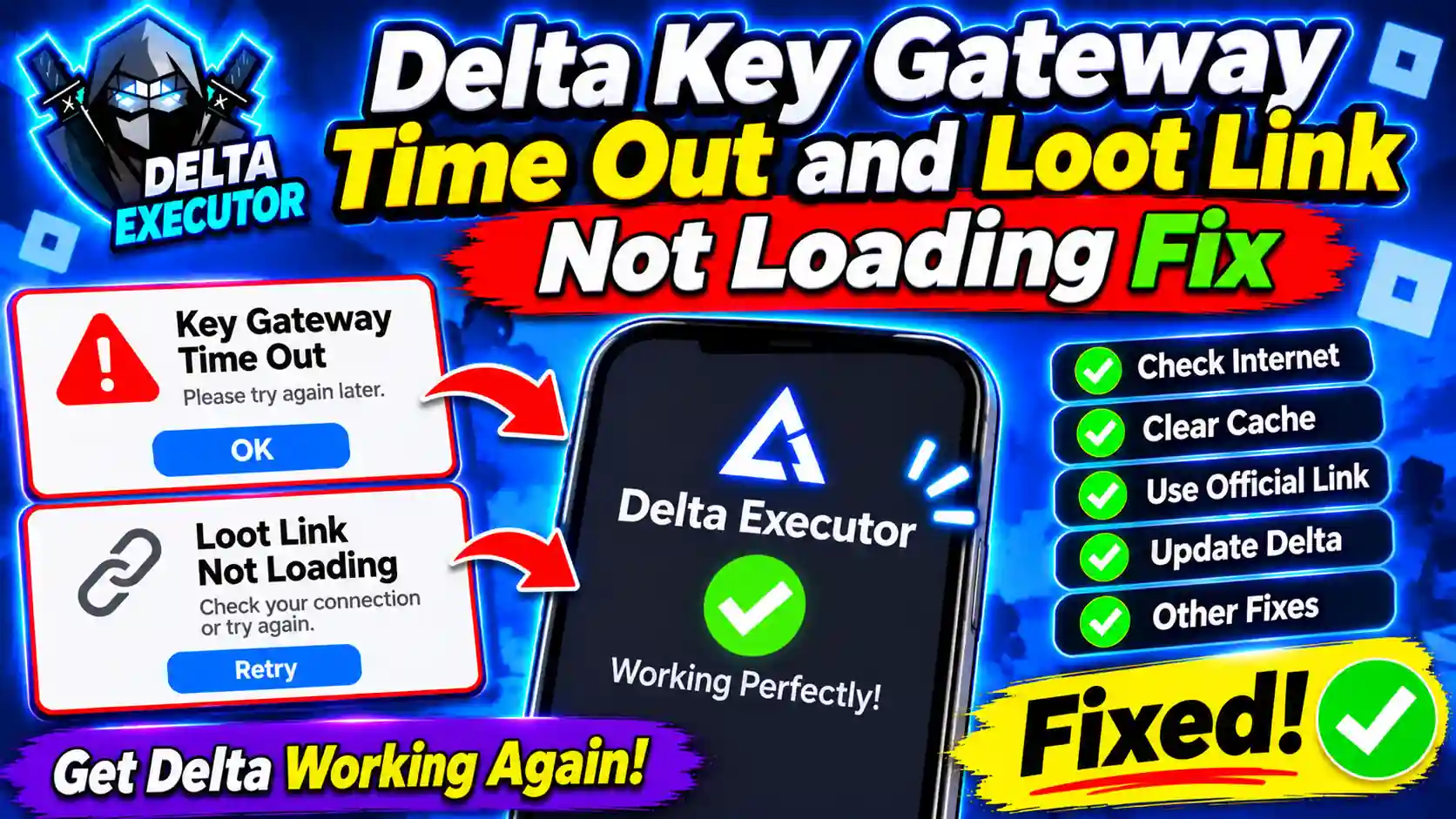
Delta Key Gateway Time Out and Loot Link Not Loading Fix
You opened Delta Executor, saw it wants a key, tapped the Get Key button, and now you are stuck. Maybe the Gateway page says “504 Gateway Timeout.” Maybe Loot Link spins forever and never loads the checkpoint. Maybe you made it through three checkpoints and the final key never appears. Welcome to the single most frustrating part of the free Delta experience. The good news is that none of this is Delta’s fault directly, it is the ad-wall and redirect services breaking in predictable ways, and almost all of it has a quick fix. This guide walks through every real Gateway and Loot Link error, what causes it, how to fix it on Android, iOS, and PC, and when to just skip the key system entirely with keyless scripts.
What Gateway and Loot Link Actually Are
Before fixing anything, understand what you are dealing with. Two different services sit between you and your Delta key.
Delta Gateway
Gateway is Delta’s own redirect and session-tracking layer. When you tap Get Key in the Delta app, Gateway creates a unique session for your device, generates a token, and sends you to the ad-wall service with that token attached. When the ad-wall completes, you come back through Gateway, which verifies your token and issues your key. If Gateway is slow or overloaded, you see “504 Gateway Timeout” or a blank page.
Loot Link (and similar services)
Loot Link, also called Lootlabs or Lootlink, is a third-party ad monetization platform that Delta uses to earn revenue from free users. You go through 1 to 3 “checkpoints,” each showing you a short video ad, a timer, and sometimes a download or offer. After the final checkpoint, you get a confirmation and Loot Link sends you back to Gateway with your completed token. Loot Link is used by dozens of Roblox executors and script hubs, not just Delta.
The full flow
Delta app → Gateway creates session → Loot Link checkpoint 1 → checkpoint 2 → checkpoint 3 (if applicable) → confirmation → Loot Link returns token → Gateway verifies token → Key appears in Delta.
Every step can break, and each step has its own failure mode. That is why Delta key problems come in so many flavors.
Why the Delta Key System Exists At All
Nobody loves ad-walls. Here is the honest explanation for why Delta uses them.
Free Delta needs funding
The free version of Delta Executor costs the development team real money to build and maintain. Mobile executors need constant updates to stay ahead of Hyperion patches. Server costs for signing services, mirrors, and support add up. The key system is how the team funds that work without charging you directly.
Alternative is paid Delta
The Delta Executor Premium option removes the key system entirely. It is a paid upgrade that gives you keyless access across all sessions. If the key system frustrates you repeatedly, Premium is the clean upgrade path.
Alternative is keyless scripts
Even on free Delta, many popular scripts are keyless, meaning they do not require you to go through Gateway or Loot Link at all. You load the script directly. Our keyless scripts guide covers the full list.
Why not just remove the ads
Because then the free team has no revenue, free Delta stops getting updates, and the entire free executor dies. Every mobile executor you know (Codex, Arceus X Neo, Hydrogen) uses similar ad-walls for the same reason. Removing the ads would mean paid-only, which is worse for most users.
Gateway, Loot Link, and the Delta key flow are the real monetization for free Delta. This is not a scam. The problem is that Gateway and Loot Link have technical issues like any web service, and those issues are what cause Gateway Timeout and loading problems. Fixing those does not mean bypassing a scam; it means getting a working session to the services that are supposed to work.
Error: Gateway Timeout (504)
This is the single most common Delta key problem. You tap Get Key, the browser opens, and instead of Loot Link you see:
What causes Gateway Timeout
Delta Gateway server overload
Peak hours (US evenings, weekends) overwhelm Delta’s servers. Requests queue and time out before they get processed.
Delta Executor update in progress
When Delta pushes a new build, the Gateway briefly disconnects. Our Delta down status page flags these windows.
Your ISP routing issue
Some ISPs route requests to Delta’s servers through slow or congested peering points. Different networks have different reach.
DNS cache stale
Your device cached an old Gateway IP that no longer serves. DNS flush fixes this quickly.
VPN blocking
Some VPNs block the key-system domain because other users abused it. Switch VPN server or disable VPN.
Browser session corruption
A previous interrupted session left bad cookies. Clear browser data and retry.
Device clock wrong
If your device clock is off by more than 10 minutes, Gateway’s session tokens fail validation.
Regional block
Some countries block executor-related domains. VPN into a different region if this is the case.
How to fix Gateway Timeout
- Wait 2 to 5 minutes and retry. Most timeouts are transient. If servers are temporarily overloaded, the next attempt usually works.
- Check Delta status. If Delta is down platform-wide, no fix on your side will work. Wait for the team to restore service.
- Switch network. Mobile data if you were on WiFi, WiFi if you were on mobile. A different network has a different route to Delta’s servers.
- Change DNS. Set your device DNS to Google (8.8.8.8 and 8.8.4.4) or Cloudflare (1.1.1.1 and 1.0.0.1). This bypasses ISP-level resolution issues.
- Disable VPN. If you were using a VPN, turn it off. If you were not using a VPN, try one in a low-fraud region.
- Check your device clock. Make sure Set Automatically is enabled under Date & Time settings. Manual clocks drift.
- Restart your device. Clears any stale network sockets or DNS cache.
- Retry from a different device. If your phone fails but a friend’s device works, the issue is specific to your device or network.
Error: Loot Link Not Loading
You got past Gateway but the Loot Link page spins forever, shows a blank screen, or displays “Unable to load checkpoint.” This is almost always client-side.
What causes Loot Link not loading
Adblocker enabled
Loot Link’s entire function is showing ads. Adblockers (uBlock Origin, AdGuard, Brave shields) prevent the page from loading its ad frames, which blocks the checkpoint from advancing.
Browser blocking third-party cookies
Safari and Firefox block third-party cookies by default. Loot Link’s session state lives in cookies that get blocked, so the page cannot track your progress.
Loot Link server overload
Thousands of users hit Loot Link simultaneously. During peak hours, the service slows to a crawl.
Browser out of date
Old Chrome and Safari versions miss JavaScript APIs that Loot Link uses. Updating the browser usually fixes it.
Script-blocking extension
NoScript, uMatrix, and similar extensions block Loot Link’s JavaScript entirely. The page cannot advance.
In-app browser restriction
If you opened the link inside a social media app’s in-app browser (Instagram, Discord, TikTok), that browser blocks features Loot Link needs. Open in Chrome or Safari instead.
Browser data corruption
A bad cache entry from a previous failed Loot Link session blocks new sessions. Clear browser cache and cookies to fix.
Network DNS filtering
Pi-hole, NextDNS, or school networks filter the ad domains. Loot Link cannot load its payload.
How to fix Loot Link not loading
- Disable your adblocker on this site. uBlock Origin, Brave Shields, AdGuard. Click the icon, pause for this site. This single step fixes the majority of Loot Link issues.
- Open the link in incognito or private mode. This disables most extensions and can bypass some third-party cookie issues.
- Switch browsers. If Safari failed, try Chrome. If Chrome failed, try Firefox or Opera. Loot Link works best in Chrome specifically.
- Enable third-party cookies. Chrome: Settings, Privacy, Cookies, allow third-party cookies for this session. Safari: Settings, Privacy, uncheck Block All Cookies.
- Clear browser cache and cookies. Especially for the Loot Link domain. A corrupted cookie from a failed attempt blocks new attempts.
- Open the link outside in-app browsers. If a link opened in Instagram, TikTok, or Discord’s built-in browser, copy it, paste into Chrome or Safari directly.
- Disable any DNS filtering. Pi-hole, NextDNS, or corporate DNS. Switch to your device’s default DNS for this flow.
- Wait during peak hours. 7 PM to 11 PM US Eastern is peak globally. 2 to 6 AM US Eastern is reliably empty.
Error: Checkpoint Not Advancing
You reached Loot Link, completed one checkpoint, but the Next Checkpoint button does nothing, or it keeps looping back to the same checkpoint.
Common causes
- Timer not fully elapsed: Each checkpoint has a hidden minimum watch time. If you tap Next too early, nothing advances.
- Interstitial ad did not play: Some checkpoints require a video ad to play fully. Blocked ads mean the completion flag never fires.
- Page stuck in a stale state: JavaScript error on the ad frame. Reload the page.
- Autofilled form errors: Some checkpoints have a quick survey. Browser autofill gets rejected.
- Hit a deadlink offer: Loot Link rotates offers. Sometimes an offer is dead and clicking it leads nowhere. Back out and pick another.
Fix checkpoint stuck
- Wait the full countdown. Do not tap Next before the timer reaches zero. Give it 2 to 3 extra seconds for safety.
- Watch the ad fully. Do not skip, close, or scroll past an ad. Let it play to completion.
- Try a different offer. If a checkpoint has multiple paths, pick a different one. The failing offer may be broken.
- Refresh the checkpoint page. Often restores the page without losing earlier checkpoint progress.
- Close and restart the browser. If refresh does not work, fully close the browser and reopen it. Then revisit the Delta key link.
- Avoid aggressive tapping. Rapid tapping can confuse the page state. One tap, wait for response, next tap.
Error: Completed Checkpoints But No Key
You went through every checkpoint, saw “Completed,” but Delta still shows the Get Key screen. Your key never arrived.
Common causes
- Token lost on return trip: Loot Link completed but the redirect back to Gateway failed, so Gateway never got the completion signal.
- Delta app closed mid-flow: If you force-closed or switched apps for too long, Delta’s session died.
- Browser blocked the return URL: Some browsers prompt to open an app with a URL scheme. If you denied, the return trip never completed.
- Different device: If you got the key on a different device than the one with Delta, the token does not transfer.
- Previous key still active: Delta may be holding an older key and not refreshing to the new one. Restart Delta to force refresh.
Fix key not appearing
- Return to Delta manually. If the browser did not auto-return to Delta, swipe to Delta from your app switcher.
- Force-close and reopen Delta. Swipe Delta out of recents, reopen. Tap Get Key again to refresh the session.
- Re-request a key. Many times, the previous session is dead but a fresh Get Key tap works immediately.
- Check Delta logs. Delta’s settings or info screen may show the current key status. If a key is there but not applied, tap Apply or Refresh.
- Make sure you are on the same device throughout. Get key on the same phone where Delta is installed. Tokens do not transfer between devices.
- Try keyless scripts instead. If the key system refuses to complete, our keyless scripts guide gets you scripting without the key.
Error: Infinite Redirect Loop
The page keeps bouncing between Loot Link and Gateway, never settling. Browser URL changes rapidly. Eventually your browser errors with “Too many redirects.”
Causes and fix
- Bad cookie state: Clear all cookies for the Delta and Loot Link domains, retry.
- VPN causing mismatched geolocation: VPN exit changes between requests. Turn off VPN.
- Browser extension interfering: Disable all extensions, especially privacy, VPN, and auto-click extensions.
- Mobile browser bug: Specific to in-app browsers inside Discord or Instagram. Open the link in Chrome or Safari natively.
- Loot Link offer broken: Rare but possible. Back out of Loot Link and start the key flow fresh.
The reliable fix for redirect loops is: close browser completely, clear all cookies, disable VPN, disable adblock, open Chrome or Safari fresh, start Delta key flow again.
Universal Fixes (Try These First)
Before diving into device-specific or error-specific fixes, try this universal flow. It resolves most key-link issues in under 5 minutes.
- Check Delta status first. If Delta is down, no fix helps.
- Disable adblock for this session. uBlock, AdGuard, Brave Shields, Pi-hole. Turn them off, retry.
- Use Chrome. Loot Link is most compatible with Chrome. Safari and Firefox have more friction.
- Disable VPN temporarily. Get the key, then re-enable VPN after Delta is running.
- Open the link outside in-app browsers. No Instagram, TikTok, or Discord built-in browsers.
- Try a different network. Mobile data if WiFi fails. Different WiFi if mobile data fails.
- Clear cookies for Loot Link and Delta domains. Fresh cookies often resolve persistent session issues.
- Retry at off-peak hours. Early morning US time is the quietest for Loot Link servers.
Browser-Specific Fixes
| Browser | Common Issue | Best Fix |
|---|---|---|
| Chrome | Third-party cookies blocked | Settings > Privacy > Cookies > allow third-party for session |
| Safari (iOS) | Cross-site tracking blocks Loot Link | Settings > Safari > Prevent Cross-Site Tracking OFF (just for this flow) |
| Safari (Mac) | Intelligent Tracking Prevention | Safari > Preferences > Privacy > uncheck Prevent Cross-Site Tracking |
| Firefox | Enhanced Tracking Protection blocks ads | Shield icon in URL bar > turn off for this site |
| Brave | Brave Shields block everything | Lion icon > Shields down for this session |
| Edge | Tracking prevention set to Strict | Settings > Privacy > switch to Balanced or Basic |
| Opera | Built-in adblocker | Settings > Basic > turn off Block Ads |
| Samsung Internet | Smart Anti-Tracking | Settings > Privacy > Smart Anti-Tracking OFF |
Chrome is the safest default
If you are not committed to a specific browser, use Chrome for the Delta key flow. It has the broadest Loot Link compatibility by default and the fewest aggressive privacy features that block ad-walls.
Device-Specific Fixes
Android
- Clear Chrome cache. Settings > Apps > Chrome > Storage > Clear Cache.
- Make sure Chrome is default browser. Settings > Apps > Default Apps > Browser App > Chrome. This ensures Delta’s link opens correctly.
- Check Private DNS settings. Settings > Network > Private DNS. Set to Automatic. Custom DNS can block Loot Link domains.
- Disable Data Saver. Settings > Network > Data Saver OFF. Data Saver compresses pages and can break Loot Link.
- Re-check our Delta APK install guide if Delta itself is misbehaving before the key flow.
iOS
- Turn off Content Blockers. Settings > Safari > Content Blockers > disable all.
- Turn off Prevent Cross-Site Tracking. Settings > Safari > Prevent Cross-Site Tracking OFF.
- Turn off Block All Cookies. Settings > Safari > Block All Cookies OFF.
- Turn off Hide IP Address. Settings > Safari > Hide IP Address > Off. Hiding IP can confuse Gateway’s session matching.
- Try Chrome iOS. If Safari keeps failing, install Chrome from the App Store and use it for the key flow.
- If Delta iOS also has install issues, see our Delta iOS not opening fix.
Windows PC
- Disable Windows Defender SmartScreen temporarily. SmartScreen can block Loot Link domains it flags as suspicious. Turn off for this session.
- Check Hosts file. If your hosts file blocks ad domains (common with Pi-hole setups), Loot Link cannot load. Comment out blocking entries temporarily.
- Disable any router-level adblocking. If you run NextDNS, Pi-hole, or similar on your network, pause them during the Delta key flow.
- Try a different browser. Chrome and Edge usually work better than Firefox on Windows for key flows.
Adblock and Extensions (The Big Issue)
Adblockers are the single most common cause of Loot Link failures. Loot Link is an ad-based service. If ads do not load, the checkpoint never completes. This is not a bug; it is how the business works.
Common offenders
- uBlock Origin: The most popular adblocker. Blocks Loot Link’s ad frames completely.
- AdGuard: Standalone app that blocks system-wide ads on iOS and Android.
- Brave Shields: Built into the Brave browser. Blocks ads and trackers aggressively.
- Pi-hole: Network-level adblocker. Blocks ad domains for every device on the network.
- NextDNS: Cloud DNS with ad filtering. Can block Loot Link domains at the DNS layer.
- Privacy Badger: Blocks trackers that overlap with ad services.
How to disable per session
You do not need to permanently uninstall your adblocker. Most adblockers have a one-click pause or disable-for-this-site option. Use it for the Delta key flow, then re-enable after.
- uBlock Origin: Click the icon, press the large power button to disable for this site.
- AdGuard: Tap the icon, toggle Protection Off for this site.
- Brave: Click the lion icon in URL bar, slide Shields DOWN.
- Pi-hole: Dashboard > Disable > 5 minutes. Re-enables automatically.
- NextDNS: Dashboard > pause the device’s config.
Once you get your Delta key, re-enable your adblocker. The exposure window for ads during the key flow is a few minutes. You do not need to permanently disable protection.
The Keyless Alternative
If Gateway and Loot Link keep breaking for you, skip the key system entirely. Delta works with many scripts that do not require a key at all.
What keyless means
Keyless scripts load directly in Delta’s editor via loadstring. No Gateway redirect, no Loot Link checkpoints, no ads, no waiting. You paste the loadstring, press Execute, and the script runs.
What you lose
Technically, nothing for most games. The biggest and most popular community hubs are available keyless, including Infinite Yield, universal hub scripts, and many game-specific hubs for Blox Fruits, MM2, Fisch, Dandy’s World, and others. Only a handful of niche hubs still require Delta key access, and most of those have keyless alternatives.
How to switch to keyless
Our Delta keyless scripts guide lists the full library of keyless loadstrings. Our main scripts hub flags which scripts are keyless.
Delta Premium removes the key system entirely
If you want the full Delta experience without the key friction, Delta Premium is the paid upgrade that bypasses all key flows. One payment, keyless forever. Best for heavy users.
| Factor | With Key System | Keyless Scripts |
|---|---|---|
| Cost | Free (watch ads) | Free (no ads) |
| Setup time per session | 5 to 15 minutes | Zero |
| Reliability | Depends on Gateway and Loot Link status | Only depends on the script’s host |
| Script availability | Full library | 90 percent of popular scripts |
| Frustration level | High during outages | None |
Preventing Future Key Link Problems
- Pause adblock automatically for Delta key sessions. Create a whitelist entry for Loot Link and Delta Gateway domains. One-time setup, permanent fix.
- Use Chrome specifically for the key flow. Keep Safari or Firefox for everything else. Chrome has the best Loot Link compatibility.
- Get the key during off-peak hours. Early morning US time has the fewest timeouts.
- Keep Delta up to date. Older builds have higher Gateway Timeout rates because their session tokens use outdated endpoints.
- Save your key. Keys last 24 hours on most builds. Note the time you got it so you know when to resign.
- Prefer keyless scripts for daily use. Our keyless library covers 90 percent of needs.
- Avoid in-app browsers. Always copy links from Discord, Instagram, or TikTok and paste into Chrome or Safari directly.
- Keep your device clock accurate. Automatic time sync on, timezone set correctly.
The Bottom Line
Delta key link problems break into Gateway Timeout (Delta’s redirect service overloaded) and Loot Link not loading (adblock, third-party cookies, or server lag). Universal fix path: disable adblock, use Chrome, disable VPN, open links outside in-app browsers, retry during off-peak hours. For persistent frustration, switch to keyless scripts via our keyless guide, or upgrade to Delta Premium for a permanent keyless experience.
Only use the real Delta key flow started from deltaexecutions.com. Fake “Delta key generator” sites are scams.
Frequently Asked Questions
What is Delta Executor’s key link?
The Delta key link is the URL Delta opens when you tap Get Key. It sends you through Delta’s Gateway redirect service to Loot Link’s ad checkpoints, then back to Delta with a session key. The key authorizes your Delta session for 24 hours on most free builds. The flow funds free Delta development through ad revenue without charging you directly.
Why does Delta Gateway keep timing out?
504 Gateway Timeout means Delta’s own redirect servers are overloaded, undergoing maintenance, or unreachable from your network. Most common causes are peak-hour traffic, Delta pushing an update, your ISP routing poorly, DNS cache issues, or VPN blocking the domain. Fix by waiting a few minutes and retrying, switching network, changing DNS to Google 8.8.8.8 or Cloudflare 1.1.1.1, or checking the Delta down status page.
Why is Loot Link not loading?
Most common cause is an adblocker. Loot Link is an ad-based service, so when uBlock Origin, AdGuard, Brave Shields, or Pi-hole blocks its ad frames, the page cannot complete. Second most common cause is Safari or Firefox blocking third-party cookies, which Loot Link uses to track your checkpoint progress. Fix by disabling adblock for this session, enabling third-party cookies, or switching to Chrome which has the broadest compatibility.
How do I skip the Delta key system?
Two ways. First, use keyless scripts: many popular hubs load directly via loadstring without going through Gateway or Loot Link. Our keyless scripts guide lists them. Second, upgrade to Delta Premium, the paid tier that removes the key system entirely. Keyless scripts cover 90 percent of normal usage for free users.
Why did my Delta key not appear after completing checkpoints?
The token return trip from Loot Link to Delta’s Gateway failed. Common causes include closing the browser too early, closing Delta during the flow, or the browser denying the app-return URL prompt. Fix by force-closing Delta and reopening it, then tapping Get Key again to refresh the session. Make sure you stay on the same device throughout; tokens do not transfer between devices.
Is the Delta key link safe?
The official Delta key flow starting from inside the Delta Executor app is safe. It routes through Delta’s own Gateway service and Loot Link’s legitimate ad-wall. The ads themselves are standard web ads. However, fake “Delta key generator” sites that promise instant keys without going through the official flow are scams designed to steal your Roblox credentials. Only use the key link that opens from inside the Delta app.
How long does a Delta key last?
On free Delta, keys typically last 24 hours. After that, you repeat the key link flow for a new one. Some builds have shorter or longer windows. Delta Premium removes expiration entirely. If you dislike the daily key cycle, switching to keyless scripts or upgrading to Premium are your two long-term solutions.
Why does the key link redirect me in a loop?
Redirect loops usually come from bad cookie state, VPN geolocation mismatches, or in-app browser bugs. Fix by closing the browser completely, clearing cookies for the Delta and Loot Link domains, disabling VPN, disabling adblock, then opening Chrome or Safari directly (not through Discord, Instagram, or TikTok). Start the Delta key flow fresh from the Delta app.
References
- DeltaExecutions, Delta Executor Key System Hub, deltaexecutions.com
- MDN Web Docs: HTTP 504 Gateway Timeout Specification
- Google Public DNS Documentation
- DeltaExecutions internal testing of Gateway and Loot Link flows across Android, iOS, and Windows (recently updated)

One Comment