
Delta Executor Alternatives That Still Work
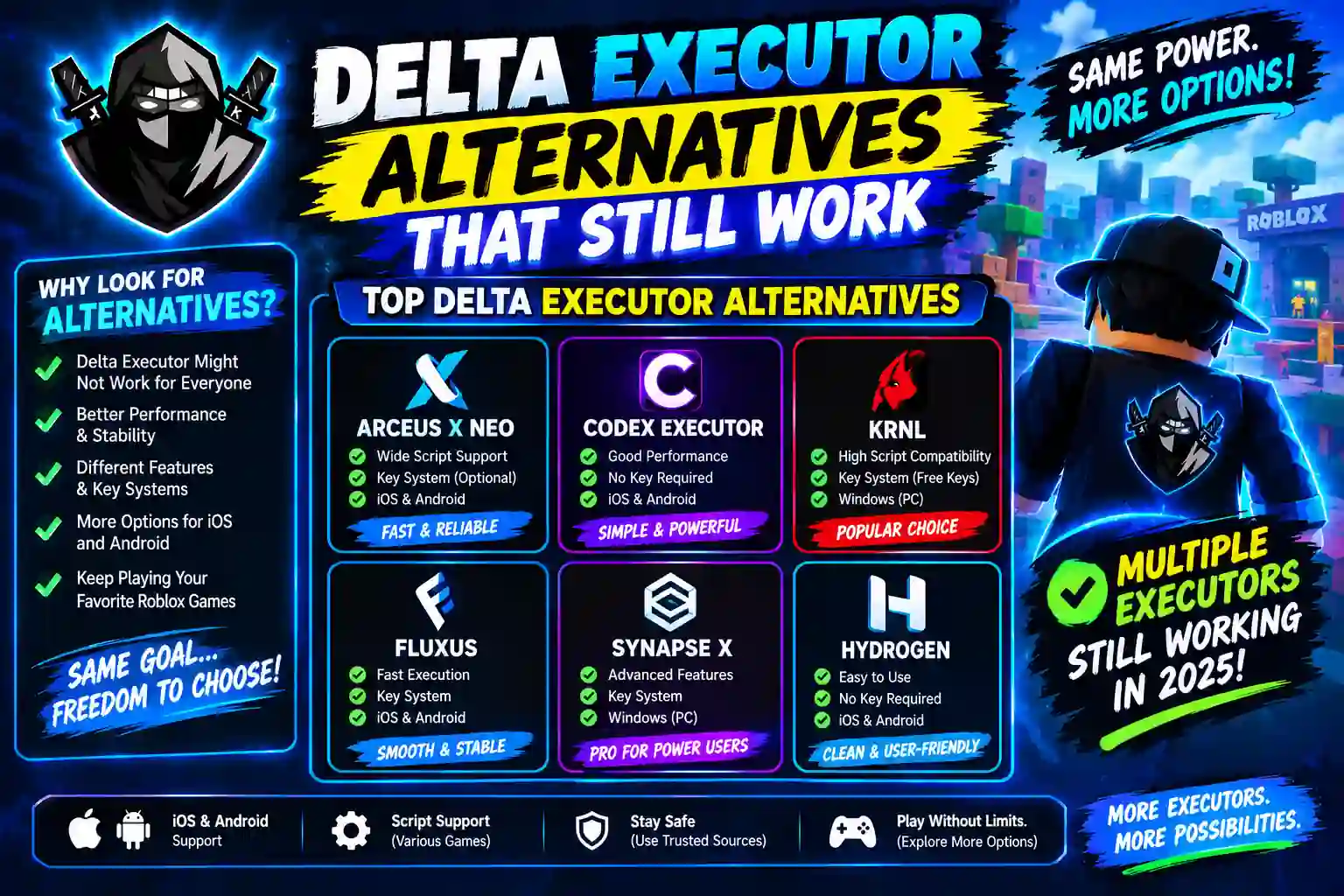
Delta Executor is the dominant mobile Roblox executor in the market, but it is not the only one. Sometimes Delta goes down after a Roblox patch, sometimes it crashes on your specific device, and sometimes you just want to try something different. Whatever the reason, you need a Delta Executor alternative that actually works, not a dead list of abandoned tools from three years ago. This guide covers the 8 strongest working alternatives, breaks down which one fits your platform and use case, and tells you honestly which ones to skip.
Why People Look for a Delta Executor Alternative
Delta Executor is the most downloaded mobile Roblox executor on the market right now, but no single tool fits every user. The reasons people search for an alternative fall into a few consistent buckets, and understanding which one matches your situation helps you pick the right replacement.
Delta is temporarily down after a Roblox patch
Roblox updates its Hyperion anti-tamper system every one to two weeks. Each patch invalidates every mobile executor until the team ships a new build. If Delta is down right now, you probably just need a backup for a few hours until the post-patch Delta build drops. Our guide on Delta Executor down windows covers what happens during these periods.
Delta keeps crashing on your specific device
Low RAM devices, older Android versions, or specific chipsets occasionally produce crashes that persist even on the latest Delta build. If you have already tried the fixes in our Delta crash troubleshooting guide and still cannot get a stable session, a lighter alternative like Xeno or Codex may just run better on your hardware.
Delta is not working for a specific game or script
Some scripts rely on executor-specific functions. If a script you need will not load in Delta but loads in another executor, that is a compatibility issue rather than a Delta problem. Our script not working guide walks through the common fixes before switching tools.
Platform differences
Delta covers Android, iOS, Windows, and macOS, but some users prefer a PC-focused executor on their desktop and a different tool on mobile. Running Krnl or Xeno on PC while keeping Delta on your phone is a common split in the community.
Curiosity and benchmarking
Scripters who build and test their own code often want to run the same loadstring across multiple executors to compare UNC compatibility, speed, and feature support. For this use case, a toolkit of several executors is the right approach.
What Makes a Working Delta Executor Alternative in 2026
The executor landscape is littered with dead names. Synapse X shut down. JJSploit still exists but is barely maintained. Script-Ware has gone quiet. A real working alternative in 2026 needs to meet several criteria before it earns a spot on this list.
Active maintenance after Roblox patches
An executor that cannot ship a new build within a week of a Roblox update is effectively dead. The best alternatives match post-patch builds in hours or days, not weeks.
High UNC and sUNC scores
UNC (Universal Naming Convention) is the community standard for measuring which Roblox script functions an executor supports. Scores above 85 percent mean most community scripts will run. Below 70 percent and script compatibility becomes a real problem.
Hyperion bypass
Every mobile executor and most PC executors must bypass Roblox’s Hyperion anti-tamper system. An executor without a current bypass simply will not attach to the Roblox client.
Platform coverage you actually need
A PC-only executor is useless if you only play Roblox on your phone. Make sure the alternative supports your actual device.
Reasonable key system or none at all
Some executors are keyless (install and go). Others require Linkvertise key tasks every 24 hours. The friction difference matters for daily use. Our breakdown of Delta’s keyless design explains why this matters more than most users think.
Clean install without disabling device security
Any alternative that asks you to disable Play Protect, Chrome Safe Browsing, or Windows Defender is a red flag. Those protections exist to catch malware, and an executor that needs them off is suspicious regardless of what its marketing claims.
The 8 Best Delta Executor Alternatives
Every alternative below has been evaluated against the criteria above. Each one is actively maintained, has a current Hyperion bypass, and works on at least one major platform. The order reflects overall quality for the typical user looking to replace Delta.
Codex is the closest direct competitor to Delta on Android. Nearly four years in the market, consistent updates after Roblox patches, and a clean mobile GUI with built-in game presets for over 2,500 titles. It is the most natural switch for users who want a mobile executor with a different signature than Delta. Our dedicated Delta vs Codex comparison covers the head to head in full detail.
Strengths
- Mature, stable Android build
- Deep script hub with game presets
- Clean UI with syntax highlighting
Weaknesses
- Daily key renewal via Linkvertise
- iOS version in beta only
- Slower post-patch recovery than Delta
Fluxus has been one of the most trusted free executors for years. The PC build runs reliably on Windows, and the Android app is lighter than most mobile competitors. The free tier does carry a key system through Linkvertise, but a paid tier removes it entirely. Fluxus is particularly good at supporting niche community scripts because of its broad UNC coverage.
Strengths
- Reliable track record across many Roblox patches
- Available on PC and Android
- Strong community support
Weaknesses
- Key friction on free tier
- UNC score below top competitors
- No iOS version
Krnl is the free PC executor that most desktop users default to when they want an alternative to premium tools. It supports a very high percentage of script functions, runs stably on Windows 10 and 11, and has an active development team that has been shipping updates for years. For PC-only Delta users, Krnl is the obvious switch.
Strengths
- Strong UNC coverage
- Battle-tested stability on PC
- Free to use
Weaknesses
- Windows only, no mobile support
- Linkvertise key system
- Occasional long post-patch downtime
Arceus X Neo is the rebrand of the long-running Arceus X project. It covers Android, iOS, Windows, and macOS with built-in gameplay features like Infinite Jump, Fly, AimBot, and Ghost Mode that activate without needing a specific script. For users who want cheats without script management, Arceus X Neo delivers more out of the box than any other option. However, it comes with a Linkvertise key cycle and a 4GB RAM minimum that rules out budget Android devices.
Strengths
- Rich built-in gameplay features
- Covers every major platform
- Large legacy script hub
Weaknesses
- Daily key cycle friction
- Install sometimes asks to disable security
- Heavier footprint than Delta or Xeno
Xeno is the lightweight choice for PC users on modest hardware. It is Windows-only but installs cleanly, runs with a small footprint, and has one of the lower detection rates among free PC executors. The downside is a smaller script hub compared to Krnl or Fluxus, so niche community scripts may not run. For users who stick to popular games with widely available loadstrings, Xeno is a solid pick.
Strengths
- Lightweight PC footprint
- Low detection profile
- Clean installer
Weaknesses
- Windows only
- Smaller script hub
- Lower UNC score than premium PC options
Hydrogen is an Android-focused alternative with a long development history. The current build has a reasonable UNC score and runs on most mid-range Android devices. The main drawback is slower post-patch recovery than Delta and Codex, meaning Hydrogen users accept longer downtime windows after Roblox updates. For users whose primary executor goes down, Hydrogen is a solid backup to install alongside Delta.
Strengths
- Established Android build
- Decent script compatibility
- Lightweight on mid-range phones
Weaknesses
- Slower post-patch updates
- Key system friction
- Weaker iOS support
Solara is a newer free PC executor that has grown steadily in the Windows community. The feature set is competitive, the installer is clean, and the UNC score is in the mid-80s. For PC users who already tried Krnl and want a change, Solara is a credible second choice. It is not quite as polished as the top names, but the gap is narrow enough that daily use feels similar.
Strengths
- Clean, modern UI
- Low install friction
- Growing user base
Weaknesses
- Younger than legacy competitors
- Windows only
- Smaller script hub than Krnl
Wave is the main paid alternative worth considering now that Synapse X is gone and Script-Ware has quieted. The subscription model funds faster post-patch updates and premium support. Wave covers both PC and mobile, has one of the highest UNC scores in the market, and includes features like an advanced script debugger. For scripters who build their own code or run complex multi-script setups, Wave can be worth the fee. For casual users running community loadstrings, free alternatives are enough.
Strengths
- Fast post-patch updates
- Very high script compatibility
- Premium support channel
Weaknesses
- Requires paid subscription
- Overkill for casual script users
- Not keyless for free use
Full Comparison Table: Delta vs 8 Alternatives
Side by side, how each alternative stacks against Delta Executor on the metrics that matter in daily use.
| Executor | Price | Keyless | Android | iOS | Windows | UNC | Update Speed |
|---|---|---|---|---|---|---|---|
| Delta Executor | Free | Yes | Yes | Yes | Yes | ~98% | Hours |
| Codex | Free | No | Yes | Beta | Yes | ~96% | Days |
| Fluxus | Free (paid tier) | Paid only | Yes | No | Yes | ~85% | Days |
| Krnl | Free | No | No | No | Yes | ~90% | Days |
| Arceus X Neo | Free | No | Yes | Yes | Yes | ~90% | Days |
| Xeno | Free | Mostly | No | No | Yes | ~82% | Moderate |
| Hydrogen | Free | No | Yes | Limited | No | ~80% | Moderate |
| Solara | Free | Mostly | No | No | Yes | ~85% | Moderate |
| Wave | Paid | Subscription | Yes | Yes | Yes | ~95% | Fast |
UNC percentages are approximate community benchmarks and can shift between updates. Update Speed reflects typical post-patch recovery time. Delta remains the fastest for mobile recovery, which is why most mobile users keep it as primary even when installing an alternative as backup.
Which Delta Alternative Fits Your Use Case
The right alternative depends entirely on what you need. Here is the decision tree in plain terms.
If you only play on Android
Install Codex as your backup. It is the closest mobile competitor to Delta, offers a mature app, and covers the same games. The 24-hour key is annoying but tolerable for occasional use when Delta is down.
If you only play on iOS
Your options are limited. Delta is the strongest iOS executor by a wide margin. Arceus X Neo iOS and Wave iOS are the two realistic alternatives, both via sideloading. Codex iOS is still in beta and should not be relied on yet.
If you only play on PC
Krnl is the default. Solara is the solid second choice. Xeno is the lightweight option. For users who want paid-grade quality, Wave is worth the subscription. Delta works fine on PC too, but PC users often prefer Krnl because it has deeper roots in the Windows executor community.
If you want cross-platform under one account
Arceus X Neo and Wave both run across Android, iOS, Windows, and macOS. Delta also covers all these platforms. If you switch between devices regularly, having the same executor name on each device simplifies your setup.
If you absolutely refuse to deal with a key system
Delta Executor remains the only major mobile executor that is fully keyless. On PC, Xeno and Solara have minimal or no key requirements. Everything else involves at least a daily Linkvertise cycle. Our keyless Delta guide explains the design decision in full.
If you run a custom script for a specific game
Check the script’s documentation for its UNC requirements. If it needs 95 percent or higher, Delta, Wave, or Codex are your realistic options. For scripts that work at 85 percent UNC and above, almost any executor on this list will run them.
Safety, Detection, and Account Ban Risk
Every Roblox executor violates the Roblox Terms of Use by design. There is no legitimate way to execute arbitrary Lua in Roblox without an executor, and the platform treats all executor use as against the rules. That said, actual account ban risk varies.
Executor-level detection
This is whether Roblox’s Hyperion system detects the executor’s presence on your device. All eight alternatives above claim current Hyperion bypasses. Independent benchmarks (such as those tracked by the UNC benchmark community) are the only reliable way to verify current status. For a deep dive into how detection actually works, read our full breakdown of Delta Executor detection, Error 267, and Error 268.
Behavioral detection
Even an undetected executor cannot protect you from obvious cheating behavior inside a game. Teleporting across the map, speed hacking in competitive servers, auto-aiming in PvP, these behaviors generate reports from other players regardless of which executor produced them.
Fake download sites
Every popular executor has dozens of fake clone sites. These sites distribute modified builds with malware baked in. Only use the official download page for each executor. Our guide on whether Delta Executor is safe to use covers how to spot fake sites in general.
Install permissions
Any executor that asks you to disable Play Protect, Chrome Safe Browsing, Windows Firewall, or your antivirus during install is a yellow flag. Delta installs with standard unknown-sources permission only. Any alternative demanding broader security dismissals should give you pause.
Use a secondary account
This is the single most effective ban risk reduction regardless of which executor you choose. A scripted account that holds nothing valuable is a disposable asset. A banned main account with years of progress and purchases is a real loss. Keep the two separate.
How to Switch from Delta to an Alternative
Moving from Delta to another executor takes about five minutes once you have the download in hand. The process is almost identical across all the alternatives above.
- Download the alternative from its official source. Never use third-party mirror sites. Each executor has one official domain. Everything else carries malware risk.
- Uninstall or quit Delta if the new executor uses the same install slot. On Android, mobile executors install as modified Roblox clients. You can only run one at a time.
- Install the new executor following its instructions. Enable unknown sources on Android or sideload on iOS using Sideloadly or AltStore. On PC, run the installer as administrator.
- Launch Roblox from inside the new executor. Some executors ship as modified Roblox clients that launch Roblox themselves. Others attach to a running Roblox process.
- Complete the key system if required. Codex, Krnl, Arceus X Neo, Fluxus, and most non-Delta options require a Linkvertise key task. Follow the on-screen prompts.
- Load your script and execute. Paste the loadstring into the script input area and click Execute. The GUI should appear in your Roblox game within a few seconds.
If the alternative does not work out, switching back to Delta is just as fast. Install Delta from deltaexecutions.com, and you are back where you started.
Alternatives to Avoid in 2026
Some executor names still show up in search results and old guides but are no longer worth your time. Here is what to skip.
These names appear in older guides but do not deliver current working executors. Treat them as warnings rather than options.
Synapse X
Shut down. Any site claiming to offer Synapse X is either a scam or distributing malware. The original Synapse team announced the end of development, and nothing with that name has been legitimately maintained since.
JJSploit
Still technically alive but barely maintained. UNC coverage is low, post-patch recovery is slow, and the install bundles software that most users do not want. Avoid unless you have a very specific legacy use case.
Script-Ware
Has gone quiet. The development team has not shipped meaningful updates in a long time. If you had Script-Ware, migrate to Wave or Delta.
Any executor requiring you to disable all security
If a download page tells you to disable Windows Defender, Play Protect, your antivirus, and Chrome Safe Browsing just to install the tool, close the page. Legitimate executors install cleanly with standard permissions.
Executors you have never heard of in community forums
The Roblox executor scene is small enough that any real alternative has a presence in r/robloxhackers, the ZekeHub executor rankings, and the broader scripting Discord network. A completely unknown name with no footprint is almost always a malware wrapper around a legitimate executor’s name.
The Bottom Line
Delta Executor remains the strongest overall choice for mobile Roblox scripting right now. Keyless, fastest post-patch recovery, cross-platform, and lowest install friction. The alternatives on this list are useful as backups during Delta downtime, as platform-specific picks for PC-only users, or as part of a scripter’s toolkit for benchmarking.
For most readers, the right move is to keep Delta as primary and install Codex (on Android) or Krnl (on PC) as a backup. That two-executor setup covers you through every Roblox patch cycle without stress. Download Delta from deltaexecutions.com to maintain the current Hyperion bypass, and use only each alternative’s official domain for its download.
Frequently Asked Questions
What is the best Delta Executor alternative in 2026?
Codex Executor is the best mobile alternative for Android users. Krnl is the top pick for Windows PC. Arceus X Neo is the strongest cross-platform option. Wave is the top paid executor. Each has different strengths, so the right choice depends on your platform and whether you prefer a free or paid tool.
Are any Delta alternatives keyless?
Delta Executor is the only major mobile executor that is fully keyless. On PC, Xeno and Solara have minimal or no key requirements. Everything else, including Codex, Krnl, Arceus X Neo, and Fluxus, requires a Linkvertise key task on a 24-hour cycle. If keyless use is non-negotiable for you, Delta remains the better choice.
Can I use multiple executors on the same device?
On PC, yes. You can have Krnl, Fluxus, and Delta all installed and switch between them freely. On Android, mobile executors install as modified Roblox clients and only one can be active at a time. You can keep multiple APKs on your device but switching means uninstalling one and installing another. On iOS, sideloading limits typically allow one at a time as well.
Is it worth paying for Wave Executor?
For scripters who build their own code or run complex multi-script setups, Wave can be worth the subscription. The high UNC score and fast post-patch recovery save real time. For casual users running community loadstrings in Blox Fruits or Grow a Garden, free alternatives like Delta or Codex cover almost all use cases without the fee.
Which Delta alternatives work on iOS?
The iOS executor market is thin. Arceus X Neo and Wave both offer iOS builds via sideloading through Sideloadly or AltStore. Codex iOS is still in beta and not reliably available. Delta Executor remains the strongest iOS option by a significant margin, with a mature iOS build.
Do Delta alternatives have the same ban risk?
All Roblox executors violate the Terms of Use and carry account action risk. Executor-level detection varies between tools and across patch cycles, but behavioral risk from obvious cheating is identical regardless of which executor you use. Using a secondary account is the most effective risk reduction for any scripted session, with any executor.
What is UNC and why does it matter?
UNC stands for Universal Naming Convention. It is a community-standardized test suite that measures what percentage of Roblox script functions an executor supports. A higher UNC score means more community scripts will run correctly. Delta and Codex sit near 96 to 98 percent, Krnl and Arceus X Neo around 90 percent, and smaller executors in the 80s. Scripts with advanced functions may require the higher scores to work properly.
Why do executors keep breaking?
Roblox patches its Hyperion anti-tamper system every one to two weeks. Each patch invalidates every executor until its development team ships a new build. This is why no executor is permanently stable and why post-patch update speed is one of the most important quality metrics. Delta recovers within hours, Codex within days, and slower-moving executors within a week or more.
References
- DeltaExecutions, Delta Executor Official Download and Version Changelog, deltaexecutions.com
- Roblox Corporation: Roblox Terms of Use (Executor Policy)
- ZekeHub Executor Benchmark Rankings and UNC Score Database
- DeltaExecutions internal testing across all listed executors (recently updated)
- Community executor benchmarks via UNC and sUNC test suites


One Comment