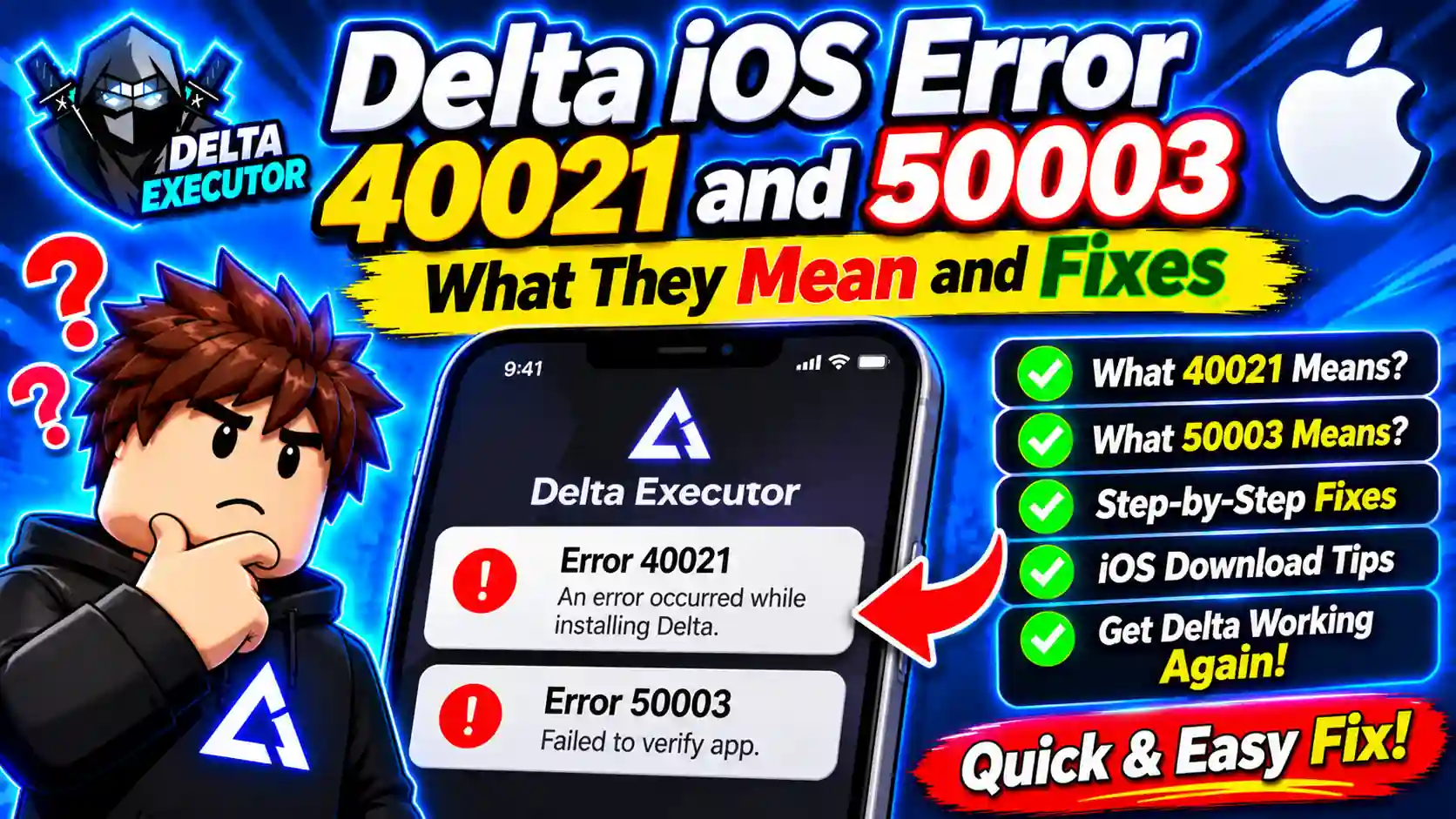
Delta iOS Error 40021 and 50003: What They Mean and Fixes
If you have tried to sideload Delta Executor onto your iPhone and got stopped by error 40021 or 50003, you are running into two of the most common iOS install failures. Both are signing problems, not Delta problems. The IPA file is fine. Your iPhone is fine. Something between your sideloader and Apple’s signing servers is rejecting the install. The fixes are different for each error, and they depend on whether you use AltStore, Sideloadly, Esign, TrollStore, or Scarlet. This guide walks through what each error actually means, every real cause, and the exact steps that resolve each one on every major sideloader.
What Errors 40021 and 50003 Actually Mean
Both errors come from the Apple signing pipeline, not from Delta or Roblox. When you sideload an app onto iOS, three things have to agree: your sideloader software, Apple’s App ID service, and your device’s installation daemon. If any of them fail, you see a numeric error.
Error 40021 at a glance
Translation: Apple’s App ID registry refused to create a new bundle identifier for this app, usually because you hit the free-account App ID creation limit (10 per 7 days on a free Apple Developer account).
Error 50003 at a glance
Translation: The signing service your sideloader uses (AltServer, SignTools, remote signer) could not sign the IPA. Causes range from a bad certificate to a server outage on the sideloader’s side.
Both errors show up on install or on refresh. Both are fixable. Both have nothing to do with Delta Executor itself or your Roblox account. If you have other Delta iOS problems that are not about sideload errors, our Delta iOS not opening guide covers launch issues and our direct install guide covers initial setup.
Error 40021 In Detail
Error 40021 is an App ID registration failure. Every app on iOS needs a unique bundle identifier registered to a developer team. When you sideload, your sideloader creates a fresh App ID using your free Apple ID each time it signs the app. Apple limits free accounts to 10 App ID registrations per 7 days. If you hit that cap, every new sideload throws 40021.
All real causes of error 40021
App ID 7-day limit reached
Free Apple IDs can create only 10 App IDs per 7-day rolling window. If you resigned Delta plus other apps too many times, the next sideload throws 40021.
Bundle ID already taken
Apple’s registry rejects a bundle ID that is already registered to another developer account anywhere in the world. Common with generic names like “com.delta.executor.”
Apple ID logged in elsewhere
The same Apple ID signed into multiple sideloaders at once causes conflicts. Only one sideloader session should be active at a time.
Developer certificate expired
Free Apple ID certificates last 7 days. Paid accounts last 1 year. When the cert expires, signing throws 40021 or related errors on the next install.
Two-factor authentication prompt
Apple asks for a 2FA code during the sign-in. If your sideloader misses it, signing proceeds in a half-broken state and error 40021 fires.
Apple account flagged
Rare, but accounts that sideload heavily get soft-flagged. Signing fails on that account even with limits not reached.
Apple service outage
Apple’s developer portal and App ID service occasionally go down. All sideloading stops until service returns.
Country or region restriction
Some App IDs fail to register in specific Apple regional accounts due to policy differences.
Error 50003 In Detail
Error 50003 is a signing-service failure, not an App ID problem. The sideloader tried to sign the IPA, something broke on the sideloader’s end (not Apple’s), and the signed output is unusable. Delta never makes it to your device.
All real causes of error 50003
Remote signing service down
Sideloaders like Esign and Scarlet use remote signing servers. When those servers are overloaded or down, signing fails with 50003.
Enterprise certificate revoked
Paid sideloaders use enterprise certificates. Apple revokes these periodically. When yours is revoked mid-install, 50003 fires.
Corrupted IPA download
The Delta IPA finished downloading but is missing bytes. Signing against a damaged IPA fails with 50003.
Sideloader app out of date
AltStore and Sideloadly update frequently. Running an outdated version against current iOS versions causes signing failures.
iOS version incompatibility
Sideloaders lag behind new iOS releases. If you just updated iOS, your sideloader may not support it yet.
Device unpaired from computer
AltStore-style sideloaders need a WiFi pairing with your computer. If pairing broke, signing requests never reach the signer.
Insufficient device storage
Signing writes temporary files. If your iPhone has less than 500MB free, the signing stage runs out of space mid-write.
VPN interference
Some VPNs block the signing server’s API calls. Disable VPN during install, re-enable after.
Error 40021 vs 50003 (Which Is Which)
| Factor | Error 40021 | Error 50003 |
|---|---|---|
| What fails | App ID registration | IPA signing |
| Where it fails | Apple’s developer portal | Sideloader’s signing service |
| Main trigger | 7-day App ID limit | Signing server outage or bad cert |
| Typical sideloader | AltStore, Sideloadly | Esign, Scarlet, Feather |
| Can you self-fix instantly? | No (wait or new Apple ID) | Often yes (retry, reinstall sideloader) |
| Affects just Delta? | No, blocks all sideloads | Often yes, specific to one app |
| Quick fix | Wait, or use different Apple ID | Retry, change signing service, reinstall sideloader |
In short: 40021 means Apple said no. 50003 means your sideloader said no. The fixes follow from there.
Universal Fixes (Try These First)
Before diving into error-specific steps, try these five fixes. They resolve around 60 percent of both errors.
- Reboot your iPhone. Classic for a reason. Clears any signing-daemon state and pairing cache. Takes 30 seconds.
- Reboot your computer if you are using AltStore or Sideloadly. The AltServer process can hang silently after long uptime.
- Check Apple’s system status. Visit apple.com/support/systemstatus and confirm “Apple ID” and “Developer ID” are green. If either is yellow or red, wait for Apple to restore service.
- Re-download the IPA from deltaexecutions.com/for-ios. Your previous download may be corrupted. A fresh file is a 2-minute check.
- Try a different WiFi network. Mobile hotspot or a friend’s WiFi. Some networks block the signing server’s endpoints.
If none of these work, move to the error-specific sections below.
Fix Error 40021 Specifically
Fix 1: Wait out the 7-day App ID limit
This is the real cause 80 percent of the time. Apple does not expose the counter, but it resets 7 days after your first App ID creation in the rolling window. If you installed and re-signed Delta multiple times in the last week, you hit the cap. The fix is to wait.
To avoid losing a week, you can use these workarounds:
- Create a second Apple ID dedicated to sideloading. Use a secondary email, agree to the developer terms, and sign in. Each Apple ID has its own 10-per-7-days limit.
- Change the Delta bundle ID manually. Advanced users can modify the Info.plist in the IPA before signing to use a fresh unique identifier. This can bypass the error if your limit is hit at the registration stage specifically.
Fix 2: Change the Delta bundle identifier
In Sideloadly specifically, you can edit the Bundle Identifier field before pressing Start. Change it from the default (something like “com.delta.executor”) to a unique variant like “com.delta.executor.yourinitials.date.” Apple’s registry sees a new identifier and skips the duplicate check.
Fix 3: Remove unused sideloaded apps
Each sideloaded app on your phone uses an App ID. Delete sideloaded apps you no longer use. On the next install, the freed App ID rotates in.
- Open Settings > General > VPN & Device Management.
- Review every developer profile. Each profile corresponds to apps signed under it.
- Remove profiles for apps you no longer use. This revokes the associated App IDs and frees up your quota.
- Delete the apps themselves from your home screen.
- Retry Delta install.
Fix 4: Sign out and re-sign in to Apple ID
In your sideloader’s settings, sign out of your Apple ID completely. Close the sideloader. Reopen it. Sign back in with 2FA when prompted. This resets session state that can confuse the App ID service.
Fix 5: Try a paid Apple Developer account
If you sideload a lot, a paid Apple Developer account ($99/year) removes the 7-day limit and extends certificate life to 1 year. Not everyone wants to pay, but it is the permanent fix for 40021.
Fix Error 50003 Specifically
Fix 1: Wait 15 minutes and retry
50003 is most often a transient server-side issue. Signing servers (especially Esign’s and Scarlet’s) overload during peak hours. Wait 15 minutes and retry. If the error cleared, no further action needed.
Fix 2: Reinstall your sideloader
If 50003 persists across multiple retries, your sideloader’s internal certificate may have been revoked. Uninstall and reinstall the sideloader, then re-sideload Delta.
- Delete the sideloader app from your home screen (Esign, Scarlet, AltStore, whichever you use).
- Remove its profile from Settings > General > VPN & Device Management.
- Reboot your iPhone.
- Reinstall the sideloader from its official source. For AltStore: altstore.io. For Sideloadly: sideloadly.io. For Esign and Scarlet: their official Discord or website.
- Trust the new profile in Settings > General > VPN & Device Management.
- Re-import the Delta IPA and sign again.
Fix 3: Switch to a different signing service
If your sideloader lets you pick between signing services, switch. For example, Esign has multiple signer options. Pick one that is currently healthy. The sideloader usually shows a status indicator.
Fix 4: Check device storage
Signing writes temporary files. If your iPhone has less than 500MB free, the signing stage runs out of space mid-write and throws 50003. Go to Settings > General > iPhone Storage. Free up at least 1GB. Retry.
Fix 5: Disable VPN
Some VPNs block signing server API calls, especially corporate or regional VPNs. Disable VPN entirely before signing. You can turn it back on after Delta is installed.
Fix 6: Try a different sideloader
If one sideloader’s signing service is down, use another. The IPA file is the same; only the signing method differs. Our Delta iOS direct install guide covers the main options.
Fix By Sideloader
| Sideloader | 40021 Likely Cause | 50003 Likely Cause | Best Fix |
|---|---|---|---|
| AltStore | App ID 7-day limit | Pairing broken with AltServer | Reboot both devices, re-pair |
| Sideloadly | Bundle ID conflict | Certificate expired on PC | Change bundle ID in Sideloadly settings |
| Esign | Rarely sees 40021 | Remote signing server down | Wait 15 min or switch signer |
| Scarlet | Rarely sees 40021 | Enterprise cert revoked | Update Scarlet to latest version |
| Feather | Apple ID 2FA miss | IPA corruption | Re-sign in with 2FA, re-download IPA |
| TrollStore | Does not apply (no signing) | Does not apply (no signing) | TrollStore skips both errors entirely |
TrollStore note
If you are on a device and iOS version where TrollStore works, you avoid both errors completely. TrollStore uses a signing bypass that does not involve Apple’s App ID service or external signing servers. The trade-off is that TrollStore only works on specific iOS versions (compatibility shifts with each iOS release). Check if your iOS version is supported before switching.
Apple ID Account Types and Their Limits
The 40021 error especially depends on what kind of Apple account you use. Here is the full picture.
| Account Type | Cost | App ID Limit | Cert Lifetime |
|---|---|---|---|
| Free Apple ID | Free | 10 App IDs per 7 days | 7 days |
| Paid Developer Program | $99/year | Effectively unlimited for personal use | 1 year |
| Enterprise Program | $299/year | No App ID per-app signing needed | 1 year (but Apple revokes often) |
| Secondary Apple ID | Free | 10 App IDs per 7 days (per ID) | 7 days |
Which account should you use?
For casual Delta users, free Apple ID is fine until you hit error 40021. Then you have three choices:
- Wait out the 7-day window (easiest, free).
- Create a second free Apple ID for sideloading (effectively doubles your quota).
- Pay for a developer account if you sideload heavily enough to make it worthwhile.
For most Delta users, the second Apple ID approach is the sweet spot: free, bypasses limits, and keeps your main Apple account clean.
Certificate Problems (The Deeper Picture)
Behind both errors sits a certificate. Understanding how certificates work helps you solve problems quickly.
What certificates do
Every iOS app that is not from the App Store needs a certificate that proves Apple authorized the developer to sign the app. Without a valid certificate, iOS refuses to launch the app. Even if you install a “signed” app with an expired cert, the app shows a “This app cannot be opened” error or crashes immediately.
Where certificates come from
Free Apple IDs generate short-lived (7-day) certificates automatically through the sideloader. Paid developer accounts generate year-long certificates through developer.apple.com. Enterprise accounts have shared certificates that Apple revokes when they detect abuse.
Why certificates break
- Expiration: Free account certs die after 7 days. You must resign Delta every week.
- Revocation: Apple revokes enterprise certs when too many sideloaded apps distribute through them. Everyone using that cert loses their apps instantly.
- Mismatched Apple ID: If the Apple ID that signed the cert does not match the Apple ID in the sideloader at install time, the signature fails.
How to check if your cert is valid
- Open Settings > General > VPN & Device Management.
- Find the developer profile for Delta (looks like “Apple Development: your-email@domain.com”).
- Tap the profile. It shows the certificate’s expiration date and status.
- If it says “Invalid” or the date has passed, the cert is dead. Delete the profile and re-sideload to get a fresh cert.
If Delta keeps closing immediately after install even though sideload “succeeded,” cert validity is the first thing to check. For more iOS-specific troubleshooting, see how to update Delta Executor on iOS.
Alternative Install Methods
If 40021 and 50003 keep blocking you no matter what, these alternatives sidestep the normal sideloading pipeline entirely.
TrollStore (if your iOS version supports it)
TrollStore uses a signing exploit that skips Apple’s App ID and certificate checks. Install Delta through TrollStore once and it never expires, never needs resigning, and neither 40021 nor 50003 can trigger. The catch is iOS version compatibility: Apple patches the TrollStore exploit with major iOS releases, so check the TrollStore compatibility list for your version.
Delta on Windows or Mac instead
If iOS sideloading is a constant battle, consider using Delta on PC or Mac. Our Delta for PC guide and Delta for Mac guide cover setup, which is far more stable than iOS.
Delta on Android
Android installation is straightforward: an APK you install directly, no sideloading pipeline, no 40021 or 50003 equivalents. If you have an Android device available, the Delta APK downloads at deltaexecutions.com and installs in a minute.
Rent a signing service
Some paid signing services provide stable enterprise certs for a monthly fee. Not recommended for most users because these certs get revoked periodically anyway, and you are trusting a third party with your signing identity.
Preventing Future Errors
Once you fix the current error, these habits reduce future 40021 and 50003 occurrences.
- Resign on a schedule. If you use a free Apple ID, mark your calendar for day 6 and resign Delta before the certificate expires on day 7. This spreads App ID creation events across the week instead of bunching them.
- Keep one Apple ID per sideloader. Mixing Apple IDs across AltStore, Sideloadly, and others leads to conflicts. Pick one and stick with it.
- Keep your sideloader updated. AltStore, Sideloadly, Esign, and Scarlet all push regular updates. Running old versions against new iOS causes signing failures.
- Keep at least 2GB free on your iPhone. Low storage causes signing failures and installation errors.
- Avoid signing during Apple outages. Check apple.com/support/systemstatus before you start. Install during green status only.
- Do not resign more than needed. Every resign counts against your 10-per-7-day limit. If Delta still works, do not resign.
- Back up your signed Delta IPA. If signing succeeded once, keep the signed IPA for reinstall without needing to re-sign from scratch.
- Consider TrollStore if your iOS version supports it. One permanent install, no future 40021 or 50003 risk.
The Bottom Line
Error 40021 means Apple rejected a bundle identifier (usually the 7-day limit). Error 50003 means your sideloader’s signing service failed (usually server-side). Try the universal fixes first (reboot, redownload IPA, check Apple status). For 40021 specifically, wait out the week or use a second Apple ID. For 50003, retry in 15 minutes or reinstall your sideloader. If both keep firing, consider TrollStore for a permanent sign-free install.
Only download the Delta Executor iOS IPA from deltaexecutions.com/for-ios. Fake IPAs cause corruption errors that look like 50003 but are actually malware. For related iOS fixes, see our Delta iOS not opening guide and iOS update guide.
Frequently Asked Questions
What does Delta iOS error 40021 mean?
Error 40021 means Apple’s App ID service refused to register a new bundle identifier for Delta. The most common cause is the free Apple ID 10-per-7-day limit on App ID creations. If you resigned apps multiple times recently, you hit the cap. Fix by waiting 7 days from your first App ID creation, using a second Apple ID, or changing the Delta bundle identifier manually in Sideloadly.
What does Delta iOS error 50003 mean?
Error 50003 means the signing service your sideloader uses (Esign, Scarlet, Feather, AltServer) failed to sign the IPA. Most common causes are server-side outage on the signing service, a revoked enterprise certificate, or a corrupted IPA download. Fix by waiting 15 minutes and retrying, re-downloading the IPA, or reinstalling your sideloader.
How long does error 40021 take to fix?
If you hit the free Apple ID 7-day App ID limit, the wait is up to 7 days from your first App ID creation. However, you can work around it immediately by creating a second free Apple ID dedicated to sideloading (free, takes 5 minutes), changing the Delta bundle identifier manually in Sideloadly (works often), or paying for an Apple Developer account at $99 per year for unlimited App ID creation.
Is error 40021 Delta’s fault?
No. Error 40021 comes from Apple’s App ID service, not from Delta. The error would fire with any sideloaded app, not just Delta. The Delta IPA itself is fine. The error only means Apple’s registration service rejected your sign-in’s new bundle identifier request.
How do I fix error 50003 in Esign or Scarlet?
Esign and Scarlet rely on remote signing servers. When those servers are overloaded or when their enterprise certificate is revoked, 50003 fires. Fix by waiting 15 minutes and retrying first. If it persists, update Esign or Scarlet to the latest version from the official source. If still failing, reinstall the sideloader completely. In Esign, you can also switch between multiple signing services in the settings.
Can TrollStore avoid these errors?
Yes. TrollStore uses a signing exploit that bypasses Apple’s App ID service and external signing servers entirely. Apps installed through TrollStore do not expire, do not require resigning, and cannot trigger 40021 or 50003. The limitation is that TrollStore only works on specific iOS versions: Apple patches the underlying exploit with each major iOS release. Check the TrollStore compatibility list for your current iOS version before switching.
Will error 40021 or 50003 affect my Apple ID?
No. Both errors are install failures, not account violations. Apple does not punish your account for hitting rate limits. However, repeated heavy sideloading can get an account soft-flagged by Apple, so if you sideload frequently, consider using a secondary Apple ID dedicated to sideloading. That keeps your main Apple ID clean for App Store purchases and iCloud.
Can I prevent these errors in the future?
Yes. Spread resign attempts across the week instead of all at once, keep your sideloader updated, keep 2GB free on your iPhone, use one Apple ID per sideloader, avoid signing during Apple service outages, and consider TrollStore for a permanent install if your iOS version supports it. A paid Apple Developer account at $99 per year also removes the free-account limits permanently.
References
- DeltaExecutions, Delta iOS Installation Hub, deltaexecutions.com
- Apple Developer: Certificates Documentation
- Apple System Status: Live Service Monitoring
- DeltaExecutions internal testing across AltStore, Sideloadly, Esign, Scarlet, and TrollStore (recently updated)