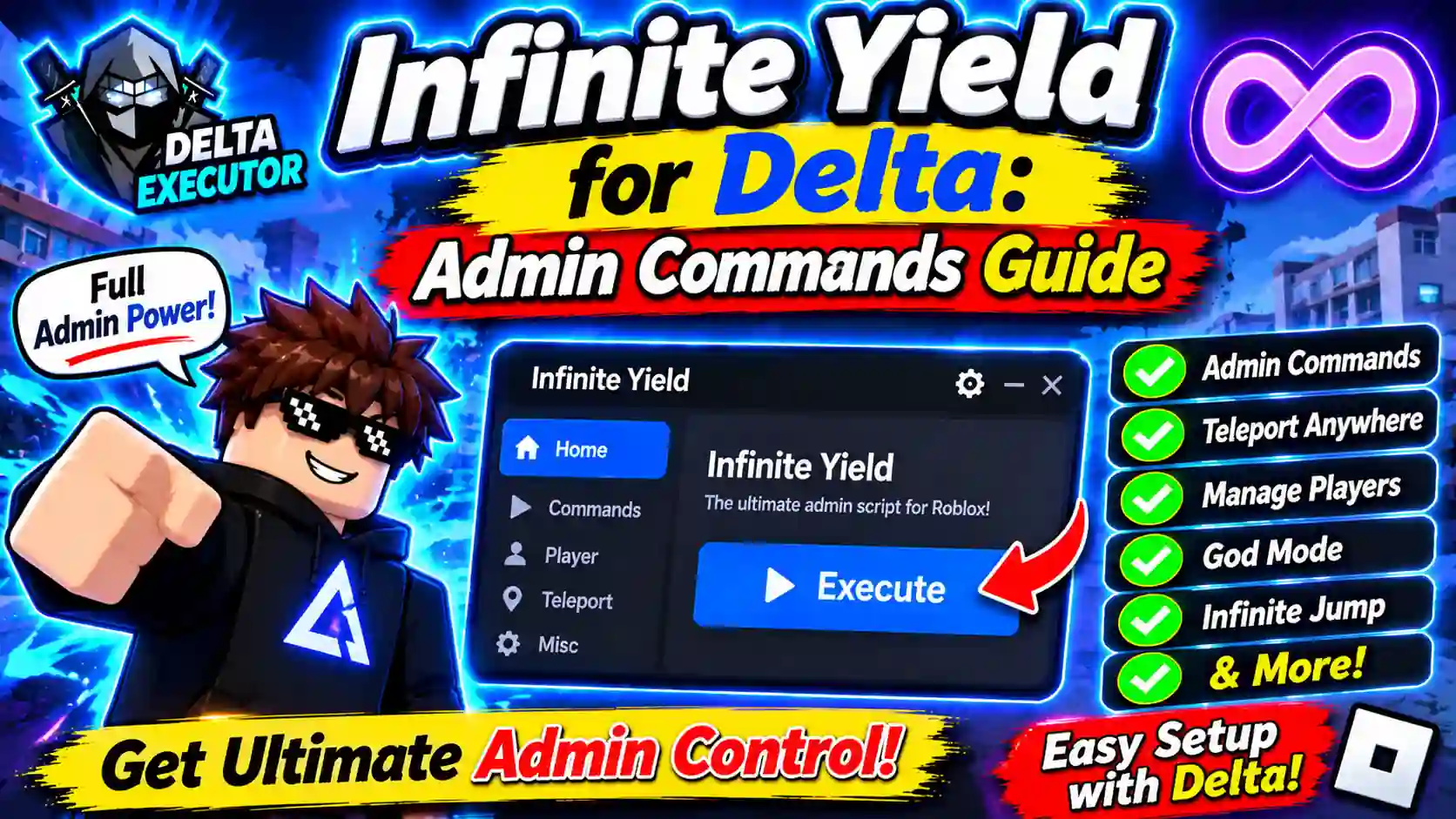
Infinite Yield Delta Script: Complete Admin Commands Guide
Infinite Yield is the most downloaded Roblox admin command script in the world. Instead of hunting for a game-specific hub every time you want to mess around, you paste one line into Delta Executor and you get 300 commands that work in almost any Roblox game. Fly, noclip, god mode, teleport to any player, bring any player to you, freeze the lobby, rain hats, turn invisible, respawn with full health, kill another player, speed up, slow down, size up or down, and a lot more. This guide walks through loading Infinite Yield in Delta, explains the command system from scratch, lists every essential command grouped by category, and shows you what to expect in terms of compatibility and ban risk.
What Infinite Yield Actually Is
Infinite Yield, usually shortened to IY, is an open-source Roblox command script maintained on GitHub by a developer known as EdgeIY. It has been around for years, gets regular updates, and sits at the top of nearly every list of “must-have Roblox executor scripts” because of one simple reason: it works in almost every Roblox game without needing to be customized.
Here is what makes it different from the game-specific hubs you load for Blox Fruits, Fisch, or Jujutsu Shenanigans:
- It is universal. IY uses generic Roblox APIs (walkspeed, jump power, character manipulation, chat events) that exist in every game. You do not need a different script for each game.
- It is open source. The entire script lives on GitHub, so anyone can inspect the code. No hidden credential-stealing code, no key bypass trickery, no ads.
- It is keyless. One loadstring line and you are in. No linkvertise, no Discord join requirement, no ads.
- It has a GUI plus command line. You can click buttons in the menu or type commands with the ; prefix in a text box. Both work.
- It stays updated. When Roblox changes an internal API, EdgeIY usually pushes a fix within days.
Think of IY as the Swiss Army knife of Roblox exploits. It will not do the specialized things a game-specific hub does (Auto Fish in Fisch, Auto Repair in Dandy’s World), but it will let you fly, teleport, god-mode, and kill in every game you join. That is enormous value from one loadstring.
If this is your first Delta session, run through our full Delta Executor tutorial first.
How to Load Infinite Yield in Delta
Loading IY is one line of code. The flow is identical on Android, iOS, and Windows.
- Launch Roblox and join any game. IY works in almost anything, from Adopt Me to Blade Ball.
- Open Delta Executor. Launch Delta on your phone or PC.
- Attach Delta to Roblox. Press Attach. The green indicator confirms the connection.
- Paste the IY loadstring into Delta’s editor box.
- Press Execute. The IY menu appears on your screen with a search bar and command list.
- Type ; followed by a command (for example, ;fly) in the bottom text box, or click a command in the menu.
loadstring(game:HttpGet("https://raw.githubusercontent.com/EdgeIY/infiniteyield/master/source"))()That single line downloads the entire IY script from EdgeIY’s GitHub and runs it. The script is roughly 400 KB, so load time is a second or two.
The URL points directly to the official EdgeIY GitHub repository. The code is public and audited by thousands of users. No key bypass apps, no linkvertise, no Discord join requirement. This is one of the few scripts you can load without any safety concerns about the source.
How IY Commands Work
Once IY is loaded, you have two ways to use commands.
Click a command in the GUI
The IY menu has a search bar at the top. Type any command name (fly, kill, teleport) and matching commands appear in the list. Click a command to execute it. For commands that need a target (like kill), the GUI prompts you for the player.
Type a command with the prefix
The faster way for experienced users. Open the Roblox chat or use IY’s command bar at the bottom of the menu. Type the semicolon prefix followed by the command. For example:
- ;fly starts fly mode.
- ;unfly stops fly mode.
- ;speed 50 sets your walkspeed to 50.
- ;tp PlayerName teleports you to the named player.
- ;kill all kills every other player.
Most commands follow the pattern ;command [target] [value] where target is a player name or “me” or “all” and value is a number or option.
Prefix customization
You can change the prefix from the default semicolon to anything else using ;prefix / for example. Useful if semicolon conflicts with a game’s own chat command.
Movement Commands (Most Used)
These are the commands most people load IY for. Flight, speed, jumping, and no-clip.
| Command | What It Does |
|---|---|
| ;fly | Enables flight. Hold space to go up, use WASD to steer. Speed defaults to 1; add a number like ;fly 5 for faster. |
| ;unfly | Disables flight. |
| ;flyspeed [n] | Changes fly speed while flying. Example: ;flyspeed 3. |
| ;noclip | Walk through walls. Collision disabled. |
| ;clip | Re-enables collision. |
| ;speed [n] | Sets walkspeed. Vanilla is 16. ;speed 50 is noticeable. ;speed 100 is obvious cheating. |
| ;resetspeed | Returns walkspeed to the game’s default. |
| ;jumppower [n] | Sets jump power. Vanilla is 50. ;jp 150 jumps very high. |
| ;jp [n] | Short alias for jumppower. |
| ;resetjp | Returns jump power to default. |
| ;infjump | Infinite jumps. Jump midair without landing. |
| ;noinfjump | Disables infinite jumps. |
| ;sit | Forces your character to sit down. |
| ;jump | Makes your character jump once. |
| ;gravity [n] | Changes game gravity. Default is 196.2. Lower = floaty. |
| ;platform | Spawns a platform under your character you can stand on. |
| ;ghost | Makes your character transparent and non-colliding to other players. |
| ;swim | Lets you swim in the air. |
Player Interaction Commands
These commands target other players. Replace [player] with a username, partial name, or special target like “all,” “others,” “me,” or “random.”
| Command | What It Does |
|---|---|
| ;bring [player] | Teleports the target to your position. |
| ;tp [player] | Teleports you to the target. |
| ;tppos [x] [y] [z] | Teleports you to exact coordinates. |
| ;freeze [player] | Freezes the target in place. They cannot move. |
| ;thaw [player] | Unfreezes the target. |
| ;goto [player] | Same as ;tp. Teleports you to them. |
| ;follow [player] | Your character follows the target automatically. |
| ;unfollow | Stops following. |
| ;attach [player] | Attaches your character to theirs. Lag-inducing on some games. |
| ;orbit [player] | Your character circles around the target. |
| ;spin [player] | Makes the target spin uncontrollably. |
| ;headsit [player] | Sits your character on their head. |
| ;view [player] | Spectates the target. Use ;unview to return to your own camera. |
| ;lookat [player] | Rotates your camera to face the target. |
| ;unattach | Detaches from whoever you are attached to. |
Many player interaction commands are considered griefing in public servers. Using ;freeze all or ;spin players will get you reported and likely kicked from any game with a decent admin team. For related kick codes, see our Error 267 guide.
Combat and Status Commands
| Command | What It Does |
|---|---|
| ;kill [player] | Kills the target. Works in games without dedicated anti-cheat. |
| ;respawn | Respawns your character immediately. |
| ;god | Infinite health (your character cannot die from normal damage). |
| ;ungod | Disables god mode. |
| ;damage [player] [n] | Deals specified damage to the target. |
| ;heal [player] | Restores target’s health to full. |
| ;health [player] [n] | Sets target’s health to specified value. |
| ;maxhealth [n] | Sets your max health. Pair with ;heal. |
| ;punish [player] | Removes the target’s character. They respawn immediately. |
| ;unpunish [player] | Restores the target. |
| ;explode [player] | Creates an explosion at the target’s position. |
| ;btools | Gives you building tools (move, clone, delete, grab). |
| ;break [player] | Breaks the target’s joints. Rag-dolls them. |
| ;disable [player] | Disables the target’s humanoid. They cannot move or interact. |
Teleport Commands
| Command | What It Does |
|---|---|
| ;tp [player] | Teleport to a player. |
| ;tppos [x] [y] [z] | Teleport to exact coordinates. |
| ;serverhop | Jump to a different Roblox server of the same game. |
| ;rejoin | Rejoin the current server. |
| ;joinplayer [player] | Teleports you to the server a specific player is in. |
| ;joingame [gameId] | Jumps to a different game by its place ID. |
| ;refresh | Resets your character position without respawning. |
| ;tools | Teleports all tools in the Workspace to you. |
| ;respawnat [player] | Respawn at the target player’s location. |
Visual and Character Commands
| Command | What It Does |
|---|---|
| ;invisible | Makes your character invisible to other players. |
| ;visible | Reverses invisibility. |
| ;size [n] | Scales your character. Example: ;size 2 makes you twice as big. |
| ;nolimbs | Removes your character’s arms and legs. |
| ;nohats | Removes your accessories. |
| ;hatsize [n] | Resizes your hats. Try ;hatsize 10 for a giant cosmetic. |
| ;esp | Shows every player’s position through walls. |
| ;noesp | Disables ESP. |
| ;chrome | Applies chrome texture to your character. |
| ;neon | Applies neon material to your character. |
| ;ff [player] | Gives the target a force field. |
| ;unff [player] | Removes the force field. |
| ;setteam [team] | Changes your team (in games with teams). |
| ;setfov [n] | Changes your camera field of view. |
| ;firstp | Forces first-person view. |
| ;thirdp | Returns to third-person view. |
Chat and Fun Commands
| Command | What It Does |
|---|---|
| ;chat [message] | Sends a chat message as your character. |
| ;spam [message] | Repeatedly chats the message. Use ;unspam to stop. |
| ;mute [player] | Mutes the target in your chat. |
| ;unmute [player] | Unmutes the target. |
| ;name [new name] | Changes your in-game display name. |
| ;unname | Resets your name. |
| ;dance | Starts a dance emote. |
| ;clone [player] | Creates a decorative clone of the target. |
| ;spawn [player] | Teleports the target back to the spawn point. |
| ;notify [player] [message] | Sends a client-side notification to the target. |
| ;hint [message] | Displays a hint message at the top of your screen. |
| ;message [message] | Displays a full-screen message. |
Server and Game Commands
| Command | What It Does |
|---|---|
| ;serverinfo | Shows server region, ping, and other details. |
| ;time [n] | Changes game time of day. 0 is midnight, 12 is noon. |
| ;fog [n] | Sets fog distance. |
| ;playerinfo [player] | Shows the target’s account info (join date, ID, age). |
| ;players | Lists all players in the server. |
| ;music [id] | Plays a Roblox asset ID as music. |
| ;stopmusic | Stops the music. |
| ;volume [n] | Adjusts music volume. |
| ;pitch [n] | Adjusts music pitch. |
| ;jointime | Shows how long you have been in the server. |
| ;place | Shows the game’s place ID. |
Utility Commands
| Command | What It Does |
|---|---|
| ;cmds | Opens the full command list in a scrollable window. |
| ;help | Shows IY help and basic command usage. |
| ;prefix [symbol] | Changes the command prefix from the default semicolon. |
| ;alias [command] [alias] | Creates a custom short name for any command. |
| ;keybind [key] [command] | Binds a key to run any command instantly. |
| ;unkeybind [key] | Removes the keybind. |
| ;save | Saves your current IY settings. |
| ;load | Loads your saved settings. |
| ;autoexec [script] | Runs a script every time IY loads. |
| ;rejoin | Rejoins the current server. |
| ;destroyheightmap | Removes the game’s terrain (where applicable). |
| ;shutdown | Attempts to shut down the server. Works in some games only. |
| ;antikick | Blocks game scripts from kicking your client. |
| ;antiafk | Prevents Roblox AFK kick during long sessions. |
| ;logs | Opens the IY chat log viewer. |
| ;unloadiy | Unloads the Infinite Yield script completely. |
Infinite Yield vs Game-Specific Hubs
You might wonder when to use IY versus a game-specific hub like the ones we cover for Blox Fruits, MM2, or Grow a Garden. Here is the breakdown.
| Factor | Infinite Yield | Game-Specific Hub |
|---|---|---|
| Scope | Works in almost any game | Works in one specific game |
| Features | Generic commands (fly, kill, teleport) | Game-specific automation (Auto Fish, Auto Farm) |
| Auto-farming | None built-in | Core feature |
| Combat enhancement | Simple kill commands | Aimbot, silent aim, hitbox extender |
| Learning curve | Learn the command system once | Different hub interface per game |
| Key requirement | Always keyless | Varies (some keyless, some key-locked) |
| Source transparency | Fully open source on GitHub | Usually closed source |
| Update frequency | Regular (community-maintained) | Varies by hub |
| Best use case | Mess around, server griefing, general utility | Grind specific game currency or progression |
Most experienced Delta users load both: IY for utility (fly, teleport, kill) and a game-specific hub for the actual grinding features. You can run multiple scripts in Delta at once.
Which Games IY Works In
IY works in the vast majority of Roblox games because it uses generic APIs. However, some games have server-side protections that block specific IY commands even if the script loads.
Works fully in
- Most roleplay games (Brookhaven, Bloxburg, MeepCity)
- Most building games (Roblox Studio tests, Tower of Hell)
- Most sandbox games (Natural Disaster Survival, Work at a Pizza Place)
- Older combat games without modern anti-cheat
- Simulators without server validation (most pet simulators, farming games)
Partial functionality in
- Adopt Me: Fly and teleport work. Kill and god do not. Economy commands blocked.
- Blox Fruits: Walkspeed clamped by server. Fly may trigger kicks. Teleport works.
- Jailbreak: Most movement works. Combat blocked.
- Phantom Forces: Movement commands get you kicked fast by their anti-cheat.
Blocked or problematic in
- Games with FilteringEnabled (every modern game has this; most kill and damage commands fail in modern games)
- Games with custom anti-cheat specifically watching for IY patterns
- Hyperion-protected sessions on PC where command spam triggers Error 268
FilteringEnabled is the main limitation. Under FE, you cannot kill, damage, or directly modify other players on the server. You can still freely modify your own character (fly, speed, god, teleport).
Ban Risk and Safe Use
Ban risk for IY depends entirely on what you do with it. The script itself does nothing to flag you. Your usage patterns do.
Low risk
- Using IY in roleplay games like Brookhaven for fun.
- Fly, speed, teleport in empty servers.
- Movement commands at modest values (speed 30, jump 100).
- Private VIP servers you own.
Moderate risk
- Fly and teleport in public lobbies where others can report you.
- Speed above 50 in games with reactive players.
- Invisible and ghost commands when other players notice patterns.
High risk
- Kill all, freeze all, or spam commands in public servers. Instant reports.
- Grief commands in popular games (Brookhaven admins actively ban griefers).
- Shutdown attempts (usually fail but flag you for review).
- Impersonation via ;name in scam-prone games like Adopt Me.
Rules for staying safe
- Use IY in private VIP servers when you want to do anything disruptive.
- Keep speed under 30 in public.
- Avoid player-interaction commands on strangers.
- Do not grief kids’ games. These communities report fast and the devs ban hard.
- If IY keeps triggering kicks, switch to a game-specific hub which uses more targeted methods.
For wider Delta safety guidance, see is Delta Executor safe and is Delta detected.
When Infinite Yield Does Not Work
IY menu does not appear after execute
Delta failed to run the loadstring. Reattach Delta to Roblox and try again. If it still fails, our script not working guide walks through the full fix path.
Commands say “player not found”
IY matches partial names case-insensitively. If the player name has special characters, try using the first few letters, or use “me,” “all,” “others,” or “random.” Also check they are actually in your current server.
Fly and speed reset instantly
The game’s server-side anti-cheat clamps your values back to default every few frames. This happens in Blox Fruits, Phantom Forces, and other games with active anti-cheat. Lower your values to the game’s limits or switch to a game-specific hub that handles their specific checks.
Kill and damage commands do nothing
The game has FilteringEnabled, which blocks client-side damage to other players. This is expected in most modern games. Kill commands only work in older games without proper FE setup.
Delta kicks you after loading IY
Rare but possible in games with scripts that specifically detect IY’s GUI elements. Use ;unloadiy to remove it, or switch to a game-specific hub that avoids these patterns.
Roblox throws Error 267 or 268 after a command
The specific command triggered the game’s anti-cheat or the platform’s Hyperion. Our Error 267 guide and Error 268 guide cover the full kick recovery steps.
Delta crashes when loading IY
The script is roughly 400 KB; some low-memory phones struggle. Close other apps, reboot, retry. For persistent crashes, our Delta crash guide covers RAM optimization.
The Bottom Line
Infinite Yield is the most useful universal script for any Delta Executor user. One loadstring gives you 300 commands that work in almost every Roblox game. Load it in your first Delta session, learn the command system once, and you have fly, teleport, god, and 297 other utilities for life. Pair it with a game-specific hub when you need auto-farming features that IY does not cover.
Only download Delta Executor from deltaexecutions.com. For the full tested library across every popular Roblox game, bookmark our scripts hub. For more keyless script options, see our keyless scripts guide.
Frequently Asked Questions
Is Infinite Yield safe to use with Delta Executor?
Yes, in terms of the source code. Infinite Yield is open source on GitHub (maintained by EdgeIY) with code anyone can audit. There is no key bypass, no linkvertise, no credential stealing. The script itself is as safe as any Roblox executor script gets. Ban risk depends on how you use it: fly in a private server is low risk; kill-all in a public lobby is high risk.
How do I use Infinite Yield commands?
Two ways. Click a command in the IY menu’s search list to execute it. Or type the semicolon prefix followed by the command in IY’s command bar. For example, type ;fly to start flying, ;speed 50 to set walkspeed, or ;tp PlayerName to teleport to another player. You can change the prefix with ;prefix /.
What is the Infinite Yield loadstring URL?
The official URL is https://raw.githubusercontent.com/EdgeIY/infiniteyield/master/source. Wrap it in Delta’s loadstring call: loadstring(game:HttpGet(“https://raw.githubusercontent.com/EdgeIY/infiniteyield/master/source”))(). Only use this exact URL. Fake IY scripts from other sources are often malware.
Does Infinite Yield work in every game?
IY works in the vast majority of Roblox games because it uses generic Lua APIs. Character manipulation (fly, speed, teleport) works in nearly every game. Player interaction commands (kill, damage, freeze) are blocked by FilteringEnabled in modern games. Game-specific anti-cheat can further restrict movement commands in some titles like Phantom Forces and Blox Fruits.
Can Infinite Yield kill other players?
Only in older games without FilteringEnabled or in games where the developer left vulnerabilities. In most modern Roblox games, FE blocks client-side damage to other players. ;kill will say “player killed” but nothing changes on their screen. To actually affect other players in modern games, you need game-specific exploit scripts, not IY.
How do I change the Infinite Yield prefix?
Run the command ;prefix followed by your new symbol. For example, ;prefix / changes the prefix to a forward slash, so commands become /fly, /speed, and so on. This is useful if the semicolon conflicts with a game’s own chat system. Your choice saves automatically for future sessions when you use ;save.
Will Infinite Yield get my account banned?
Loading IY alone does not get you banned. Using it to grief public lobbies, spam chat, impersonate others, or freeze players does. Use IY in private VIP servers for anything disruptive, keep movement values modest in public, and avoid player-interaction commands on strangers. Many Delta users have used IY daily for years without bans by following these rules.
Can I auto-execute Infinite Yield when Delta loads?
Yes. Delta has an auto-execute folder. Save the IY loadstring to a .lua file and place it there. Every time Delta attaches to Roblox, IY loads automatically. You can also use IY’s own ;autoexec command to run specific commands every time IY loads.
References
- DeltaExecutions, Delta Executor Scripts Hub, deltaexecutions.com
- EdgeIY: Infinite Yield Official GitHub Repository
- Roblox Developer Documentation: Scripting Reference
- DeltaExecutions internal testing across Android, iOS, and Windows (recently updated)