
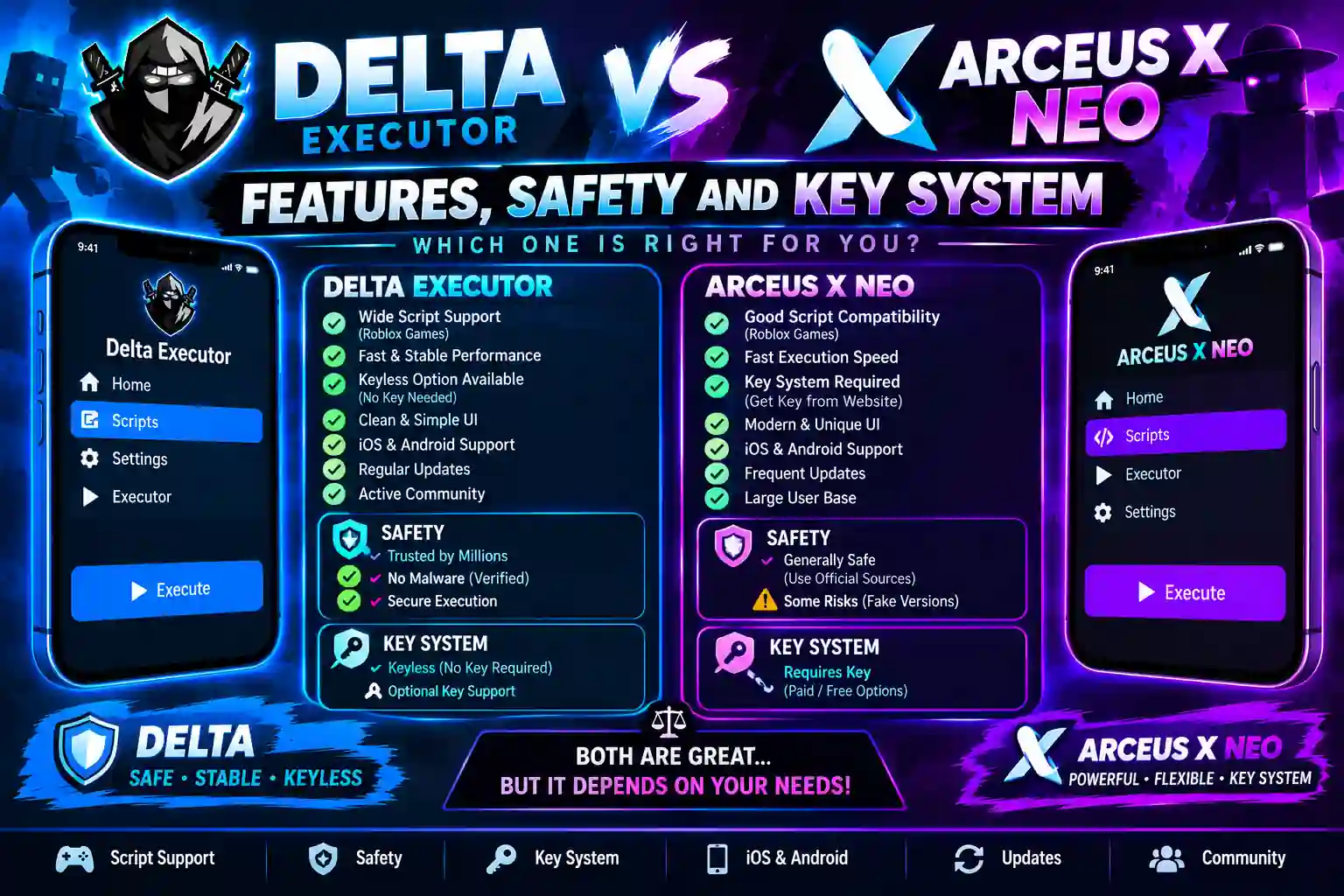
Delta vs Arceus X Neo: Features, Safety and Key System
Arceus X Neo and Delta Executor are two of the most searched mobile Roblox executor names on the market right now. Both run on Android, both market iOS support, and both claim to be the best option for mobile scripters. But a real comparison between them is not about which one has more features on paper. It is about which key system actually works, how safe each download really is, and which executor you can trust to stay functional after Roblox’s next Hyperion patch. This head to head, recently updated, covers every angle that matters: features, safety, the key system question, platform support, UNC scores, and the honest verdict about which one is the right pick for mobile users today.
Quick Overview of Both Executors
Delta Executor at a Glance
Delta Executor is built by DeltaDevs and marketed from the ground up as a mobile-first Roblox executor. It launched iOS support a while back, runs across Android, iOS, Windows, and macOS, and has become the dominant mobile executor largely because of its completely keyless design. The current version is v2.741, recently updated, with the Hyperion bypass active.
Arceus X Neo at a Glance
Arceus X Neo is the modern rebrand of Arceus X, one of the oldest Android-focused Roblox executors in the market. The Neo rebrand launched to compete with newer executors by adding a redesigned UI, broader script hub, and iOS support through sideloading. The current version is v5.1.6.3 (Neo 2.3.6), recently updated. It still uses the original Arceus X key system with Linkvertise verification required every 24 hours.
Delta is newer, keyless, and updates faster. Arceus X Neo has deeper legacy roots in the Android executor community but still relies on a 24-hour Linkvertise key cycle that creates daily friction for users.
Features Compared Side by Side
Both executors cover the core function of script execution well. The feature differences show up in the surrounding utilities and the depth of each capability.
Script Execution
Both run modern Lua and LuaU scripts across popular Roblox games including Blox Fruits, Grow a Garden, Steal a Brainrot, 99 Nights in the Forest, and Steal an Egg. Compatibility is near universal for both on well-known games. Our dedicated script library covers every working no key loadstring for the most popular Roblox games.
Script Hub
Delta ships with a lean, curated built-in hub that focuses on the top played games. Arceus X Neo markets a massive hub with hundreds of pre-configured game entries. In practice, both deliver what most users need. Arceus X Neo’s broader hub advantage mostly matters for users who play unusual or niche games.
Gameplay Enhancement Features
Arceus X Neo lists Infinite Jump, Super Speed, BTools, FPS Unlocker, AimBot, Auto Farm, Ghost Mode, Fly, and Anti-Ragdoll as built-in client-side features that activate without needing a specific script. Delta leaves these features to the scripts themselves, which keeps the base executor leaner but requires users to find or paste scripts for each capability.
Script Editor
Both include built-in editors. Arceus X Neo’s editor is slightly more polished with better syntax highlighting support. Delta’s editor is functional but basic. For users who only paste existing loadstrings and never write their own code, this difference is irrelevant.
Auto-Execute
Both support an auto-execute folder where scripts automatically run on game join. Implementations are roughly equivalent in reliability.
The Key System: Where the Two Executors Diverge Most
This is the single most important practical difference between Delta and Arceus X Neo. It affects every single session you run and compounds into significant time cost over weeks of use.
Delta: Fully Keyless
Delta Executor is completely keyless. There are no Linkvertise tasks, no key verification steps, no 24-hour cycles. You install the executor, open it, attach, and script immediately. This single design decision is why Delta grew to dominate the mobile executor market so quickly. For a deeper look at how Delta’s keyless system works and why it matters, read our full breakdown of the Delta Executor keyless design.
Arceus X Neo: 24-Hour Linkvertise Key
Arceus X Neo requires users to complete a Linkvertise key verification process to generate an access key. The process takes approximately two to five minutes and involves clicking through ad walls and completion tasks on the Linkvertise platform. The resulting key is valid for 24 hours. After that window expires, users must repeat the verification process to continue using the executor.
The Real Cost of a Key System
On the surface, two to five minutes per day sounds minor. In practice it adds up to roughly 15 to 30 hours per year of friction for daily users. Beyond the time, the Linkvertise flow exposes users to third-party ad content on every renewal, including occasional ads that attempt to install browser extensions or redirect through sketchy mirror sites. The Arceus X Neo team itself warns users against unofficial key bypass tools, which effectively confirms that the key friction drives many users to seek risky workarounds.
If you are deciding between Delta and Arceus X Neo based on a single factor, make it the key system. Over a year of daily use, Delta’s keyless design saves between 15 and 30 hours of friction time and avoids the ad exposure that Linkvertise flows carry. This is the single biggest usability gap between the two executors.
Safety and Download Risk
Both executors violate Roblox’s Terms of Service by their nature. The relevant safety question is not whether they are safe in that sense, but whether the downloads themselves are clean and whether using them exposes your device to malware or other risks.
Delta Safety Profile
Delta’s official download at deltaexecutions.com is clean and verified. The main safety risk around Delta comes from fake mirror sites that clone the official branding and distribute modified builds containing malware or outdated bypasses. Using only the official source eliminates this risk. For the complete picture of Delta’s safety profile, read our dedicated breakdown of whether Delta Executor is safe to use.
Arceus X Neo Safety Profile
The Arceus X Neo team claims that their current APK v5.1.6.3 passes 65 of 66 VirusTotal checks with only one riskware flag. This is their own stated claim and is not independently verified. More concerning, several Arceus X Neo distribution pages instruct users to disable Play Protect, Chrome Safe Browsing, and Windows Firewall during install. These instructions significantly weaken device security and are not required for Delta installation.
Additionally, some Arceus X Neo pages promote mirrored APKs through third-party domains (such as BloxVault), while simultaneously warning users against downloading from “random mirrors.” This contradiction is a yellow flag for anyone relying on official distribution channels for executor safety.
The Install Permissions Question
Delta installs with standard Android unknown-sources permission and no requirement to disable system protections. Arceus X Neo’s install guidance frequently asks users to disable the exact protections that would otherwise block malware. This difference is not about the executor itself being unsafe but about the install workflow carrying higher risk if users follow all the recommended steps.
Platform Support Compared
| Platform | Delta Executor | Arceus X Neo |
|---|---|---|
| Android | Android 8.0 and up | Android 6.0 and up, requires 4GB RAM, OpenGL ES 3.0 |
| iOS | Stable and recently updated, IPA sideload | IPA sideload via Sideloadly, Scarlet, or AltStore |
| Windows | Yes | Yes, .exe install |
| macOS | Yes | Yes |
| Install Format on Android | Repackaged APK | Repackaged APK, 4GB RAM minimum |
| Minimum Hardware | Lower bar, works on 2 to 3GB RAM devices | 4GB RAM minimum requirement |
On paper both executors cover all major platforms. The practical difference is the hardware bar. Arceus X Neo requires 4GB of RAM minimum and OpenGL ES 3.0, which rules out most budget Android devices. Delta runs on hardware down to 2 to 3GB RAM comfortably, making it a more accessible option for users without flagship phones.
Update Speed After Roblox Patches
Roblox pushes client updates every one to two weeks. Each update patches the Hyperion anti-tamper system in ways that invalidate every mobile executor’s current build until the team rebuilds and reships. How fast each executor recovers from a patch is one of the most impactful quality metrics.
Delta Update Cadence
Delta’s post-patch recovery time is typically a few hours. For major Roblox updates, new builds are usually available within four to twelve hours. For minor Hyperion patches, turnaround is often under four hours. This is the fastest post-patch recovery in the entire mobile executor market.
Arceus X Neo Update Cadence
Arceus X Neo’s post-patch recovery time is typically two to five days. Users accept scheduled downtime windows after Roblox patches as part of the trade-off for using it. For casual users this is tolerable. For users running continuous AFK farming or time-sensitive event grinding, the gap is a significant problem.
Why This Matters
An executor that works 90 percent of the time but is down during every post-patch window creates frustrating gaps. One that works 97 percent of the time with same-day post-patch recovery feels completely different in daily use. Delta’s faster update cadence is probably its single biggest practical advantage over Arceus X Neo beyond the key system.
Performance and Stability
Delta Performance
Delta is lean and runs well across both high-end and budget hardware. Multi-hour AFK sessions perform reliably on devices with 3GB of RAM or more. Occasional crashes do occur, particularly on lower-end Android devices. Our crash troubleshooting guide covers every common cause and fix.
Arceus X Neo Performance
Arceus X Neo’s modern Neo rebrand is noticeably heavier than its original lightweight predecessor. The 4GB RAM requirement reflects this. On flagship devices performance is smooth. On mid-range devices some stuttering occurs during heavy script execution. The heavier footprint reflects the broader feature set but comes at a performance cost for budget hardware.
Stability Verdict
On high-end devices both executors perform similarly. On budget Android, Delta is the clear choice because of its lower hardware requirements and smaller resource footprint.
Detection and Ban Risk
Both executors must bypass Roblox’s Hyperion anti-tamper system to remain functional. Both carry account ban risk because using any executor violates Roblox’s Terms of Service.
Delta Detection Status
Delta is currently undetected at the executor level as of its latest update. The Hyperion bypass is active in the current v2.741 build. Behavioral ban risk still applies for aggressive script use regardless of executor. Our full guide on Delta detection, Error 267, and Error 268 covers everything you need to know about the detection landscape.
Arceus X Neo Detection Status
Arceus X Neo claims a Byfron Bypass feature and markets its detection risk as “moderate.” These are marketing claims without independent verification. Historically, Arceus X has gone through longer detection windows than Delta after major Roblox updates, exposing users to elevated ban risk during those periods.
What Protects Your Account
No executor eliminates account action risk entirely. The most effective protection regardless of which executor you choose is using a secondary account for all scripted sessions. This keeps your main account’s progress, items, and Robux balance isolated from any ban risk the scripted account incurs.
Install Process Compared
Delta Install Flow
- Download from deltaexecutions.com. Official source only, no third-party mirrors.
- Install the APK or IPA. Enable installation from unknown sources on Android or sideload the IPA on iOS using Sideloadly or AltStore. Our iOS direct install guide walks through every step.
- Open Delta. No key verification. No ad walls. Open and go.
- Attach to Roblox and execute scripts.
Arceus X Neo Install Flow
- Download the APK from the official Arceus X Neo site.
- Disable Play Protect and other security systems if prompted. This step is where safety concerns compound.
- Install the repackaged APK.
- Open Arceus X Neo and complete the Linkvertise key task. Takes two to five minutes.
- Enter the generated key, attach to Roblox, and script.
The time difference is small on first install but compounds daily for Arceus X Neo users. Delta’s keyless flow stays frictionless from day one onward.
Arceus X Neo vs Delta Executor: Full Comparison Table
| Feature | Delta Executor | Arceus X Neo |
|---|---|---|
| Price | Free | Free |
| Keyless | Yes | No (Linkvertise key, 24-hour) |
| Android Minimum | Android 8.0+ | Android 6.0+, 4GB RAM required |
| iOS Support | Stable, recently updated | Sideload via Sideloadly, Scarlet, AltStore |
| Current Version | v2.741 | v5.1.6.3 (Neo 2.3.6) |
| Post-Patch Recovery | Hours | Two to five days |
| Built-In Game Features | Script-based | Infinite Jump, Fly, AimBot, Ghost Mode built in |
| Script Hub | Curated, popular games | Larger hub with more game presets |
| Script Editor Quality | Basic | Better syntax highlighting |
| Auto-Execute Folder | Yes | Yes |
| Install Permissions Needed | Standard unknown-sources only | Pages often request disabling Play Protect |
| UNC Benchmark | ~98% | Claims 98% (unverified) |
| Detection Status (Current) | Undetected | Claims Byfron bypass, moderate risk |
| Low-End Hardware | Works on 2 to 3GB RAM | 4GB RAM required |
| Download Source Risk | Fake clone sites exist | Third-party mirror sites recommended on some pages |
| Install Friction | Low (keyless) | Moderate to high (daily key renewal) |
Which Executor Should You Pick?
Pick Delta Executor if you want…
- A completely keyless experience with no daily Linkvertise cycle
- Faster post-patch recovery after every Roblox update
- A cleaner install process without needing to disable device security
- Better performance on budget Android devices with less than 4GB of RAM
- A production-stable iOS version that is recently updated and available
- Easy access to our comprehensive Delta Executor tutorial and troubleshooting resources
Pick Arceus X Neo if you want…
- Built-in gameplay enhancement features that activate without needing specific scripts (Infinite Jump, Fly, AimBot, Ghost Mode)
- A larger built-in script hub covering more unusual and niche games
- A slightly more polished built-in script editor for writing scripts on mobile
- And you are willing to accept daily key renewal friction and slower post-patch recovery
Our Final Recommendation
For the vast majority of mobile Roblox scripters today, Delta Executor is the better overall choice. The combination of keyless design, faster update cadence, lower hardware requirements, cleaner install process, and production-stable iOS support makes it the stronger pick on almost every objective measure. Arceus X Neo remains a reasonable alternative for users who specifically value its built-in gameplay features or its larger legacy script library, but the daily key friction and slower patch recovery hold it back from being competitive overall.
If you are new to mobile Roblox scripting, start with Delta. If you have used Arceus X for years and prefer its built-in feature set, there is nothing wrong with staying on it, but understand the trade-offs you are accepting.
The Bottom Line
Delta Executor is the better choice for mobile Roblox scripting for most users. It is keyless, updates faster after Roblox patches, runs on lower-end hardware, and does not require disabling device security during install. Arceus X Neo remains a viable option with strong built-in gameplay features but its 24-hour Linkvertise key cycle, 4GB RAM requirement, and slower post-patch recovery put it behind Delta on almost every practical metric.
Download Delta exclusively from deltaexecutions.com to avoid the fake sites that cluster around any popular mobile executor. If you need to compare Delta against another major competitor, our Delta vs Codex breakdown covers the second most common comparison in detail.
Frequently Asked Questions
Which is better: Arceus X Neo or Delta Executor?
Delta Executor is better for most users right now. It is completely keyless, updates within hours after Roblox patches, requires less hardware, and uses a cleaner install process. Arceus X Neo has strong built-in gameplay features and a larger legacy script hub but the 24-hour Linkvertise key cycle, 4GB RAM minimum, and slower post-patch recovery make it a weaker daily driver for most users.
Does Arceus X Neo really need a key every 24 hours?
Yes. Arceus X Neo generates a Linkvertise-based key that is valid for 24 hours. After the window expires, users must repeat the verification process (which takes two to five minutes and involves clicking through ad tasks) to continue using the executor. Delta Executor eliminates this friction entirely with its fully keyless design.
Is Arceus X Neo safe to install?
Arceus X Neo’s official APK is generally clean according to the team’s own stated VirusTotal results, but several Arceus X Neo distribution pages instruct users to disable Play Protect, Chrome Safe Browsing, and Windows Firewall during install. These instructions significantly weaken device security and are not required for Delta Executor installation. Only use the official source if you choose to install Arceus X Neo.
Which executor updates faster after a Roblox patch?
Delta updates significantly faster. Delta’s typical post-patch recovery is a few hours. Arceus X Neo typically takes two to five days to release a compatible post-patch build. For users who care about continuous AFK farming or time-sensitive event grinding, Delta’s faster recovery is a major practical advantage.
Can I use Arceus X Neo on a low-end Android device?
Arceus X Neo requires 4GB of RAM minimum and OpenGL ES 3.0 support. This rules out most budget Android devices. Delta Executor runs on devices with 2 to 3GB of RAM comfortably. For users on low-end hardware, Delta is the only practical mobile executor option.
Can both executors get my Roblox account banned?
Yes. Any Roblox script executor violates the platform’s Terms of Service and carries account action risk. Delta is currently undetected at the executor level and Arceus X Neo claims a Byfron bypass. The real ban risk comes from the behavioral signals that scripts produce in-game, not from the executor itself. Using a secondary account for scripted sessions is the most effective way to protect your main account regardless of which executor you choose.
Does Arceus X Neo have built-in features that Delta does not?
Yes. Arceus X Neo includes built-in client-side features like Infinite Jump, Fly, Super Speed, AimBot, Ghost Mode, FPS Unlocker, and Anti-Ragdoll that activate without needing a specific script. Delta leaves these capabilities to scripts, which keeps the base executor lighter but means users need to find or paste scripts for each feature. For users who want quick access to common cheats without script management, Arceus X Neo’s built-in feature set is a real advantage.
What is the latest version of each executor?
Delta Executor’s latest build is v2.741 and Arceus X Neo’s latest is v5.1.6.3 (Neo 2.3.6), both recently updated. Both receive post-patch updates after Roblox client releases, though Delta’s turnaround is dramatically faster. Always use the latest version from each executor’s official source to maintain the current Hyperion bypass.
References
- DeltaExecutions, Delta Executor Official Download and Version Changelog, deltaexecutions.com
- Bloxecutor: Arceus X Neo Official Download Page and Version Documentation
- Arceus X Neo Official Site (v5.1.6.3 Build Notes)
- GitHub: Arceus Neo Executor Repository and Feature Documentation
- DeltaExecutions internal testing and version tracking (recently updated)



One Comment