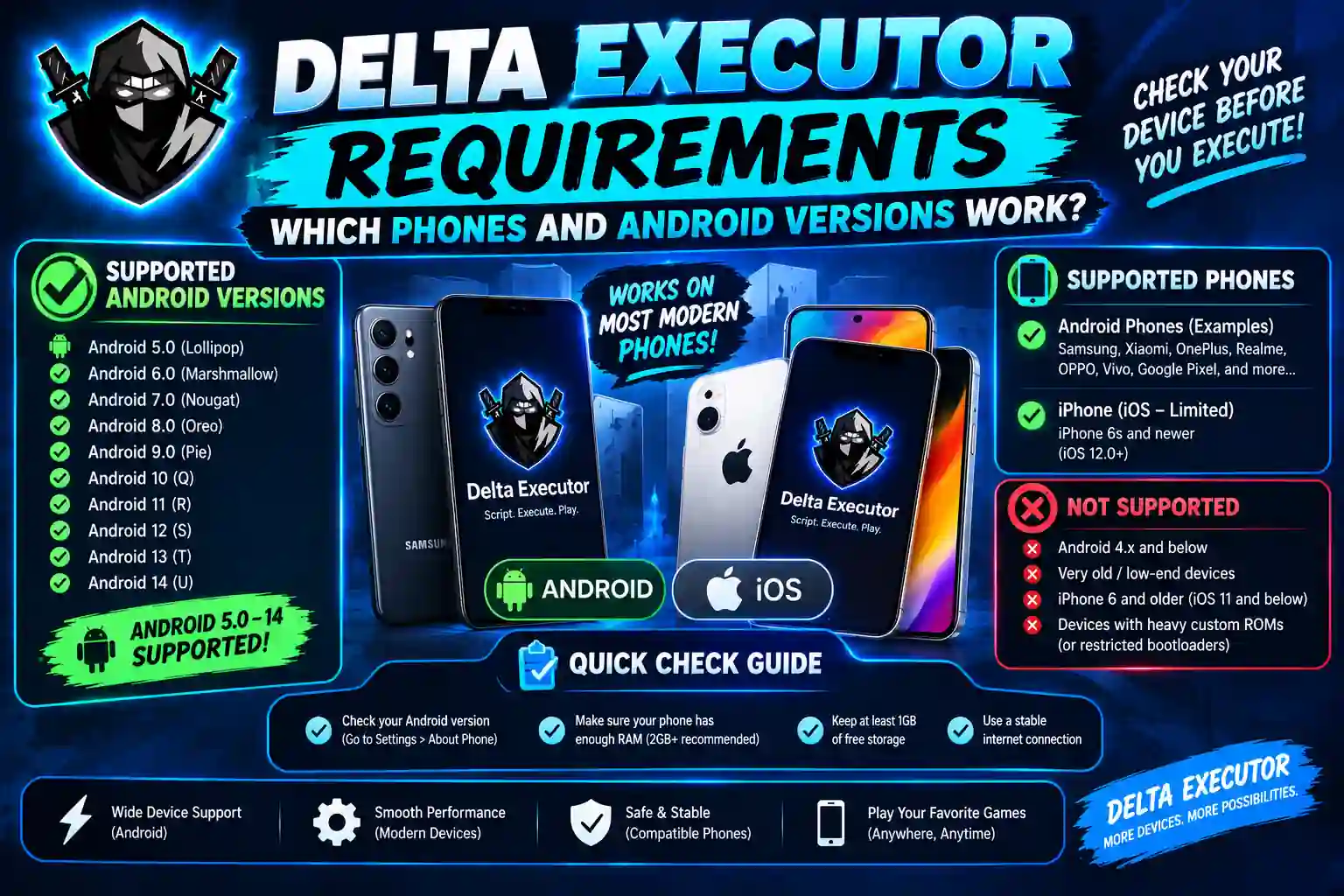
Delta Executor Requirements: Which Phones and Android Versions Work?
Before you download Delta Executor, you need to know if your phone can actually run it. The last thing you want is to go through the full install only to see the app crash on launch because your Android version is too old or your RAM is too low. This guide covers every real requirement, which phones work smoothly, which struggle, and the quick checks you can do on your own device in under a minute to confirm Delta Executor is compatible with your setup.
Delta Executor System Requirements Overview
Delta Executor is built as a mobile-first Roblox executor, which means the Android version has the lowest hardware floor compared to most competitors. Where Arceus X Neo demands at least 4GB of RAM and OpenGL ES 3.0, Delta runs comfortably on devices with far less. The minimum and recommended specs below reflect what actually works in real-world sessions, not optimistic marketing numbers.
Just enough to run Delta
Android 8.0 Oreo, 2GB RAM, ARM64 processor, 500MB free storage, OpenGL ES 3.0. Delta will install and launch, but heavy scripts in demanding games can stutter.
Smooth gameplay
Android 11 or newer, 4GB RAM, modern Qualcomm or MediaTek chipset, 1GB free storage. Multi-hour AFK sessions and intensive scripts run without stutters.
If your phone meets the recommended specs, Delta will handle any Roblox script you throw at it. If it only meets the minimum, Delta still works for most popular community scripts but may struggle with the heaviest multi-feature hubs. Before installing, our complete Delta Executor tutorial walks through the full process.
Android Version Compatibility
Your Android version is the single most important compatibility factor. Delta needs modern Android APIs to interact with Roblox correctly, which rules out older versions regardless of how good the rest of your phone is.
| Android Version | API Level | Delta Compatible | Experience |
|---|---|---|---|
| Android 7.0 (Nougat) | 24 | No | Install fails or app crashes on launch |
| Android 8.0 (Oreo) | 26 | Yes, minimum supported | Works but limited performance |
| Android 9.0 (Pie) | 28 | Yes | Stable, standard performance |
| Android 10 | 29 | Yes | Smooth, well supported |
| Android 11 | 30 | Yes, recommended | Excellent, actively tested baseline |
| Android 12 | 31 | Yes | Excellent |
| Android 13 | 33 | Yes | Excellent |
| Android 14 | 34 | Yes | Fully supported |
| Android 15 and newer | 35+ | Yes | Fully supported |
Android 7 and older lack the modern permission system Delta needs to interact with the Roblox process. On these versions, you may see an “App not installed” error during setup. If that happens on your device, our Delta APK not installed troubleshooting guide covers the full fix, but the real solution for Android 7 users is to upgrade their device.
RAM and Memory Requirements
Delta’s RAM footprint is lean compared to other executors, which is one of the main reasons it works on budget phones that Arceus X Neo and Codex cannot touch. Still, more RAM equals smoother sessions, especially when running Roblox and Delta at the same time.
2GB RAM devices
Delta installs and launches on 2GB phones, but Roblox itself already uses 1 to 1.5GB. That leaves very little headroom for Delta’s GUI, injected scripts, and background Android processes. Heavy script hubs with many features active may cause the game to close in the background. For light community scripts in games like Blox Fruits or Grow a Garden, 2GB works. For multi-hour AFK sessions in heavier games, upgrade if you can.
3GB RAM devices
This is the practical sweet spot for budget Delta users. 3GB gives enough room for Roblox, Delta, and the Android system without constant memory pressure. Most community scripts run smoothly. Only the heaviest multi-feature hubs stress 3GB devices.
4GB RAM and above
Delta runs perfectly on 4GB and higher. No scripts stress this amount of RAM. Multi-hour sessions, intensive scripts, and switching between Roblox and other apps all work without issue. This is the recommended target.
8GB RAM and flagship devices
Overkill for Delta but obviously works great. No practical difference from 4GB in terms of Delta performance, so you are paying for headroom you will not use for scripting.
If your device is RAM-starved while running Delta, you will see Roblox close in the background when you switch apps, scripts stopping mid-execution, and the game stuttering during normal play. If this matches your symptoms, read our Delta crash troubleshooting guide for workarounds.
CPU Architecture and Chipset
Delta Executor requires an ARM64 processor (also written as arm64-v8a). This is the 64-bit ARM architecture that every modern Android phone from the last several years uses. Older 32-bit ARMv7 phones are not supported.
Common chipsets that work well
- Qualcomm Snapdragon: Snapdragon 660 and newer. Flagship Snapdragon 8-series chips handle Delta without any strain.
- MediaTek Helio and Dimensity: Helio G series (G80 and up) and all Dimensity chips work smoothly. Older Helio P and A series may struggle.
- Samsung Exynos: Exynos 850 and newer work well. The older Exynos 7-series chips are hit or miss.
- Google Tensor: All Google Tensor chips in Pixel 6 and newer run Delta flawlessly.
- Unisoc: Tiger T606 and newer are capable. Older Unisoc chips can be slow.
32-bit only devices
If you have a very old budget phone or an entry-level device from a non-mainstream brand, check whether it supports 64-bit apps. Settings, About Phone, and the processor info usually indicates the architecture. If your phone is 32-bit only, Delta will not install.
Storage Space Requirements
Delta itself is a small download. The APK is around 150MB and installed size including user data is roughly 300 to 500MB. However, there is more to the storage story.
Delta app size
The core Delta APK installs at around 300MB. Updates grow this incrementally. If you plan to keep multiple Delta versions installed for testing, each copy takes its own space.
Roblox app size
Roblox itself is a large download that grows over time with cached game assets. Expect 2 to 4GB of total space for Roblox depending on how many games you play.
Script cache and logs
Delta caches scripts you execute and keeps minor log files. These typically stay under 100MB total but can grow with heavy use.
Practical recommendation
Keep at least 2GB of free storage on your phone for Delta plus Roblox to work smoothly. Below that, you will see Android asking to clear space, Roblox failing to download new game assets, and occasional app crashes.
Which Phone Brands Work Best With Delta
Not every Android phone is equal when it comes to running modified apps like Delta. Some manufacturers have aggressive battery optimizers that kill background processes, while others have permission systems that interfere with Delta’s attach step.
Samsung
Samsung Galaxy phones from the A20 and up run Delta reliably. Flagship S-series and Note phones are flawless. One UI’s battery optimization can occasionally close Delta in the background on long AFK sessions, but this is easy to disable in settings.
Xiaomi, Redmi, and POCO
Xiaomi phones generally work well with Delta. MIUI’s aggressive background killing is the main thing to disable. Once you turn off battery optimization for Delta and Roblox, these phones are among the smoothest for mobile scripting.
Google Pixel
Pixel phones with Tensor chips are among the best Android devices for Delta. Clean Android, no manufacturer bloat, no aggressive battery killing. The Pixel 6a, 7a, and 8a are all excellent affordable options.
OnePlus and Realme
OxygenOS and Realme UI both work well with Delta. OnePlus flagships handle anything you throw at them. Realme Narzo and Number series budget phones can struggle on older models but newer ones work fine.
Oppo and Vivo
ColorOS and FunTouchOS have slightly more aggressive permission systems. Delta works but you may need to grant extra permissions during install. Once configured, these phones run Delta smoothly.
Huawei
Newer Huawei phones without Google services can be tricky. Delta can install via sideloading, but some features that rely on Google Play services may not work. Older Huawei phones (pre-ban) with full Google services work fine.
Tested Phone Models That Run Delta Well
Here are specific phone models from the last several years that are confirmed to run Delta smoothly in the community. If your phone is on this list, you can install Delta without worrying about compatibility.
| Phone Model | RAM | Android | Experience |
|---|---|---|---|
| Samsung Galaxy A54 | 6GB or 8GB | 13 or 14 | Excellent |
| Samsung Galaxy A32 | 4GB | 11 or 12 | Smooth |
| Samsung Galaxy M14 | 4GB | 13 | Smooth |
| Xiaomi Redmi Note 12 | 4GB or 6GB | 12 or 13 | Excellent |
| POCO X5 Pro | 6GB or 8GB | 12 | Excellent |
| Redmi 10 | 4GB | 11 | Smooth |
| Realme Narzo 50 | 4GB | 11 | Smooth |
| Google Pixel 6a | 6GB | 13 or 14 | Excellent |
| OnePlus Nord CE 2 | 6GB or 8GB | 12 | Excellent |
| Infinix Hot 20 | 4GB | 12 | Smooth |
| Tecno Spark 10 | 4GB | 12 | Smooth |
| Motorola Moto G22 | 4GB | 12 | Smooth |
If your phone is not on this list but matches the general spec profile (Android 8 or newer, 2GB+ RAM, ARM64 chipset), Delta will almost certainly work on it too. The list represents commonly tested devices, not an exhaustive compatibility list.
Devices That Struggle With Delta
Honesty matters here. Not every phone has a great Delta experience. These are the categories where you should expect friction or outright incompatibility.
Entry-level 2GB RAM phones from before 2020
Older budget phones from brands like entry-level Infinix, Tecno, or Itel released before 2020 with just 2GB of RAM and older MediaTek Helio P-series chips. Delta might install, but combined with Roblox they constantly run out of memory. Scripts stop, games crash, and the experience is frustrating.
Tablets with Android 7 or older
Older Android tablets that never received updates past Android 7 cannot run Delta. The OS version is simply too old for the APK to install.
Phones with heavy custom ROMs
Some custom ROMs disable the permission systems Delta uses to attach to Roblox. If you have a rooted phone with LineageOS, GrapheneOS, or similar privacy-focused ROMs, Delta may fail to attach even when it installs correctly.
Devices with locked bootloaders restricting unknown sources
Some enterprise phones, kids’ tablets with parental controls, or devices with Knox or similar MDM profiles may block Delta installation entirely because the device prevents unknown-source APK installs.
Huawei phones without Google services
Recent Huawei phones running HarmonyOS without Google services can be hit or miss. Delta technically installs via sideload but some Roblox features may not initialize correctly without Google Play services.
How to Check Your Phone’s Compatibility in Under a Minute
Instead of guessing, you can confirm Delta compatibility by checking three settings on your phone before you download anything.
- Check your Android version. Go to Settings, scroll to About Phone, and look for the Android version number. If it is 8.0 or higher, you are good. If it is 7.x or lower, Delta will not work until you upgrade.
- Check your RAM. In About Phone or sometimes under Memory settings, look for total RAM. If it is 2GB or more, Delta will install. For a smooth experience, you want 3GB or more.
- Check your processor architecture. This is slightly harder. Install a free app like AIDA64 or Device Info HW from the Play Store, then look for CPU Architecture or ABI. If it shows “arm64-v8a” or “ARM64,” you are compatible. If it shows “armeabi-v7a” or just “ARMv7,” you are not.
- Check your free storage. Settings, Storage. If you have at least 1GB free (ideally 2GB), you are set. Delta plus Roblox plus some breathing room.
- Check for restrictions. If your phone is a work phone, kid’s phone with controls, or has any MDM profile, you may be blocked from installing unknown-source APKs. Delta requires that permission.
If all five checks pass, you can confidently install Delta from deltaexecutions.com. Our step-by-step install tutorial covers the full process.
iOS Device Compatibility
Delta Executor supports iPhone and iPad through sideloading. The requirements are slightly different from Android but still accessible to most users on reasonably modern Apple devices.
Minimum iOS version
iOS 14 is the minimum supported version. This covers iPhones going back to the iPhone 6s. Older iOS versions lack the sideloading APIs Delta needs to work.
Recommended iOS version
iOS 15 or newer gives the best experience. iOS 16, 17, and 18 all run Delta smoothly through sideloading tools.
iPhone models that work
iPhone 6s through iPhone 15 Pro Max, including SE 2nd and 3rd generation. Older iPhones can technically run iOS 15 but may struggle with performance.
iPad models that work
iPad Air 2 and newer, iPad Mini 4 and newer, iPad 5th generation and newer, all iPad Pro models.
Install method
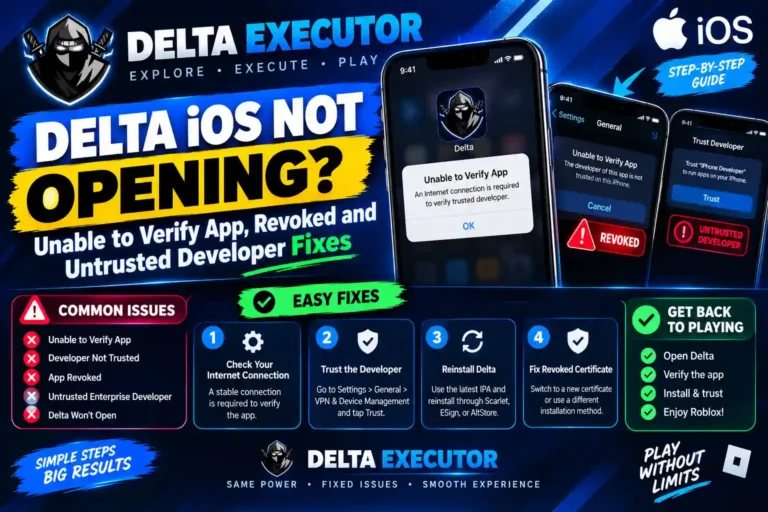
iOS requires sideloading Delta IPA using Sideloadly, AltStore, or similar tools. Our Delta iOS direct install guide walks through every step. If your iOS install is not working after sideload, our Delta iOS not opening fix covers the common issues.
PC and Windows Requirements
Although Delta is mobile-first, the PC version is also available. The Windows and macOS requirements are modest and work on most modern computers.
Windows requirements
- OS: Windows 10 or Windows 11 (64-bit)
- RAM: 4GB minimum, 8GB recommended
- Storage: 500MB free space
- Processor: Any x64 CPU from the last decade (Intel or AMD)
- Prerequisites: .NET Framework and Visual C++ Redistributables (installed automatically)
macOS requirements
- OS: macOS 11 Big Sur or newer
- RAM: 4GB minimum, 8GB recommended
- Storage: 500MB free space
- Processor: Intel or Apple Silicon (M1, M2, M3)
Delta on PC installs more cleanly than mobile because there is no modified Roblox client involved. Download the installer from deltaexecutions.com and run it as administrator for best results.
What to Do If Your Device Is Not Compatible
If your phone fails the compatibility checks, you still have options before giving up on executors entirely.
Option one: Upgrade Android version
If your phone supports a newer Android version but is stuck on an older one, check your manufacturer’s software update settings. Some phones have pending updates waiting that fix the compatibility issue.
Option two: Try the PC version
Delta on Windows or macOS has a lower bar than mobile for many users. If your phone is too old but you have a reasonable PC, run Roblox and Delta there instead.
Option three: Use emulators (not recommended)
Running Delta inside an Android emulator on PC technically works but introduces its own problems with Roblox’s anti-cheat detection. Not something we recommend unless you know what you are doing.
Option four: Get a different phone
If scripting matters enough to you, a cheap Redmi Note or Samsung Galaxy A-series phone can be found for very little money, and either runs Delta flawlessly. A secondary device dedicated to scripting also keeps your main phone cleaner from a security perspective.
Option five: Consider alternatives
If your phone cannot run Delta, it probably cannot run competing executors either since Delta has the lowest hardware floor. Still, our breakdown of Delta vs Codex covers the main alternative for mobile users.
The Bottom Line
Delta Executor is compatible with almost every reasonably modern Android phone. The real requirements are Android 8 or newer, 2GB of RAM or more, and an ARM64 processor. Any phone from the last few years running mainstream Android meets these specs. The recommended target is Android 11 or newer with 4GB of RAM for the smoothest experience.
For iOS users, iPhone 6s or newer running iOS 14+ works via sideloading. For PC users, Windows 10 or macOS 11 with 4GB of RAM covers it. Before you install, verify your Android version and RAM using the quick check steps above, then download Delta exclusively from deltaexecutions.com.
Frequently Asked Questions
What is the minimum Android version for Delta Executor?
Delta Executor requires Android 8.0 Oreo (API level 26) at minimum. Android 7 and older are not supported because they lack the modern permission system Delta needs to interact with the Roblox process. The recommended Android version for smooth performance is Android 11 or newer.
Can Delta Executor run on 2GB RAM phones?
Yes, Delta installs and launches on 2GB RAM phones, which is lower than most competing executors require. However, Roblox itself uses 1 to 1.5GB of RAM, leaving limited headroom for Delta’s GUI and scripts. Light community scripts work, but heavy multi-feature hubs may cause memory pressure. For smoother use, 3GB or 4GB RAM is recommended.
Does Delta Executor need a 64-bit phone?
Yes. Delta requires an ARM64 (arm64-v8a) processor. Nearly every Android phone released in the last several years uses ARM64, but very old budget phones with 32-bit ARMv7 chips are not supported. You can check your processor architecture using Settings, About Phone, or a free app like AIDA64 or Device Info HW.
Which iPhone models can run Delta Executor?
Delta Executor supports iPhone 6s and newer running iOS 14 or higher. This covers almost every iPhone sold since 2015, including all iPhone SE models, iPhone X series, iPhone 11, 12, 13, 14, and 15. Delta on iOS requires sideloading the IPA using tools like Sideloadly or AltStore.
Will Delta Executor work on a Samsung Galaxy A series phone?
Yes. Samsung Galaxy A-series phones from the A20 and newer all run Delta reliably. The A32, A52, A54, M14, and similar mid-range Samsung phones are among the best budget devices for mobile scripting. One UI’s battery optimization sometimes closes Delta in the background during long AFK sessions, but this is easy to disable in Settings.
Why does my phone say “App not installed” when I try to install Delta?
This error has several common causes. Your Android version may be too old (below Android 8). Your phone may be 32-bit only and Delta is 64-bit. You may have an old Delta version blocking the new install. Your storage may be too low. Our dedicated Delta APK not installed troubleshooting guide covers every cause and fix in detail.
Does Delta Executor work on Chromebooks?
Technically yes, through Chromebook’s Android app support. Chromebooks with recent ChromeOS versions can install Android APKs through Google Play or sideloading. Performance varies by Chromebook model. Modern Chromebooks with Intel or ARM chips and 4GB of RAM run Delta reasonably well. However, this is not an officially supported configuration, so expect occasional quirks.
What are the PC requirements for Delta Executor?
On Windows, you need Windows 10 or 11 64-bit, 4GB of RAM minimum (8GB recommended), 500MB of free storage, and any x64 CPU from the last decade. On macOS, you need macOS 11 Big Sur or newer, 4GB RAM, and an Intel or Apple Silicon processor. These requirements are modest and work on nearly any modern laptop or desktop.
References
- DeltaExecutions, Delta Executor Official Requirements and Download, deltaexecutions.com
- Android Developers: Platform Versions and API Levels Documentation
- Apple Support: iOS Version Compatibility by Device
- DeltaExecutions internal testing across all listed phone models (recently updated)