Delta Executor on Chromebook: Does It Work?
Chromebooks are everywhere. Students carry them to class. Families buy them because they are cheap. Casual users run them at coffee shops. A huge portion of Roblox players play on Chromebooks too. So the question comes up constantly. Does Delta Executor work on a Chromebook. The honest answer is complicated. Some Chromebooks run the Android version of Delta fine. Some only run Roblox in the browser where Delta cannot inject. School managed Chromebooks lock down everything. Linux developer mode opens new paths but with real tradeoffs. This guide covers every route to run Delta on a Chromebook explains why some paths succeed while others fail and names the honest alternatives for devices that cannot run Delta at all.
Delta on Chromebook the Honest Truth
Let us set the record straight before we go deep. Delta Executor does not have a native Chromebook build. There is no Delta for ChromeOS download link. The Delta team supports Android iOS Windows and Mac. ChromeOS is not on the official list.
That said many Chromebooks can run Android apps through the built in Google Play Store. The Android build of Delta works on those Chromebooks because the Chromebook runs the APK in an Android container. This is the realistic path for most users who want Delta on their Chromebook.
Any site promising a dedicated “Delta Executor for Chromebook” installer is lying. Those downloads are scams fake builds or malware. The only legitimate route is the Android version running on Chromebooks that support Android apps.
Never download anything claiming to be “Delta Executor for Chromebook ChromeOS edition” or “Delta ChromeOS exe.” Those downloads do not exist officially. Stick with the Android Delta from deltaexecutions.com. For scam patterns in general see our Premium scams guide.
Why Chromebooks Are Different
Chromebooks run ChromeOS which is Linux based. Instead of running regular Windows or Mac apps ChromeOS runs:
- Web apps. Anything that works in Chrome browser.
- Android apps. Via the Google Play Store on supported Chromebooks.
- Linux apps. Via Crostini a built in Linux container available on most newer Chromebooks.
- Steam games in beta. On a limited set of gaming Chromebooks only.
Delta is built for Android iOS Windows and Mac. Only the Android build fits into these ChromeOS paths cleanly. The Windows build does not run natively on ChromeOS. The iOS build cannot run anywhere outside Apple hardware. The Mac build requires macOS.
So the only realistic path for most Chromebook users is the Android Delta via Google Play Store. Linux Crostini is a theoretical path but comes with more complexity than most players want to deal with.
Check Your Chromebook First
Before anything else figure out what your Chromebook can actually run. Different Chromebooks have different capabilities.
Does it have Google Play Store
Open your app drawer and look for the Play Store icon. If it is there you can install Android apps including Delta. If no Play Store icon exists your Chromebook does not support Android apps and you cannot run Delta the easy way.
Is it a school managed Chromebook
Look at the login screen. If you see your school district name or email domain it is managed. Managed Chromebooks run under policy control. The admin blocks sideloading app installs developer mode and most app categories. Delta will not install. No workaround bypasses enterprise management ethically or safely.
Does it support Linux apps
Open Settings and look for Advanced then Developers. If you see “Linux development environment” your Chromebook supports Crostini. Turning this on opens Linux container access. Still not enough for Windows Delta but sometimes useful for more advanced tricks.
Specs that matter
Delta Android needs around 2GB free RAM plus whatever Roblox uses. On a 4GB Chromebook you can run Delta plus Roblox Android but expect lag. On 8GB or more performance is comfortable. Older Chromebooks with 2GB total RAM struggle.
Four Routes to Try Delta on Chromebook
Here is the complete list of methods with honest success rates.
Google Play Store Android Delta
Install Delta APK through Play Store sideload on a personal Chromebook with Play Store support. Best realistic path.
Direct APK Sideload
Enable unknown sources install Delta APK from a trusted source. Works only on personal Chromebooks with Play Store enabled.
Linux Crostini with Wine
Install Wine inside Crostini run Windows Delta inside Wine. Difficult and performance is poor.
Browser Roblox
Delta cannot inject into browser Roblox. The browser version of Roblox is sandboxed from external processes.
School Managed Chromebooks
Policy blocks sideloading developer mode and app installs. No ethical bypass.
Fake ChromeOS Installers
Any site offering “Delta Executor for ChromeOS” is fake. These downloads are scams or malware.
Play Store Android Route (Best Chance)
The realistic path. Delta Android runs inside the ChromeOS Android container like any other Play Store app.
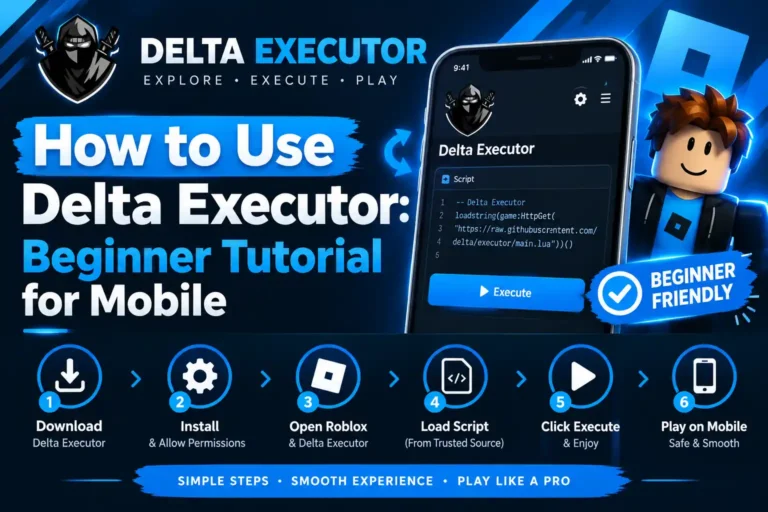
- Confirm Play Store is enabled. Settings > Apps > Google Play Store > turn on. If missing your Chromebook does not support Android apps.
- Enable unknown sources for Android. Open the Android Settings (not ChromeOS Settings) and allow unknown sources for your preferred file manager.
- Download Delta APK from our site. Go to deltaexecutions.com through Chrome browser. Download the Android build.
- Install the APK. Open Files find the APK file double click it approve the Android installer prompt.
- Grant storage permissions. Android Settings > Apps > Delta > Permissions > enable Storage Overlay and anything else Delta requests.
- Install Roblox from the Play Store. This is the Android version of Roblox which Delta can inject into.
- Launch Roblox. Join a game.
- Launch Delta. Attach to Roblox. Verify your key and execute a script.
This route works on most personal Chromebooks with Play Store support. Performance ranges from mediocre on 4GB RAM Chromebooks to comfortable on 8GB plus models.
Some Chromebooks limit Android app install sources even with Play Store enabled. See our APK install fix guide for the common solutions. The same troubleshooting applies to Chromebook Android containers as to regular Android phones.
Linux Crostini Route (Complex)
Advanced users sometimes try to run Windows Delta inside the ChromeOS Linux container via Wine. Here is the reality check before you invest hours in this.
Why it is difficult
- Wine requires manual installation inside Crostini.
- Roblox for Windows itself runs poorly inside Wine on Chromebooks.
- Delta needs to inject into a running Roblox process which gets complicated inside containers.
- Performance is poor because you are running a Linux VM running Wine running Roblox running Delta.
- No one maintains Delta specifically for this stack so expect many broken paths.
If you still want to try
- Enable Linux development environment. Settings > Advanced > Developers > Linux.
- Open the Linux terminal. Install Wine. The command is apt install wine.
- Install Roblox Windows build. Download the Roblox installer. Run it with Wine.
- Download Delta Windows build. From our PC download page.
- Launch Roblox through Wine. Wait for the game to load.
- Launch Delta through Wine. Attempt to attach.
- Expect problems. Injection usually fails. Performance is poor. The Android route is far easier.
Honestly most players give up on the Linux route after an afternoon and go back to the Play Store approach. The complexity is not worth it unless you already run Linux on your Chromebook daily.
School Chromebook Reality Check
If you are reading this on a school Chromebook here is the truth. You almost certainly cannot run Delta.
Why school Chromebooks block Delta
- Enterprise management. Your school admin controls the device through Google Workspace. Policies block sideloading app installs developer mode and most app categories.
- Play Store restrictions. School policies often disable Play Store entirely or restrict it to approved educational apps only.
- Developer mode disabled. You cannot enable developer mode on a managed Chromebook without admin approval.
- Linux Crostini disabled. Also policy controlled.
- Browser extensions limited. Even Chrome extensions may be restricted.
Can you bypass school policies
Not ethically and not safely. Bypassing school device policies violates school rules. You can get suspended expelled or lose device privileges. The tools that claim to bypass school policies are often malware or data stealers.
What to do instead
Use Delta on a personal device at home. Your phone running the Delta Android build. Your personal laptop running the Windows build. A family tablet. Anything that is not a school managed device. School Chromebooks are a dead end for this specifically.
Guides online claim you can reset a school Chromebook and un enroll it. These methods either do not work or detect automatically and re enroll. Some trigger administrative alerts to your school. The risk is not worth the small chance of success. Play on a personal device.
Expected Performance on Chromebook
Performance on Chromebook varies hugely by hardware. Here is what to expect.
| Chromebook Tier | RAM | Delta Experience |
|---|---|---|
| Budget | 2GB to 3GB | Unplayable lag and crashes |
| Entry Level | 4GB | Playable with low graphics expect slowdowns |
| Mid Range | 8GB | Smooth with graphics on medium |
| Gaming Chromebook | 8GB+ | Comfortable even at high graphics |
| School Chromebook | Varies | Blocked by policy anyway |
Performance tuning
- Lower Roblox graphics to level 1 or 2. See our Delta lag and overheating fix guide.
- Close all Chrome tabs during play. Chromebooks are RAM constrained.
- Disable background Android apps you do not need.
- Avoid heavy script hubs on low RAM Chromebooks. Standalone scripts work better.
- Give Roblox Android priority in the task switcher before attaching Delta.
If Nothing Works
If your Chromebook cannot run Delta the honest alternatives all involve a different device.
- Android phone. Any modern Android phone with 3GB plus RAM runs Delta Android cleanly. See our Android install path through deltaexecutions.com.
- iPhone or iPad. Our iOS Delta guide covers setup through sideloading.
- Windows laptop or desktop. The Delta PC build runs full featured there.
- Mac. Our Delta Mac build covers both Intel and Apple Silicon.
- Cheap used Android tablet. Hundred dollar Android tablets run Delta cleanly if you do not have another device.
Treat the Chromebook as a reading and browser device. Play Roblox with Delta on something designed to run both well. Our compatibility guide covers the full device breakdown.
Safety and Scams
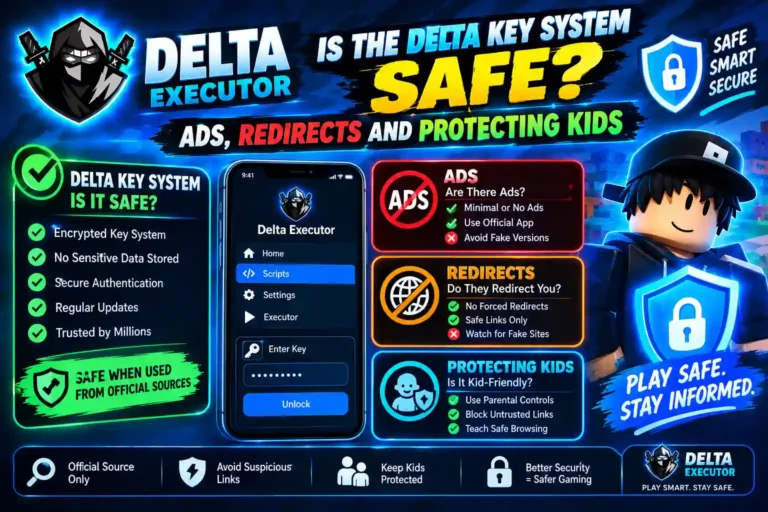
Searches for “Delta Executor Chromebook” attract scammers. Here are the patterns to watch for.
Fake Chromebook builds
Any site offering a dedicated “Delta for Chromebook” installer is fake. The real Delta Android build works through Play Store. Nothing else exists officially.
School bypass tools
Sites selling or giving away “school Chromebook unlockers” are scams. The tools either do not work are malware or get detected by school management systems.
Scripts asking for Roblox credentials
Any “Chromebook Delta setup” that asks for your Roblox email password or ROBLOSECURITY cookie is phishing. Real Delta never asks for Roblox credentials. See our scam awareness guide.
Browser extensions
Some fake Delta sites push a Chrome extension claiming to add executor functionality to browser Roblox. No extension does this legitimately. Extensions that claim to are typically credential stealers.
YouTube video keys and installers
Treat any YouTube video linking to “ChromeOS Delta” installers as a scam. The real path is Android via Play Store. Everything else is noise or worse.
The Bottom Line
Delta Executor does not have a dedicated Chromebook build and it never will. The realistic path is the Android build running inside the ChromeOS Android container through Google Play Store. This works on most personal Chromebooks with Play Store support. School managed Chromebooks block the whole setup by policy and no ethical bypass exists. For devices that cannot run Delta a cheap used Android phone or tablet is the simplest alternative. Download Delta only from deltaexecutions.com. For related guides see our Delta tutorial and device compatibility breakdown.
Frequently Asked Questions
Does Delta Executor work on Chromebook?
Delta Executor does not have a native Chromebook build. However the Android version of Delta runs on most personal Chromebooks that support Google Play Store because ChromeOS runs Android apps in a container. The Android route is the realistic path. School managed Chromebooks block this through policy and have no safe workaround. Any site offering a dedicated “Delta for ChromeOS” installer is fake.
How do I install Delta on Chromebook?
On a personal Chromebook with Play Store support enable Play Store in Settings allow unknown sources in Android Settings download the Delta Android APK from deltaexecutions.com install through Files grant storage permissions install Roblox from Play Store launch Roblox launch Delta and attach. Full steps are in the Play Store Android route section above. This works on Chromebooks with 4GB plus RAM.
Why can I not install Delta on my school Chromebook?
School Chromebooks are enterprise managed through Google Workspace. Your school admin applies policies that block sideloading app installs developer mode and most app categories. The Play Store is often disabled or restricted to approved educational apps only. These policies cannot be bypassed safely or ethically. Use a personal device at home for Delta.
Does Delta work with browser Roblox on Chromebook?
No. Delta cannot inject into browser Roblox because the browser sandboxes web apps from external processes. You must install the Android version of Roblox via Play Store so the Android version of Delta can attach to it. This is a technical limitation of how browsers isolate web content for security.
Will Delta Android run well on my Chromebook?
It depends on your RAM. 2GB and 3GB Chromebooks struggle with Delta plus Roblox Android. 4GB is the minimum for playable performance with low graphics. 8GB handles everything comfortably. Gaming Chromebooks run Delta smoothly even at high graphics. Close Chrome tabs and background apps before launching Roblox to free RAM.
Can I run Windows Delta inside Linux on Chromebook?
Technically possible through ChromeOS Linux (Crostini) with Wine installed but the setup is complex and performance is poor. You run Linux container inside ChromeOS running Wine running Windows Roblox running Delta. Multiple layers of virtualization make it slow and injection often fails. Most players who try this give up and use the Android route. Only try Linux if you already use Crostini daily for other reasons.
Are “Delta Executor for ChromeOS” downloads safe?
No they are fake. Delta does not have a ChromeOS specific build. Any site offering “Delta Executor ChromeOS edition” or “Delta Chromebook installer” is either serving malware or a fake download that does nothing. The only legitimate route is the Android version from deltaexecutions.com installed through Google Play Store on Chromebooks that support Android apps.
What should I do if my Chromebook cannot run Delta?
Use a different device. Any modern Android phone with 3GB plus RAM runs Delta fine. iPhones and iPads run the iOS build through sideloading. Windows laptops and Macs run the desktop builds. Cheap used Android tablets run Delta cleanly for around a hundred dollars. The Chromebook is simply not the right device for this task especially if it is school managed.
References
- DeltaExecutions Compatibility and Platform Documentation deltaexecutions.com
- Google Chromebook Help: Install Android Apps on Chromebook
- ChromeOS Developers: Linux Development Environment Guide
- DeltaExecutions internal Chromebook compatibility testing recently updated