
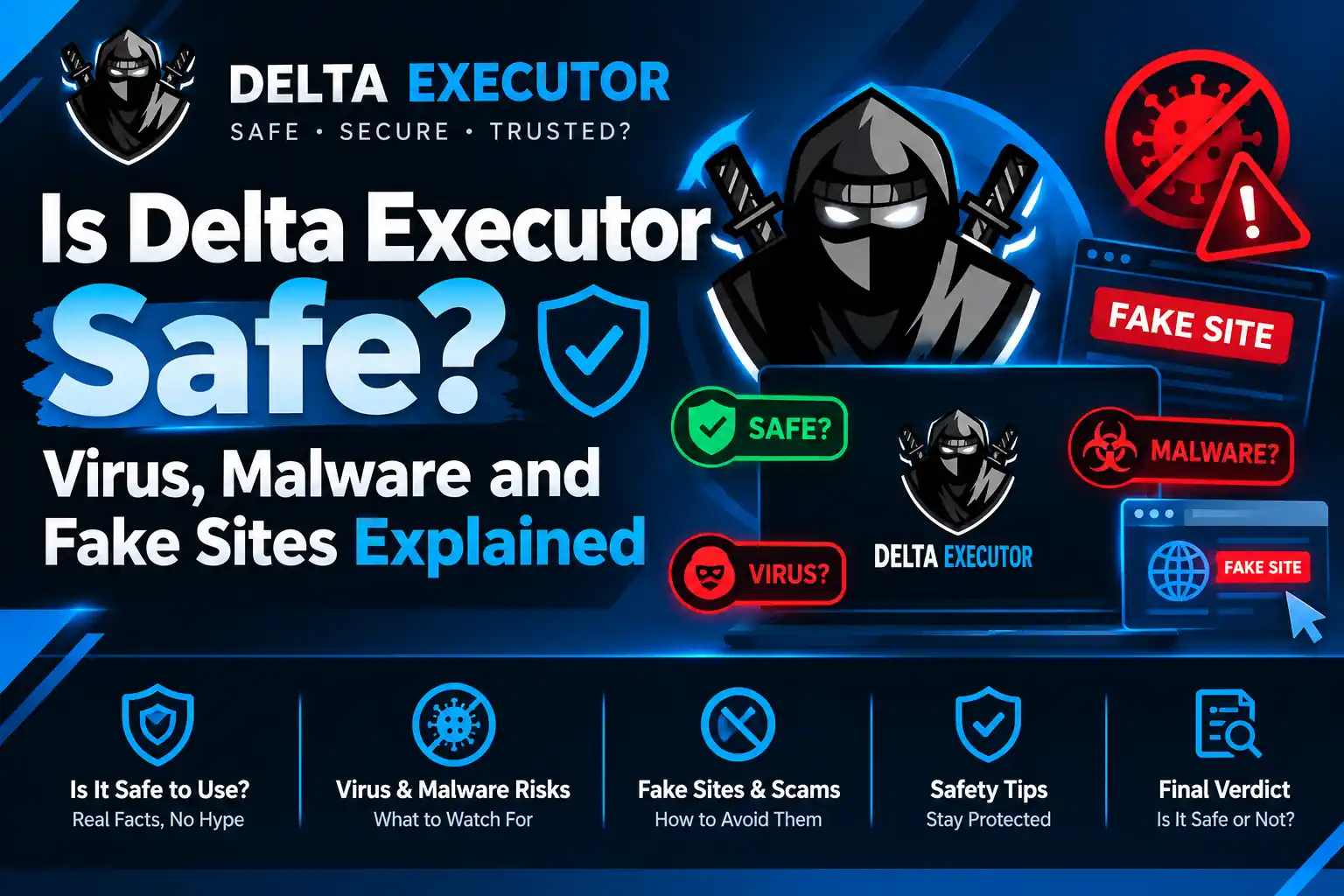
Is Delta Executor Safe? Virus, Malware and Fake Sites Explained
The honest answer to whether Delta Executor is safe has two parts, and most sites only give you one of them. The official file from a verified source behaves as a false positive with most antivirus engines. The problem is that the vast majority of people searching for Delta Executor end up on fake sites that distribute real malware disguised as the tool. This guide separates those two realities clearly so you can make an informed decision.
Delta Executor downloaded from the official verified source is flagged by antivirus programs as a hacking tool or PUA (Potentially Unwanted Application), which is a false positive caused by how executors interact with game memory. It does not contain malware when sourced correctly. The real danger is the large number of fake sites that repackage Delta with trojans, stealers, and RAT malware. Source verification is everything with this tool. The safe download is at deltaexecutions.com.
What Delta Executor Actually Is
Delta Executor is a Lua script executor built for the Roblox platform. It lets users inject and run custom scripts inside Roblox games, which allows them to modify gameplay elements like speed, character abilities, and resource counts that the game would normally prevent a player from changing.
It is available for Android as an APK file and for Windows as an installable executable. It has a key system, meaning users need to complete an external verification process to get a working key before they can use the tool.
To do its job, Delta has to attach to the Roblox process and modify its memory in real time. This is the exact same technique that malware uses to compromise programs, which is why antivirus software flags executor tools. The flagging is a design consequence, not necessarily evidence of malicious intent.
For a full breakdown of Delta’s features and the download process, visit the Delta Executor homepage.
False Positive vs Real Malware: The Core Distinction
This is the most important concept to understand before you draw any conclusion about Delta Executor’s safety. There is a real and meaningful difference between a false positive antivirus detection and a true positive detection, and Delta sits in a complicated position between them.
What a False Positive Looks Like With Delta
When Delta Executor is downloaded from the official verified source, most antivirus engines flag it in one of these categories: Hacking Tool, Riskware, or PUA (Potentially Unwanted Application). These classifications do not mean the file contains a virus. They mean the antivirus engine recognized that the file performs memory injection and process attachment, techniques that look like malware behavior even when the intent is game modification rather than system compromise.
Windows Defender, Kaspersky, Avast, and most major antivirus products use behavioral and heuristic detection that catches executors alongside actual malware because the underlying code pattern is similar. This is a known limitation of heuristic detection and it is why executor users routinely add the tool to their exclusion lists.
What a True Positive Looks Like With Delta
The more dangerous scenario is what happens when someone downloads Delta from a fake site. These sites distribute APK and EXE files that look identical to the real Delta download but contain embedded trojans, RAT (Remote Access Trojan) malware, or credential stealers that target Roblox accounts and the accounts on other platforms stored on your device.
When a file from one of these sites is scanned on VirusTotal, it typically shows detections across 8 to 15 different antivirus engines rather than the 1 to 3 engines that flag the legitimate tool. Multiple engines flagging a file as a trojan or stealer is a true positive detection, meaning actual malicious code is present.
Security researchers have documented cases where fake Delta downloads install keyloggers that capture login credentials for Roblox, Discord, Steam, and browser-stored passwords across the entire device. The malware does not announce itself. It installs silently and runs in the background while appearing to be a normal executor.
Antivirus detections on the legitimate Delta file are almost always 1 to 3 engines classifying it as a hacking tool or PUA. If VirusTotal shows 5 or more engines flagging a Delta file as a trojan, stealer, or backdoor, you have downloaded from a fake site and should delete the file immediately without running it.
Fake Delta Sites: The Biggest Real Danger in 2026
The fake site problem around Delta Executor is severe and growing. Dozens of domains impersonate the official Delta brand with near-identical designs, convincing screenshots, and download buttons that serve malware instead of the real tool.
What makes this particularly dangerous is that many of these fake sites rank on Google for searches like “delta executor download” and “delta executor apk”. A user doing a quick Google search and clicking the first or second result could land on a malware distribution site that looks completely legitimate.
Documented Fake and Dangerous Domains
Security scans have identified the following domains as high-risk, fake, parked, or malware-distributing as of 2026. This is not an exhaustive list because new fake domains appear regularly:
- deltaexecutor.com — currently a parked domain with malware detections, still listed as official on many third-party articles
- delta-executor.com — flagged by multiple antivirus engines, explicitly listed as a malware trap by the actual Delta community
- allexecutor.com — identified as a credential theft trap
- deltaexploit.com — impersonates Delta branding, flagged as malicious
- deltaexploits.gg — flagged malicious by 11 of 92 antivirus engines including tier-1 detectors, impersonates Roblox branding
- deltaaxecutor.com — fake domain with deliberate misspelling to catch typos, flagged malicious
- deltaaexecutor.org — 28-day-old domain at time of scan, high risk classification
- deltax.uk — uses free Robux lures combined with executor downloads, credential harvesting pattern
Many third-party review articles and YouTube videos link to these fake domains while calling them the official source. Do not trust any source that links to any domain other than deltaexecutions.com for Delta downloads. The fake site operators actively seed misinformation to drive traffic to their malware.
How Fake Sites Operate
Fake Delta sites follow a recognizable pattern. They copy the visual design of the real site, use phrases like “official,” “only,” and “verified” prominently, and often include fake download counters showing millions of downloads to appear legitimate. Many list the same features as the real tool and include screenshots of the actual interface.
The difference is in the file they serve. Instead of the real Delta executable or APK, they serve a repackaged file that runs the executor interface while simultaneously installing malware in the background. The executor may even appear to work initially, which prevents the user from realizing anything is wrong until their account has already been compromised.
Some fake sites also use aggressive redirect chains. The download button sends you through multiple redirect pages, some of which install tracking cookies or attempt drive-by downloads before you ever reach the file. Sites that route you through long redirect chains before delivering a download are a significant red flag regardless of what they claim.
How to Identify a Fake Delta Executor Site
With so many fake sites in circulation, knowing how to distinguish the real source from an imposter is a practical skill every Delta user needs. Here are the concrete checks to run before downloading anything.
Check the Domain Carefully
The domain name is the first and most reliable signal. Fake sites frequently use deliberate misspellings, extra letters, different TLDs, or hyphenated variations to look similar to the real domain at a glance. Compare carefully before clicking any download button.
Common fake domain patterns include adding extra letters (deltaaexecutor instead of deltaexecutor), swapping letters (deltaaxecutor instead of deltaexecutor), using different extensions (.org, .co, .gg, .net instead of the correct one), or adding words before or after the name (delta-executor, allexecutor, deltaexploit).
Check the Domain Age
You can check when a domain was registered using a free WHOIS lookup at a site like whois.domaintools.com. Legitimate tools with large user bases have domains registered years ago. A domain registered within the last few weeks or months claiming to be the official source of a popular tool is almost always a fake. Several of the documented fake Delta domains were registered 28 days or less before they were flagged.
Run the File on VirusTotal Before Executing
Before running any downloaded Delta file, upload it to VirusTotal. One to three flagged engines with hacking tool or PUA classifications is consistent with the legitimate file. Five or more engines flagging a file as a trojan, stealer, backdoor, or RAT is a confirmed dangerous file. Delete it immediately and do not run it under any circumstances.
Look for Redirect Chains During Download
The legitimate download process involves straightforward steps. Fake sites often route the download through multiple redirect pages, link shorteners, or survey walls before delivering a file. While the real key system does involve an external key page, the download itself should not require you to navigate through three or four separate redirect sites before reaching the actual file.
Avoid Sites Offering “Keyless” Delta
Delta Executor has a key system as a core feature. Any site claiming to offer a keyless version of Delta, or a version that bypasses the key system, is almost certainly fake. The key system exists precisely to verify users and the official tool requires it. A so-called keyless Delta is typically a repackaged malware file with the key screen removed.
How to Verify a Delta File Using VirusTotal
VirusTotal is a free tool owned by Google that scans uploaded files against 70 or more antivirus engines simultaneously and returns a comprehensive detection report. Using it before running any downloaded executor file is one of the most effective safety checks available.
- Download the Delta file but do not run it yet. Leave it in your Downloads folder.
- Open your browser and go to virustotal.com.
- Click the Choose File button and select the Delta APK or EXE you downloaded.
- Wait for the scan to complete. VirusTotal will show you how many engines flagged the file and what they classified it as.
- Read the results carefully. One to three detections labeled as hacking tool, riskware, or PUA are consistent with the legitimate Delta file. Five or more detections with trojan, stealer, backdoor, or RAT classifications mean the file is genuine malware. Delete it without running it.
- If the file is clean or shows only false positive detections, you can proceed with installation from that point.
VirusTotal showing zero detections does not guarantee a file is safe. Some sophisticated malware is designed to evade all current engine signatures. Zero detections combined with other red flags, such as an unfamiliar domain or a suspiciously small file size, still warrants caution. Use VirusTotal as one part of your verification process, not the only one.
Roblox Ban Risk: What You Actually Need to Know
Using Delta Executor is a direct violation of the Roblox Terms of Service. This is not disputed and it is important to be honest about it rather than downplay it. Section 4 of the Roblox Terms of Service prohibits using third-party software to modify the client or gain advantages in games. Script executors fall clearly within that prohibition.
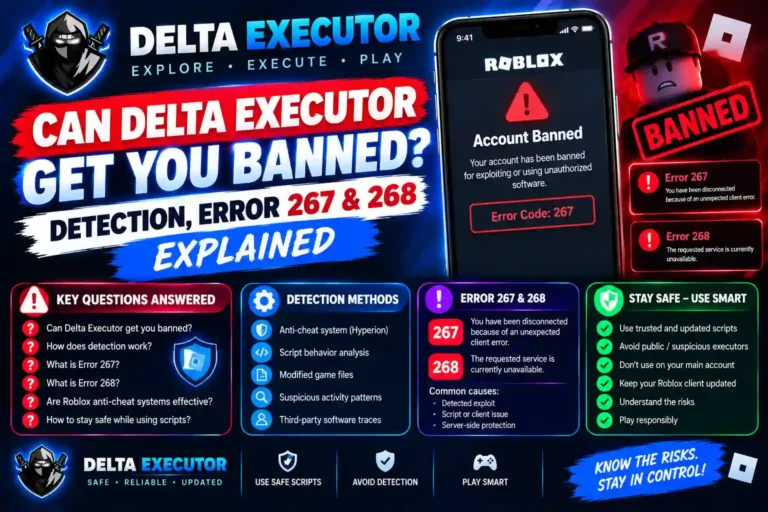
The practical ban risk depends on several factors. Roblox’s Hyperion anti-cheat system, developed by Byfron Technologies and integrated into the Roblox client, actively monitors for executor attachment patterns. When Hyperion detects a modified client process, it can flag the session and report it for review, which can result in a temporary suspension or a permanent ban depending on the severity and frequency of detection.
What Determines Your Ban Risk
The version of Delta you are using matters significantly. Older Delta builds running on outdated Roblox bases are more likely to trigger Hyperion detection because they use injection signatures that Hyperion has already learned to recognize. Updated Delta versions release alongside patches specifically designed to reduce the detection surface for the current Roblox build.
The scripts you run inside Delta also affect your risk. Scripts that make obvious, large-scale changes visible to other players, such as speed hacks or god mode in competitive games, are more likely to result in reports from other players that trigger a manual review on top of any automated detection.
Account age and standing play a role too. Accounts with a long history and no previous violations are generally treated differently from new accounts with no standing. This is why experienced executor users consistently recommend using a secondary account rather than a main account when experimenting with executor tools.
Is a Ban Permanent?
Roblox issues both temporary suspensions and permanent bans depending on the violation severity. A first detection often results in a warning or temporary suspension. Repeated violations or particularly aggressive script use can result in a permanent account termination. Account terminations from ToS violations are generally not reversible through the appeal process.
For more information on how Delta interacts with the Roblox client and Hyperion, see our guide on Delta Executor not working after Roblox updates, which covers the technical relationship between executor versions and Roblox client builds.
Windows Defender, Antivirus, and Delta Executor
Windows Defender is the most common reason Delta users on PC report that the tool disappears after installation or fails to run. Defender uses real-time protection that can silently delete executor files the moment they are downloaded or extracted, before you even try to run them.
This happens because Defender’s behavioral detection identifies the injection code patterns in Delta and classifies the file as a potentially unwanted application or hacking tool. The deletion is automatic and Defender does not always display a notification, which makes it look like the download failed or the installer is broken.
How to Add Delta to Windows Defender Exclusions
- Open Windows Security from the Start menu or System Tray.
- Go to Virus and Threat Protection.
- Click Manage Settings under Virus and Threat Protection Settings.
- Scroll down to the Exclusions section and click Add or Remove Exclusions.
- Click Add an Exclusion then select Folder. Choose the folder where you plan to install Delta Executor.
- After adding the exclusion, download and install Delta fresh. Files already deleted by Defender will not reappear automatically.
Adding exclusions to your antivirus reduces its ability to protect that folder from genuine malware. Only add the specific Delta Executor installation folder to exclusions, not your entire PC or Downloads folder. And only do this after verifying the file on VirusTotal to confirm you have the legitimate version rather than a malware-laced fake.
Third-Party Antivirus Programs
Kaspersky, Avast, AVG, Malwarebytes, and most other major antivirus programs apply the same heuristic logic as Defender. They will flag executor files based on behavioral patterns. The exclusion process varies by product but the underlying concept is the same: exclude the specific Delta folder from real-time scanning after verifying the file is legitimate.
Do not disable your antivirus entirely to install Delta. Disabling all protection leaves you completely exposed during the installation window. Folder-level exclusions give Delta the access it needs while keeping your system protected for everything else.
Full Delta Executor Risk Reference Table
| Risk Type | Level | Details | Mitigation |
|---|---|---|---|
| Malware from fake sites | Very High | Fake domains distribute repackaged files containing trojans, RAT malware, and credential stealers targeting Roblox, Discord, Steam, and browser-stored passwords. | Only download from deltaexecutions.com. Verify every file on VirusTotal before running it. |
| Antivirus false positive | Low — Expected | Legitimate Delta files trigger 1 to 3 antivirus engines classifying the tool as a hacking tool or PUA due to process injection behavior. This is not genuine malware. | Add the Delta folder to your antivirus exclusion list after verifying the file is legitimate via VirusTotal. |
| Roblox account ban | Medium to High | Using any script executor violates Roblox Terms of Service. Hyperion anti-cheat can detect executor attachment and flag the account for suspension or permanent termination. | Use a secondary account rather than your main account. Keep Delta updated to the latest version which includes detection reduction patches. |
| Key system phishing | Medium | Fake key generator sites and Telegram bots claim to provide Delta keys but harvest login credentials or install malware during the process. | Only get keys through the in-app key system. Never enter your Roblox login on any third-party site claiming to offer Delta keys. |
| Outdated version risk | Medium | Running an outdated Delta build on an updated Roblox client increases Hyperion detection risk and may cause injection failures or crashes. | Keep Delta updated. Check deltaexecutions.com after every Roblox client update. |
| Script-level risk | Variable | Scripts run through Delta are written by third parties. Poorly written scripts can crash your game. Malicious scripts in untrusted script hubs can compromise your account or device separately from Delta itself. | Use only scripts from well-known, established script repositories with community review history. |
| Data theft from device | High if wrong source | Malware distributed through fake Delta sites can steal saved passwords, session cookies, and authentication tokens from browsers and other apps on the device. | Verify source before downloading. Run a full antivirus scan if you already downloaded from an unknown source. |
Safe Download and Use Checklist for Delta Executor
Follow every item on this list before and after installing Delta Executor. Skipping any of them increases your risk meaningfully.
Before Downloading
- Confirm the domain is exactly deltaexecutions.com before clicking any download link. Check for misspellings, extra letters, or different extensions.
- Check the domain age using a WHOIS lookup if you are unsure. A domain registered recently claiming to be the official Delta source is almost certainly fake.
- Do not trust any YouTube video, social media post, or third-party article that links to any domain other than deltaexecutions.com as the official source.
After Downloading
- Upload the downloaded file to VirusTotal at virustotal.com before running it. Wait for the full scan and read the results carefully.
- If VirusTotal shows 5 or more detections with trojan, stealer, or RAT classifications, delete the file immediately. Do not run it.
- If VirusTotal shows 1 to 3 detections labeled as hacking tool or PUA, this is consistent with the legitimate file and you can proceed.
- Add the Delta Executor installation folder to your antivirus exclusion list before installing. Do not add your entire Downloads folder or PC.
- Install Delta and complete the key process through the in-app key system only. Do not use third-party key generators.
During Use
- Use a secondary Roblox account rather than your main account when running scripts.
- Keep Delta updated to the latest version available on deltaexecutions.com. Outdated versions carry higher detection risk from Roblox’s Hyperion system.
- Only run scripts from established community repositories with a verifiable review history. Avoid scripts from anonymous sources or newly created accounts.
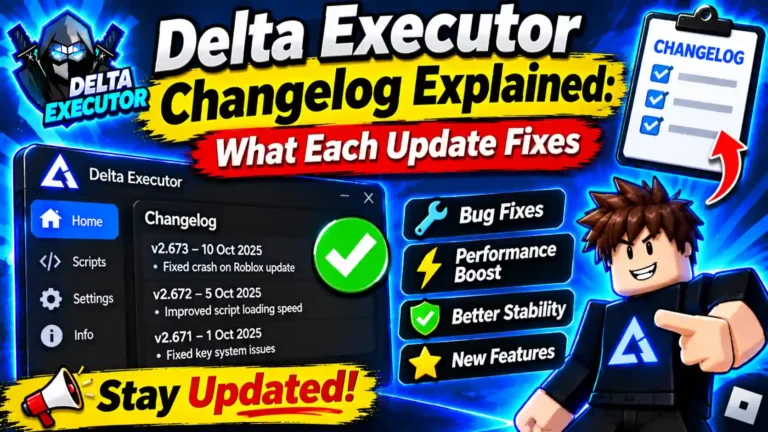
- If Delta stops working after a Roblox update, check deltaexecutions.com for a new compatible version before trying any other fixes. See our full Delta Executor not working fix guide for detailed troubleshooting.
Frequently Asked Questions
Is Delta Executor a virus?
The legitimate Delta Executor file downloaded from the official verified source is not a virus. It is flagged by antivirus programs as a hacking tool or PUA because it performs memory injection, which looks similar to malware behavior. However, fake versions distributed through imposter sites do contain real malware including trojans and credential stealers. The source determines whether you get a false positive or a genuine threat.
Why does Windows Defender delete Delta Executor?
Defender uses behavioral and heuristic detection that recognizes the process injection code in Delta and classifies it as a potentially unwanted application. It removes the file automatically as a precaution. To prevent this, add the Delta Executor folder to your Defender exclusion list before downloading. Only do this after verifying the file is legitimate on VirusTotal.
How can I tell if I downloaded a fake Delta?
Upload the downloaded file to VirusTotal before running it. One to three detections labeled as hacking tool or PUA is consistent with the legitimate file. Five or more detections with trojan, stealer, backdoor, or RAT labels means you have a malicious file from a fake site. Delete it immediately without running it and download again from deltaexecutions.com only.
Will Delta Executor get my Roblox account banned?
There is a genuine ban risk. Using any script executor violates Roblox Terms of Service and Roblox’s Hyperion anti-cheat system can detect executor attachment. The risk is not guaranteed but it is real. Using a secondary account rather than your main account and keeping Delta updated to the latest version are the best ways to reduce the risk.
What is a keyless Delta and is it safe?
A keyless Delta claims to bypass the key system that is a core feature of the real tool. It is almost always a fake. The official Delta Executor requires a key and sites offering keyless versions are typically distributing repackaged malware with the key screen removed. Avoid them entirely.
Is Delta Executor safe for Android?
The official Android APK from the verified source is the same situation as the PC version: a false positive from antivirus tools, not genuine malware. The risk on Android is the same as on PC, which is fake APK files distributed through imposter sites. Android also does not have the same antivirus exclusion system as Windows, so the main protection on Android is verifying your source before downloading.
Can fake Delta steal my Roblox password?
Yes. Documented malware distributed through fake Delta sites includes credential stealers that target Roblox login information, along with passwords and session tokens for Discord, Steam, and passwords saved in browsers. If you already ran a file from an unknown source, change your Roblox password immediately from a clean device and enable two-step verification on your account.
Does using Delta Executor expose my device to hackers?
The legitimate Delta file does not create a remote access channel or expose your device to external attackers. The fake versions distributed through imposter sites do contain RAT (Remote Access Trojan) malware that can give attackers full access to your device. This is why source verification is the single most important safety step with this tool.
What should I do if I already downloaded from a fake site?
Do not run the file if you have not already. Delete it immediately. If you already ran it, disconnect your device from the internet, run a full scan with a reputable antivirus program, change your Roblox password and any other passwords stored on the device from a clean separate device, and enable two-factor authentication on all affected accounts. Consider a full system restore if you suspect deep malware installation.
Where is the only safe place to download Delta Executor?
The only verified source is deltaexecutions.com. Any other domain distributing Delta, including sites that claim to be the official source, carries a risk of distributing modified or malicious files. Verify the domain carefully before downloading anything.
Bottom Line: Is Delta Executor Safe?
From a pure malware standpoint, the official Delta file is not a virus. Antivirus flags on the legitimate file are false positives caused by how executors work, not evidence of malicious code. The danger is not in the tool itself but in the overwhelming number of fake sites that use the Delta name to distribute real malware.
Source verification is the single most important safety practice with Delta. Check the domain, verify the file on VirusTotal before running it, and never download from any site other than deltaexecutions.com.
The Roblox ban risk is separate and real. Delta violates Roblox Terms of Service and Hyperion can detect executor use. Use a secondary account, keep Delta updated, and understand the risk before using the tool on any account you care about keeping.
Sources and References
- Roblox Terms of Service — Roblox Help Center
- VirusTotal file scanning tool — virustotal.com
- Delta Executor official download — deltaexecutions.com


5 Comments