
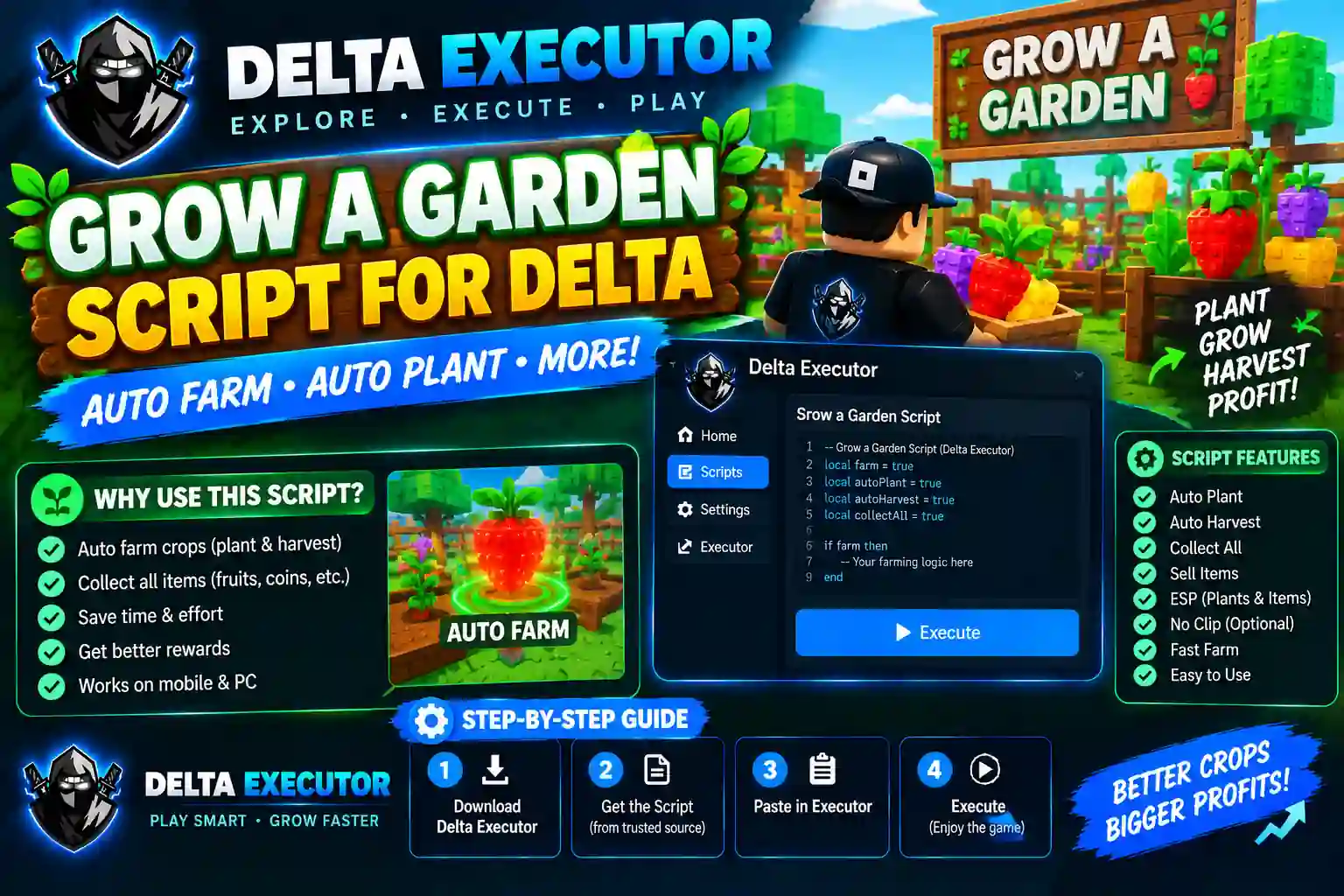
Grow a Garden Script for Delta
Grow a Garden is currently one of the fastest-growing games on Roblox, and the demand for Delta Executor scripts that work with it has grown at the same pace. This guide covers exactly how to run Grow a Garden scripts through Delta, which script types actually work in 2026, which features are client-side and genuinely useful, and what to expect from the automation loop the best scripts deliver.
Scripts only work when Delta Executor is properly installed and injected. If you are not yet set up, download the latest Delta version from deltaexecutions.com first. If Delta is not injecting correctly, see the Delta Executor not working guide before trying any scripts.
What Is Grow a Garden on Roblox
Grow a Garden is a farming simulator on Roblox built around planting seeds, growing crops, harvesting at the right time, and selling produce for in-game currency called Sheckels. The game features over 100 plant types with varying rarity, a mutation system that gives certain crops bonus value, a pet system that boosts farm output, and a crafting system for advanced items.
What makes the game particularly popular is its weekly update cycle. The developer adds new seeds, mutations, seasonal events, and limited crops on a regular basis. This keeps the active player base engaged and constantly farming for new content.
The core gameplay loop is repetitive by design. You plant seeds, wait for crops to grow, harvest them, sell them, buy new seeds, and repeat. This repetitive loop is exactly why auto farm scripts are so sought after for this game. The loop is perfectly suited for automation because each step is a predictable client-side action sequence.
Grow a Garden has reached over one billion total visits on Roblox and consistently appears in the platform’s top games by active player count in 2026.
Why Scripts Are So Popular for Grow a Garden
Grow a Garden’s farming loop requires constant attention to be efficient. Crops grow on a timer, and harvesting them at the right moment rather than leaving them to expire matters significantly for your Sheckels income. Seeds need to be purchased before your plot runs empty. Pets need to be activated and maintained. All of this adds up to a game that rewards players who pay consistent attention over extended periods.
Scripts solve this directly. An auto farm script handles the harvest timing automatically. An auto plant script replaces seeds the moment a plot empties. An auto sell script moves harvested crops to Sheckels without you needing to navigate to the shop. Together these scripts turn the farming loop into something that runs in the background while you do other things.
The other reason scripts are popular here is that many of the key farming actions in Grow a Garden are client-side interactions. Planting, harvesting, and selling are input events that the player character performs. Automating these does not require modifying server-controlled values. The scripts simply replicate what a player’s taps and clicks would do, just faster and consistently. This makes the automation more reliable in Grow a Garden than in games where the valuable actions are fully server-controlled.
Using scripts in Grow a Garden violates Roblox’s Terms of Service regardless of how the automation works. There is a genuine ban risk. Use a secondary account rather than your main account when running any scripts. For the full risk picture, see the Delta Executor ban and detection guide.
How to Run Grow a Garden Scripts in Delta Executor
The process for running any Grow a Garden script through Delta is the same as running any other Roblox script. Here is the exact sequence to follow every time.
- Open Delta Executor and complete the key process. This validates your session and is required before injection. Get a fresh key if you have not used Delta recently, since keys expire after version updates.
- Open Roblox and join a Grow a Garden session. Wait for the game to fully load, for your character to appear in the farm, and for the initial loading screen to clear completely before switching to Delta.
- Switch back to Delta and tap or click Inject. Wait for the green confirmation message that injection succeeded. On Android this takes three to eight seconds. On PC it is typically faster.
- After injection is confirmed, navigate to Delta’s Script tab. You will see the text input area where you paste scripts.
- Paste your Grow a Garden script into the input area. If your script uses loadstring to pull from an external URL, paste the full loadstring command. If it is a block of local Lua code, paste the full code directly.
- Tap or click Execute. The script will run inside your active Grow a Garden session. If the script includes a GUI, it will appear on screen where you can toggle individual features on and off.
Opening Delta’s Script Input on PC
On PC, Delta Executor uses F10 as the default hotkey to open the script console while Roblox is the active window. Press F10 after injecting to bring up the input panel without switching away from the game. This allows you to paste and execute scripts while remaining in the Grow a Garden session.
A common mistake is trying to execute scripts before injection is confirmed. The Execute button will appear to work but nothing will happen in the game because Delta’s script environment does not exist yet. Always wait for the green injection confirmation before pasting and executing any script.
Auto Farm Scripts for Grow a Garden
Auto farm is the most searched and most used script category for this game. A properly built auto farm script handles the complete farming loop without requiring any manual input once it is running.
What Auto Farm Does in Grow a Garden
A working auto farm script for Grow a Garden performs several actions in sequence. It checks each farm plot for harvestable crops and triggers the harvest interaction automatically when a crop is ready. It then immediately plants a new seed in the empty plot without waiting for manual input. Some auto farm scripts also trigger the watering action on a timed loop, which increases growth speed and mutation chance in the game’s mechanics.
The best auto farm scripts in 2026 also handle the sell loop. When your inventory reaches a set capacity, the script automatically moves to the shop, sells all harvested crops, and returns your character to the farm. This creates a fully hands-free farming loop that accumulates Sheckels continuously without any attention from you.
Loading an Auto Farm Script via Loadstring
Most maintained auto farm scripts for Grow a Garden use a loadstring format that pulls current code from the script author’s external repository. This format keeps the script updated automatically when the game patches, since the external file gets updated while the command you paste stays the same. A typical loadstring auto farm command looks like this:
You replace the URL with the actual source URL from your chosen script hub. Make sure loadstring is enabled in Delta’s settings before executing this type of script. If Delta returns a loadstring error, open the settings panel and toggle loadstring on.
What Auto Farm Cannot Do
Auto farm scripts automate client-side input actions. They cannot directly add Sheckels to your balance, unlock plants you have not discovered, or skip the growth timer by modifying the server-side crop state. Growth timers and crop value calculations happen on the server. Scripts that claim to instantly grow crops or multiply your Sheckels directly are either fake or use exploits that get patched within days.
Auto Sell Scripts for Grow a Garden
Auto sell handles one of the most time-consuming parts of the farming loop: walking to the shop, selecting crops to sell, and confirming the sale. In an optimized farm session, you need to do this every few minutes as your inventory fills. An auto sell script handles this automatically so you can keep your attention on other things.
A standalone auto sell script watches your inventory and triggers the sell sequence when a threshold is met. Most auto sell scripts let you configure whether to sell all crops at once or to keep a certain number of rare crops in reserve for crafting or trading purposes.
The sell action in Grow a Garden involves navigating your character to the market stall area and interacting with the sell interface. This is fully client-side, which is why auto sell works reliably. The script replicates the exact inputs a player would use, just automatically and on a faster timing cycle than manual play.
Sell All Function
Many Grow a Garden scripts include a Sell All toggle in their GUI that instantly triggers the sell-all action without requiring your character to physically walk to the shop. This works because the sell function in Grow a Garden can be called from any position on the map through the game’s own UI. The script calls the same function the game’s shop button calls, just without requiring you to navigate there manually.
Auto Plant and Auto Buy Seeds Scripts
Auto plant monitors your farm plots and replants seeds the moment a plot becomes empty after a harvest. Without this, your farm sits idle between manual replanting sessions. With auto plant running, your plots are always active and your farm always produces income.
Auto buy seeds extends this further. When your seed inventory runs out, auto buy navigates to the seed shop, purchases a restock of the configured seed type, and returns you to the farm. The combination of auto plant and auto buy creates a completely self-sustaining farm that never idles because of empty plots or empty seed inventory.
Configuring Which Seeds to Auto Buy
Most multi-feature Grow a Garden scripts include a GUI where you can select which seed type to auto-purchase. For maximum Sheckels per hour, configure the script to auto-buy the highest-value seeds your current Sheckels balance can sustain. The best scripts also detect when you have unlocked a higher-tier seed and automatically update the auto-buy target to the new best option.
Roblox automatically kicks players after 20 minutes of inactivity. When your auto farm script is running all the actions, Roblox may not register your character as active and kick you from the session. Good Grow a Garden scripts include an anti-AFK module that sends a periodic input to keep your session active. Look for anti-AFK as a listed feature when choosing a script.
Pet Scripts for Grow a Garden
Grow a Garden’s pet system gives each pet a passive bonus that boosts farm output. Pets increase crop growth speed, improve mutation chance, or multiply Sheckels earned per harvest depending on the pet type. Running the right pets is a meaningful part of optimizing a farm session.
Pet scripts in Grow a Garden primarily handle two things. First, auto pet activation keeps your equipped pets active continuously rather than requiring manual re-activation when their effect expires. Second, some scripts include pet collection automation that gathers pets from pet areas on the map.
Pet Spawner Scripts: What Is Actually Possible
Legitimate pet spawner scripts in 2026 can automate the actions involved in collecting pets from in-game pet areas and activating them. They work within the game’s existing pet mechanic.
Scripts claiming to spawn any pet including legendaries directly from nothing, add pets to your inventory without going through the game’s systems, or permanently unlock pets without the required in-game resources are making impossible claims. Pet ownership in Grow a Garden is server-validated. The server controls your pet inventory and any claims that a client-side script can add pets directly should be treated with skepticism.
No Key Scripts for Grow a Garden
Delta Executor itself requires a key to activate before you can inject any scripts. That is separate from whether the Grow a Garden scripts themselves have their own key requirement. Many script hubs and individual scripts require you to complete their own key process before they load their GUI.
No key scripts skip this second key step. They load directly without requiring you to visit Linkvertise or any other key provider. For users who want the fastest possible setup time, no key scripts are the more practical option since you only need to complete Delta’s own key process and then the script runs immediately.
The trade-off is that no key scripts are often community-maintained versions with shorter update cycles. When the game patches, keyless scripts can take longer to be updated because the developers behind them typically do not have the same infrastructure as larger script hub teams that monetize through key systems. For a reliably updated experience, scripts from established hubs tend to stay current more consistently even though they require a key.
Finding No Key Scripts for Grow a Garden
Delta’s built-in script hub includes verified working scripts for popular games. Check the hub’s Grow a Garden section first after injecting. Scripts in the built-in hub are tested for compatibility with the current Delta version and many of them are keyless. The built-in hub is the safest starting point for any game-specific script, including Grow a Garden.
Best Script Hubs for Grow a Garden With Delta
Several established script repositories maintain Grow a Garden scripts with regular update cycles. Here are the most reliable options in 2026 and what to expect from each.
| Hub | Key Required | Features | Update Frequency |
|---|---|---|---|
| Delta Built-In Hub | No (after Delta key) | Auto Farm, Auto Sell, Anti-AFK | Updated with each Delta release |
| Than Hub | No | Auto Buy, Auto Sell, Auto Farm Honey, Collect Pollinated | Regular community updates |
| Depso Script | No | Auto Plant, Auto Harvest, Auto Sell | Updated after major game patches |
| AnimeWare Loader | Yes | Full automation suite, mutation tracking | Frequent, maintained actively |
| GaG Black Hub | Yes | Auto Craft, Auto Buy, Auto Sell, Pet Spawner | Updated with game patches |
| FryzerHub | Yes | Auto Farm, Auto Sell, Auto Buy, Auto Collect, Buy Seed | Regular updates |
For any script from a hub outside Delta’s built-in library, verify the last-tested date and check community reports before running it. Scripts tested more than two weeks ago carry a meaningful risk of being partially broken by a recent game update.
What Actually Works vs What Does Not in 2026
Grow a Garden updates its game frequently. Each update can change the internal structure that scripts target. Understanding what is reliably automatable versus what claims are impossible saves you from wasting time on scripts that will never deliver what they promise.
| Script Feature | Status in 2026 | Notes |
|---|---|---|
| Auto Harvest | Works reliably | Client-side input automation; stable across most updates |
| Auto Plant Seeds | Works reliably | Client-side planting action; works in all current game versions |
| Auto Sell Crops | Works reliably | Uses game’s own sell function; consistent across updates |
| Auto Buy Seeds | Works reliably | Client-side shop interaction automation |
| Anti-AFK | Works reliably | Essential for long farm sessions |
| Auto Watering | Works in most scripts | May break after game patches to watering mechanics |
| Mutation Tracker | Works in premium hubs | Reads client-side mutation data; generally reliable |
| Direct Sheckels Addition | Does not work | Server-controlled currency; no client script can modify |
| Instant Crop Growth | Does not work | Growth timers are server-side; client cannot skip them |
| Add Any Pet to Inventory | Does not work | Pet inventory is server-validated; client cannot add pets directly |
| Infinite Seeds Without Purchase | Does not work | Seed inventory is server-controlled; duplication claims are false |
Troubleshooting Grow a Garden Scripts in Delta
Script Executes But Nothing Happens in the Game
This almost always means injection did not fully succeed, or the game updated and the script’s internal references are now broken. Run the print test first: paste print(“test”) into Delta and execute it. If “test” does not appear in the Roblox developer console when you press F9, injection failed and you need to reinject before scripts will work. If print works but the Grow a Garden script does not, the script is outdated and you need a newer version.
Script GUI Does Not Appear
Some scripts render their GUI after a brief delay. Wait five to ten seconds after executing before concluding the GUI did not load. If nothing appears after that, the script may require overlay permission on Android. Check that Delta has the Draw Over Other Apps permission enabled in your phone’s app settings. On PC, the GUI should appear automatically if injection succeeded.
Auto Farm Starts Then Stops After a Few Seconds
On Android, battery optimization is the most common cause. The system kills Delta in the background when it detects idle input patterns. Go to your phone’s battery settings, find Delta Executor, and set it to Unrestricted. Do the same for Roblox. Restart your phone after making these changes.
Script Was Working Yesterday But Fails Today
Grow a Garden updates frequently. A game patch likely renamed or moved something the script was targeting internally. Find an updated version of the same script from its source hub. Check the last-updated date before reusing a script you downloaded previously.
For injection-specific issues not related to the script itself, the full fix process is in the Delta Executor script not working guide.
Frequently Asked Questions
Can Delta Executor run Grow a Garden scripts on Android?
Yes. Delta Executor on Android fully supports Grow a Garden scripts including auto farm, auto sell, and auto plant. The process is the same as on PC: inject Delta after joining the game, then paste and execute your script. Make sure battery optimization is disabled for Delta to prevent the process from being killed mid-session.
Are there no key Grow a Garden scripts for Delta?
Yes. Several Grow a Garden scripts run without their own key requirement after you complete Delta’s own key process. Delta’s built-in script hub includes keyless options, and community scripts like Than Hub and the Depso script are keyless. Keyless scripts are more convenient but may update less frequently than key-gated hub scripts.
Can Grow a Garden scripts add Sheckels directly?
No. Sheckels are server-controlled currency and no client-side script can modify your balance directly. Scripts that claim to add Sheckels or multiply your earnings are either fake or attempting an exploit that gets patched immediately. The only way scripts help your Sheckels income is by automating the farming loop so you earn them faster through legitimate in-game actions.
Why does my auto farm script stop working after a game update?
Grow a Garden updates frequently. Each update can rename internal game objects, move functions, or change the event structure that scripts target. When the game patches, scripts that relied on the old structure produce Lua errors or stop executing. Find an updated version of the script from the same hub or author after any significant Grow a Garden update.
How do I enable loadstring in Delta Executor for Grow a Garden scripts?
Open Delta Executor and go to the Settings panel. Look for a loadstring toggle or an option labeled Enable Loadstring, often under an Advanced or Execution Settings section. Toggle it on. Return to the script input and try your loadstring command again. If the setting is already on and loadstring still fails, the script’s URL may be inactive.
Will using Grow a Garden scripts get my account banned?
There is a genuine ban risk. Script use violates Roblox’s Terms of Service and Roblox’s detection systems can identify automation patterns. The risk in Grow a Garden is generally lower than in competitive games because there are fewer other players actively observing your behavior, but the risk exists. Use a secondary account rather than your primary Roblox account.
What is the best Grow a Garden script for Delta in 2026?
For beginners, start with Delta’s built-in hub which has a pre-tested Grow a Garden script that works with the current game version. For more features, Than Hub (keyless) and GaG Black Hub (key required) are the most frequently mentioned in the community as reliably maintained. Always check the last-tested date before relying on any specific script.
Bottom Line: Delta Executor and Grow a Garden Scripts
Delta Executor works well with Grow a Garden scripts in 2026. The game’s client-side farming loop makes auto farm, auto sell, and auto plant genuinely effective because these actions are player input sequences that scripts can reliably replicate. Together these three scripts create a farming loop that runs without attention and accumulates Sheckels continuously.
Keep your scripts updated as the game patches frequently. Use the Delta built-in hub or established hubs like Than Hub and GaG Black Hub for the most reliable and current scripts. Skip any script claiming to add Sheckels directly, instant crop growth, or unlimited pets from nothing. Those are either broken or fake.
Download the latest Delta from deltaexecutions.com. For broader script guidance see our Delta Executor scripts guide.
Sources and References
- Roblox Lua scripting documentation — Roblox Creator Documentation
- Roblox Terms of Use on third-party tools — Roblox Help Center
- Delta Executor official homepage — deltaexecutions.com




3 Comments