
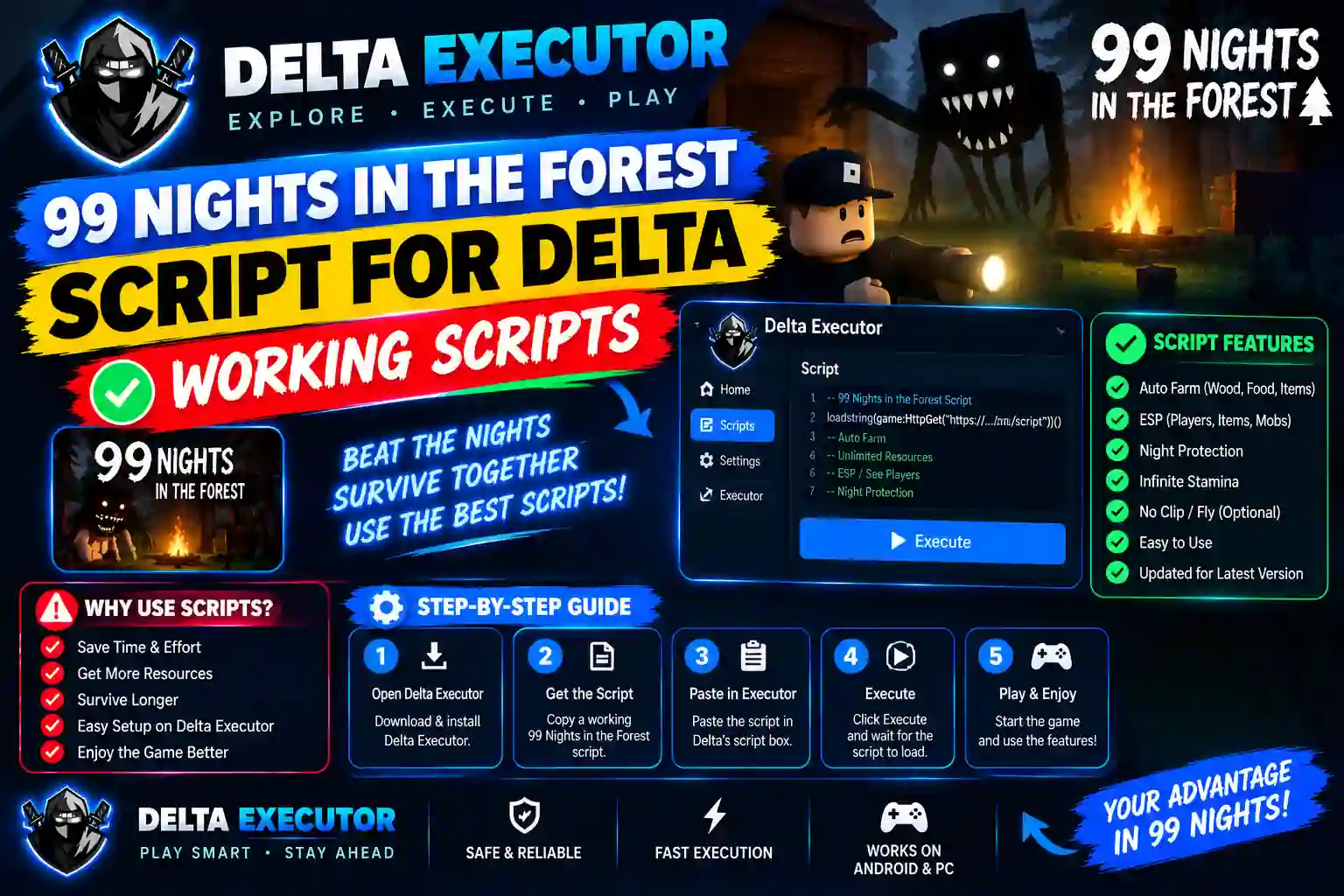
99 Nights in the Forest Script for Delta (Working Scripts)
99 Nights in the Forest is one of the most demanding survival games on Roblox right now. Surviving all 99 nights, keeping the campfire alive, gathering resources, fighting off hostile creatures, and rescuing four lost children takes real time and focus. If you want to automate the grind, skip the repetitive farming, or just explore the forest without dying every other night, the right script running through Delta Executor changes everything. This guide gives you every working script available in October 2026, explains what each one does, and walks you through exactly how to run them.
What Is 99 Nights in the Forest?
99 Nights in the Forest is a cooperative survival horror game on Roblox created by Grandma’s Favourite Games. The premise is simple but intense. You and up to several other players are dropped into a dark, procedurally generated forest. You have 99 in-game nights to survive, and the clock never stops.
Each in-game day lasts roughly 4.5 minutes in real time. Surviving all 99 nights without scripts takes approximately 7 hours and 25 minutes of continuous play. That is a significant time investment for a single run.
The core gameplay loop revolves around a few key activities. During the day you explore the forest, chop trees, collect resources, craft tools, cook food, and search for four lost children scattered across the map. At night, the forest becomes genuinely dangerous. Hostile creatures emerge, The Deer (the game’s main antagonist) hunts actively, and maintaining your campfire becomes critical because it is your only real protection from the darkness.
Key Gameplay Systems
The game includes a hunger meter that depletes over time. Let it hit zero and your character weakens. There is a crafting system for tools, weapons, and defensive gear. The campfire needs constant fuel in the form of logs, coal, or fuel canisters. Diamonds serve as the premium currency for unlocking character classes, each with unique abilities that change how you play. The four missing children are hidden across the map, and finding all of them before night 99 is the fastest way to complete a run.
The game is inspired by the true story of four siblings who survived a plane crash in the Amazon jungle in 2023 and lived for 40 days before rescue. The developers took that survival premise and added Roblox-style horror elements and crafting mechanics around it.
The difficulty scales as nights progress. Creatures become more aggressive, resources become harder to find, and a single bad night without enough fuel in the campfire can end a run that took hours to build. This is exactly the repetitive grind that makes scripts so appealing for returning players.
Why Players Use Scripts in 99 Nights in the Forest
Players come to scripts in this game for very specific reasons. Understanding those reasons helps you pick the right script for what you actually want out of your session.
The farming grind is the biggest driver. Chopping trees, collecting items, cooking food, and refueling the campfire are all repetitive tasks that happen on every single run. After a few completions, doing these manually starts to feel like unpaid labor. Auto Farm and Auto Tree scripts remove that friction entirely and let you focus on the parts of the game you actually enjoy.
The child rescue quest is another major use case. The four missing children can be anywhere on the map and finding them without a teleport or ESP script means searching by foot across a large, dark forest. A Child Teleport or Auto Quest script locates them instantly and brings you straight to each one.
Survival pressure is the third driver. The hunger system, campfire fuel requirements, and nighttime mob attacks all run simultaneously. Juggling all three manually while also exploring is genuinely stressful. Godmode, Auto Feed, and Auto Fuel scripts take those three pressure points off the table at once.
Finally, diamond farming motivates a subset of players who want to unlock all character classes. The stronghold, diamond chests, and cultist gem mechanics require repeated runs to accumulate enough currency. Teleport and Auto Farm scripts compress that grind significantly.
All Working 99 Nights in the Forest Scripts for Delta Executor (October 2026)
Every script below is keyless and confirmed working as of October 2026. Copy the loadstring exactly as shown and paste it into Delta Executor’s script box. All of these load a GUI that you use inside the game to toggle features on and off.
One of the most stable and frequently updated scripts in the community. Delivers a clean GUI with Auto Farm, Kill Aura, Bring All Items, and full ESP. Works reliably across Android, iOS, and Windows PC with Delta Executor.
loadstring(game:HttpGet("https://raw.githubusercontent.com/VapeVoidware/VWExtra/main/NightsInTheForest.lua", true))()
A widely used community script with strong compatibility across devices. Features Kill Aura with adjustable range, full ESP for items and mobs, and teleport functions including child rescue teleport. Straightforward GUI that is easy to navigate on mobile screens.
loadstring(game:HttpGet("https://raw.githubusercontent.com/Kenniel123/99-Nights-in-the-Forest/refs/heads/main/99%20Nights%20in%20the%20Forest"))()
A clean universal GUI script that runs reliably on both Android and PC through Delta Executor. Covers Auto Farm, Bring Items, Infinite Resources, and auto campfire management. One of the most popular picks in the community for mobile Delta users specifically.
loadstring(game:HttpGet("https://raw.githubusercontent.com/adibhub1/99-nighit-in-forest/refs/heads/main/99%20night%20in%20forest", true))()
A powerful no-key PC script with a polished GUI. Delivers Auto Eat, Auto Bring, Auto Collect, Kill Aura, and full teleport controls. Particularly strong for the child rescue objective because of its Auto Quest module that automates finding all four children.
loadstring(game:HttpGet('https://raw.githubusercontent.com/sudaisontopxd/PhantomFlux/refs/heads/main/99NightsInTheForest', true))()
Hutao Hub is a dedicated 99 Nights script with a well-organized tabbed GUI. Covers Auto Farm Candy, Grab Item, multiple teleport destinations, and mob ESP. The tab layout makes it easy to find specific features without scrolling through a single long menu.
loadstring(game:HttpGet("https://raw.githubusercontent.com/SLK-gaming/Hutao-Hub/refs/heads/main/99-Nights-In-The-Forest.txt", true))()
BronxWare is a comprehensive GUI that focuses on campfire management and combat automation. Its Auto Fuel Campfire feature is one of the most reliable implementations available, keeping the fire running without any manual input. Godmode and Kill Aura round out the combat side.
loadstring(game:HttpGet("https://raw.githubusercontent.com/scriptsomega/99nightforforest/refs/heads/main/BronxWare"))()
A lightweight and fast-loading no-key script known for stability across multiple game updates. Auto Farm, Bring All Items, and a clean ESP are the highlights. Good choice if you want something that loads quickly without a heavy GUI eating mobile performance.
loadstring(game:HttpGet("https://raw.githubusercontent.com/vylerascripts/vylera-scripts/main/99nightsforest.lua"))()
A Pastebin-hosted community script that stays online reliably and loads fast on both mobile and PC. Covers the most-requested features including Auto Farm, ESP, and Teleport. A solid fallback option if GitHub-hosted scripts are temporarily unavailable due to rate limits.
loadstring(game:HttpGet("https://pastebin.com/raw/sQ6t8MU7"))()
99 Nights in the Forest updates regularly. When the game patches, some scripts temporarily break until their developers push a fix. If a script fails to load or produces an error, try a different one from the list above. All scripts listed here were verified working in October 2026 but community scripts can go down between updates.
Script Features Explained
If you are new to using scripts in 99 Nights in the Forest, the feature names in the GUIs can feel overwhelming at first. Here is what each major feature actually does in the context of this game.
Kill Aura
Kill Aura automatically attacks hostile mobs within a radius you set. When you toggle it on, your character starts hitting nearby enemies without any input from you. Most implementations let you adjust the range in studs, so you can set it wide enough to clear an area or narrow enough to only hit what is directly in front of you. Some scripts also offer an Ultra Kill variant that attacks all hostile entities in range simultaneously instead of just the closest one.
Chop Aura (Auto Tree)
Chop Aura automatically locates and chops down trees within a set range. This is the primary resource-gathering automation feature. The script selects the best available axe or chainsaw from your inventory automatically. Since logs are your main campfire fuel and crafting material, keeping Chop Aura active throughout your session removes the constant need to manually find and chop trees.
Auto Farm
Auto Farm is a broad term that typically combines auto resource collection, auto item pickup, and sometimes auto combat. In 99 Nights in the Forest specifically, it usually covers automatic gathering of scattered items, flowers, and ground resources. Some scripts separate this into individual toggles. Others combine it into a single “Auto Farm” button that handles everything at once.
Auto Fuel Campfire
This feature automatically moves logs, coal, fuel canisters, oil barrels, or biofuel from around the map directly into the campfire to keep it burning. This is arguably the most important quality-of-life feature in any 99 Nights script because losing the campfire at night can end a run. With Auto Fuel active you never need to manually manage fire levels again.
Auto Feed (Auto Eat)
Auto Feed monitors your character’s hunger meter and automatically consumes food when it drops below a set percentage. You choose the threshold (typically 50 percent) and the script handles eating from that point forward. Combined with Auto Cook, which automatically cooks raw food items at the campfire, you can eliminate the entire hunger management loop.
ESP (Extra Sensory Perception)
ESP draws visible labels or highlights on objects and entities that you would not normally be able to see through walls or at long distances. In 99 Nights in the Forest, ESP breaks into three main categories. Item ESP highlights resources, chests, and valuable drops with colored text labels. Mob ESP shows enemy locations and distances so you can avoid or prepare for attacks. Player ESP shows other players’ positions and names, which is useful in multiplayer sessions for coordination.
Teleport
Teleport functions let you instantly move your character to specific locations on the map. Most 99 Nights scripts include several preset teleport destinations. Campfire Teleport returns you to base instantly. Child Teleport locates and teleports you directly to each of the four missing children. Chest Teleport takes you straight to unopened chests. Stronghold Teleport puts you at the stronghold entrance for diamond farming. Some scripts also let you teleport to any custom map coordinate.
Godmode (Infinite Health)
Godmode sets your character’s health to maximum or prevents it from dropping below a set threshold. With Godmode active, hostile mobs deal no effective damage to you. This makes nighttime exploration and combat completely risk-free. It is the single feature that most directly changes the game’s difficulty, which is why some players prefer to keep it off and only use automation features instead.
Auto Quest (Child Rescue)
The Auto Quest feature fully automates the process of finding and rescuing the four lost children. The script teleports your character around the map, locates each child, and completes the rescue interaction. This is the fastest way to complete a run and is particularly useful for diamond grinding where you want to complete runs as quickly as possible.
Walkspeed and Infinite Jump
Walkspeed lets you set a custom movement speed for your character. Default Roblox walkspeed is 16. Setting it higher makes traversal faster, which is useful in a game where the map is large and time pressure is constant. Infinite Jump lets your character jump repeatedly without landing first, which can be used to climb terrain or avoid ground-level mobs.
How to Run 99 Nights in the Forest Scripts with Delta Executor on PC
Running a script through Delta Executor on Windows is a straightforward process. Follow these steps exactly and the script will load inside your game session.
- Download the latest Delta Executor. Always use the most current version from deltaexecutions.com. An outdated version may not attach properly to the current Roblox build. Open the installer and complete the setup process.
- Launch Roblox and join 99 Nights in the Forest. Open Roblox, search for 99 Nights in the Forest, and enter a game session. Wait until the game has fully loaded and your character is in the forest before moving to the next step.
- Open Delta Executor. Launch the Delta Executor application. On first use, click Attach or Inject to connect Delta to the running Roblox process. You should see a confirmation that the attachment was successful.
- Paste the script loadstring. Copy one of the loadstrings from this page. In Delta Executor, click the script input area and paste the loadstring. Make sure the entire line is copied, including the opening and closing parentheses.
- Click Execute. Press the Execute button in Delta Executor. The script will load and a GUI panel will appear inside your Roblox game window.
- Use the in-game GUI to toggle features. The GUI that appears in your game lets you turn individual features on and off. Toggle Kill Aura, Auto Farm, ESP, or any other feature you want to use. Most GUIs can be dragged around the screen to a position that does not block your view.
A common mistake is clicking Execute before Delta has successfully attached to Roblox. Always confirm the attach is successful first. If you execute without attaching, the script simply will not run and no GUI will appear.
How to Run Scripts on Mobile with Delta Executor (Android and iOS)
Delta Executor has dedicated Android and iOS versions. The mobile execution process is slightly different from PC but follows the same logical steps.
Android (Delta Executor APK)
- Download Delta Executor APK. Get the latest APK from deltaexecutions.com. Do not download from third-party sites. Enable installation from unknown sources in your Android settings if prompted.
- Install and open the app. Install the APK and open Delta Executor. The app will prompt you to grant any required permissions. Accept them so the app can interact with other running apps.
- Launch Roblox on the same device. Open Roblox from your home screen and join 99 Nights in the Forest. Let the game fully load to the gameplay screen.
- Switch back to Delta Executor. Use the app switcher to go back to Delta Executor. Tap Attach and wait for the confirmation message showing it has connected to Roblox.
- Paste the loadstring and execute. Tap the script input field, paste the loadstring, and tap Execute. Switch back to Roblox and the GUI will appear on screen.
iOS (Delta Executor IPA)
iOS execution follows the same general steps as Android but requires the Delta Executor IPA to be sideloaded using a tool like Sideloadly or AltStore. After sideloading, the process is identical to the Android flow. Always use the official IPA from deltaexecutions.com to ensure you have the current Byfron bypass for the iOS Roblox client.
Not every script in this list runs equally well on mobile. Scripts marked with the Mobile tag in the list above have been specifically confirmed to work through Delta Executor on Android and iOS. If a PC-only script produces errors on mobile, switch to one of the mobile-compatible options.
99 Nights in the Forest Script Comparison
Not every script fits every play style. Use this comparison to pick the one that matches what you actually need from your session.
| Script | Key Required | Mobile Ready | Kill Aura | Auto Farm | ESP | Teleport | Godmode | Auto Campfire |
|---|---|---|---|---|---|---|---|---|
| VapeVoidware | No | Yes | Yes | Yes | Yes | Yes | No | No |
| Kenniel Hub | No | Yes | Yes | No | Yes | Yes | No | No |
| Adib Hub | No | Yes | No | Yes | No | No | No | Yes |
| PhantomFlux | No | No | Yes | Yes | No | Yes | No | No |
| Hutao Hub | No | Yes | No | Yes | Yes | Yes | No | No |
| BronxWare GUI | No | No | Yes | Yes | Yes | No | Yes | Yes |
| Vylera Scripts | No | Yes | No | Yes | Yes | No | No | No |
| Pastebin Universal | No | Yes | No | Yes | Yes | Yes | No | No |
Tips for Getting the Most Out of Scripts in 99 Nights in the Forest
Running a script is only half the story. Knowing how to use the features strategically makes a real difference in how much you get out of each session.
Start with Auto Campfire on Your First Night
The campfire is the most critical resource in the game. Enable Auto Fuel Campfire as soon as the script loads. Getting wiped on night one because the fire went out while you were exploring wastes the entire session. With fuel management off your plate, you can focus on resource gathering and child rescue without the constant anxiety of checking fire levels.
Use Kill Aura Selectively, Not Constantly
Running Kill Aura at maximum range throughout the entire session generates behavioral signals that game-specific anti-exploit scripts can catch. Instead, use it specifically during the nighttime when creature spawns are dense. Turn it off during the day when you are farming or exploring to reduce the risk of getting kicked via Error 267.
Prioritize the Child Rescue Teleport Early
The four missing children are the fastest path to completing a run early and earning more diamonds per hour. Use the Child Teleport feature in the first few nights rather than saving it for later. Completing the child rescue objective shortens runs from up to 7 hours to a fraction of that time.
Pair ESP with Manual Exploration
Item ESP is most useful during the day when you are actively exploring. Turning on Item ESP highlights all dropped resources and unopened chests across the map, letting you prioritize which areas to visit first based on what is actually there. This makes manual exploration much more efficient without fully automating it.
Adjust Aura Radius to Match the Area
Most Kill Aura and Chop Aura implementations let you set the radius in studs. In open areas set a wider radius to clear space faster. Near other players in a multiplayer session, narrow the radius to avoid unintended interactions. The adjustable range is a feature that most players ignore but that makes a significant difference in how the scripts perform.
Use a Secondary Account
If you value the progress on your main Roblox account, run scripts on a secondary account with no significant assets. Using Delta Executor violates Roblox’s Terms of Service, and while the risk of account action is primarily behavioral rather than executor-level, it is always smarter to protect your main account. Read our full breakdown of Delta Executor ban risks and detection for the complete picture.
An outdated Delta Executor version is the most common reason scripts fail to attach or produce errors after a Roblox patch. Always verify you are running the latest version from deltaexecutions.com before each session. The team pushes post-patch updates quickly, usually within hours of a major Roblox client change.
The Bottom Line
99 Nights in the Forest is a genuinely well-made Roblox survival game, but its grind is real. Surviving all 99 nights manually is a 7-plus hour commitment, and the repetitive tasks of fueling the campfire, chopping wood, and managing hunger add up quickly. The scripts listed on this page, all running through Delta Executor, remove that friction without breaking the parts of the game that make it worth playing.
Start with VapeVoidware or Kenniel Hub for the most complete feature set. Use Adib Hub if you are on Android and want reliable mobile performance. BronxWare is the go-to if campfire automation and Godmode are your priorities. And always keep Delta Executor updated so the Hyperion bypass stays active for the current Roblox build.
For the full Delta Executor download, setup guide, and the latest executor news, visit deltaexecutions.com.
Frequently Asked Questions
Do these 99 Nights in the Forest scripts require a key?
No. Every script listed on this page is keyless. You copy the loadstring, paste it into Delta Executor, and click Execute. There is no key system, no link shortener to sit through, and no verification step. Some scripts available on other sites do use a key system, but all scripts featured here have been selected specifically because they are keyless.
Why is a script not loading or showing an error?
The most common reasons are an outdated Delta Executor version, a script that broke after a game update, or executing before Delta has properly attached to Roblox. First confirm your Delta version is current. Then make sure you clicked Attach and got a success confirmation before pasting and executing the script. If one script still fails, try another from the list. Community scripts go down temporarily after game patches and are usually fixed within a day or two.
Which script is best for mobile (Android and iOS)?
Adib Hub and Vylera Scripts are the most consistently recommended options specifically for mobile Delta Executor users. Both are lightweight, load quickly on mobile connections, and have mobile-friendly GUI layouts. VapeVoidware also runs on mobile and offers more features if you want a fuller-featured option. Avoid PC-only scripts like PhantomFlux and BronxWare on mobile as they may produce errors.
Can scripts get you banned in 99 Nights in the Forest?
Using scripts violates Roblox’s Terms of Service and carries ban risk. Delta Executor is currently undetected at the executor level, meaning Roblox’s Hyperion anti-cheat does not flag the executor itself. However, the behavioral signals created by scripts, especially obvious ones like maximum-range Kill Aura in front of other players, can trigger game-specific anti-cheat kicks (Error 267) or Roblox’s server-side behavioral checks (Error 268). Using a secondary account and moderating script settings reduces this risk significantly.
What does Auto Quest do in 99 Nights in the Forest scripts?
Auto Quest automates the process of finding and rescuing the four lost children scattered across the map. The script teleports your character to each child’s location and completes the rescue interaction automatically. Since rescuing all four children is the fastest way to complete a run, Auto Quest is the single most time-saving feature in any 99 Nights script for players who want to complete runs quickly and farm diamonds efficiently.
How long does it take to complete 99 Nights in the Forest without scripts?
Each in-game day lasts approximately 4.5 minutes in real time. Surviving all 99 nights without rescuing children first takes roughly 7 hours and 25 minutes of continuous play. Rescuing all four children before night 99 shortens the run significantly, but even the fastest manual runs take several hours. Scripts compress this time dramatically, with Auto Quest and teleport features making it possible to complete a run in a fraction of the normal time.
Do scripts work on the latest version of 99 Nights in the Forest?
As of October 2026, all scripts listed on this page are confirmed working on the current version of the game. The game updates regularly and scripts sometimes break temporarily after a new patch. When a script stops loading or throws an error after a game update, the script developer typically pushes a fix within one to two days. Check back on this page for updates or try a different script from the list while a specific one is being patched.
References
- Grandma’s Favourite Games, 99 Nights in the Forest Official Roblox Game Page, roblox.com
- Sportskeeda: 99 Nights in the Forest Beginner’s Guide
- Deltia’s Gaming: How Long Does It Take to Finish 99 Nights in the Forest
- deltaexecutions.com, Delta Executor Official Download and Changelog
- rscripts.net, 99 Nights in the Forest Community Script Listings



One Comment