
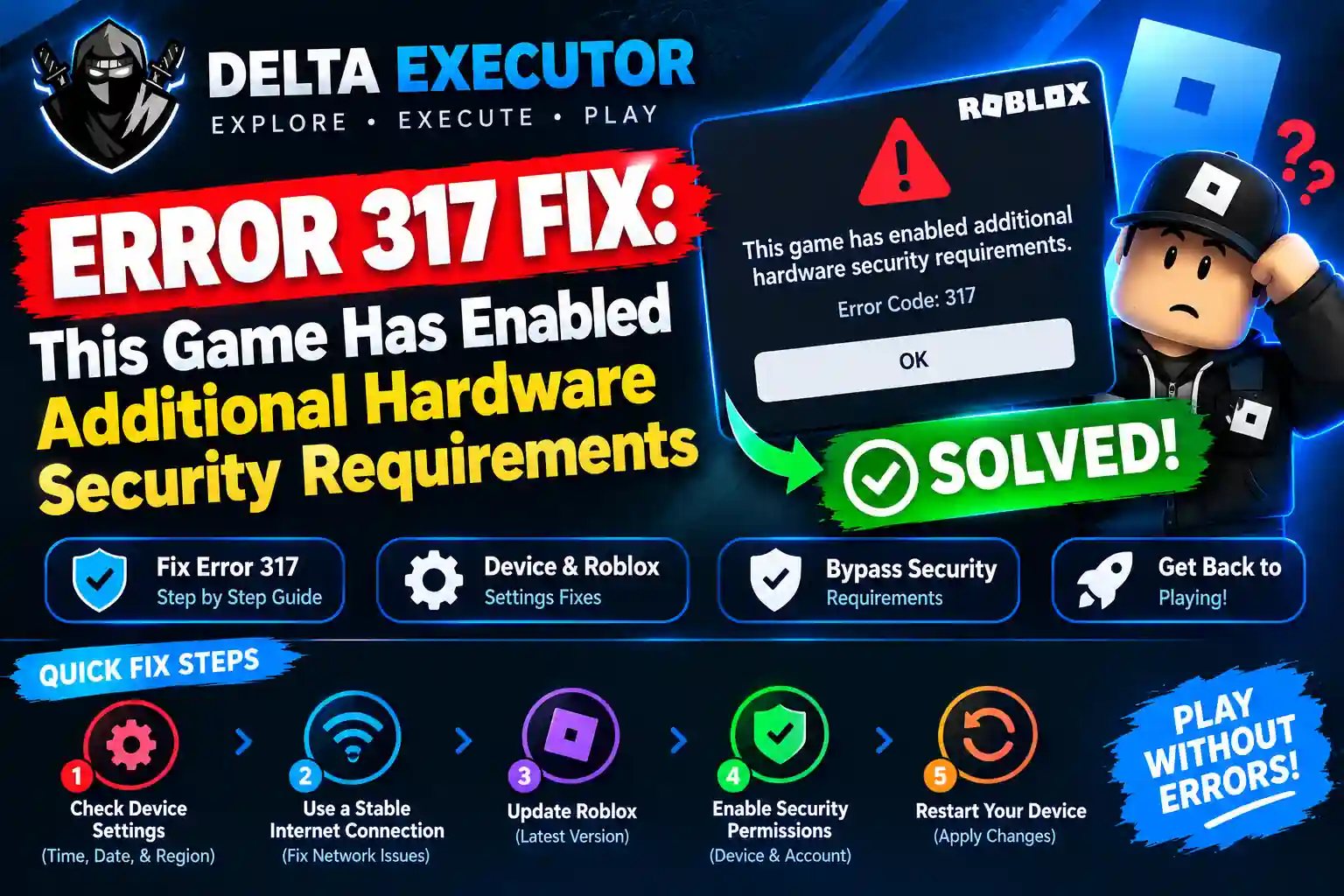
Error 317 Fix: This Game Has Enabled Additional Hardware Security Requirements
Roblox Error Code 317 appears when you try to join a game that has enabled strict hardware security requirements and your device cannot pass the verification check. Most guides online treat this as a simple settings problem. It is not. Error 317 is a hardware-level integrity block, and understanding exactly why it happens is what determines which fix actually applies to your situation. This guide covers the real cause, every fix that works, and the honest answer for devices where no fix exists.
Error Code 317 means the game you are trying to join uses Roblox’s Remote Attestation system to verify device integrity, and your device failed the check. The most common causes are a rooted Android device, an unlocked bootloader, a custom ROM, an Android emulator, or an outdated Android version. The fix depends entirely on which of these applies to your device. Read the sections below that match your situation.
What Roblox Error Code 317 Actually Means
The full error message reads: “This game has enabled additional hardware security requirements. Please run Roblox on a supported device. (Error Code: 317)”
Breaking that message down matters because each part tells you something specific. “This game has enabled” means the error is game-specific. A different game on the same device might work fine. “Additional hardware security requirements” means the check goes beyond software. It requires hardware-level security features built into the physical chip on your device. “Please run Roblox on a supported device” is the honest part. For some devices, there is no setting to change and no update to install. The hardware simply does not support what the game requires.
Error 317 is a client-side rejection. The Roblox server received your join request, identified that your device failed the hardware security verification, and rejected the connection before you entered the game. This is why you never actually load into the game. The block happens at the connection stage rather than inside it.
No. Error Code 317 has nothing to do with account bans, moderation, or violations. It is a hardware and operating system integrity check failure. Your Roblox account is not restricted. You can play other games on the same account that do not use this security requirement. The error is device-specific, not account-specific.
Remote Attestation: The Technology Behind Error 317
Error 317 is triggered by Roblox’s implementation of Remote Attestation, a hardware security verification system. Understanding what Remote Attestation does explains why some fixes work and others do not.
Remote Attestation allows Roblox to confirm three things about your device before you join a game that requires it. First, that you are using a physical Android device rather than a virtual machine or emulator. Second, that the Roblox application on your device is unmodified and was installed from an official source. Third, that your device’s operating system is in a trusted security state, meaning it has not been rooted, does not have an unlocked bootloader, and is not running an unsupported custom ROM.
On Android, Roblox implements Remote Attestation using the Google Play Integrity API. This API communicates directly with Google’s backend servers to assess your device’s integrity level. Google’s system assigns each device one of three integrity verdicts: MEETS_BASIC_INTEGRITY (the device passes basic checks), MEETS_DEVICE_INTEGRITY (the device passes all checks including hardware-backed verification), or fails entirely.
Games that enable strict hardware security in Roblox typically require MEETS_DEVICE_INTEGRITY as a minimum. This verdict requires a hardware security chip, a locked bootloader, an unrooted system partition, and an official Android build from the device manufacturer. If your device cannot meet this standard, it fails the check and you see Error 317.
According to Roblox’s own support documentation, Remote Attestation support is determined by the device manufacturer and operating system, not by Roblox. This is why Roblox cannot make exceptions for specific devices. The hardware-level verification is designed specifically to be something Roblox cannot override remotely.
Why Your Device Is Failing the Hardware Security Check
Several specific conditions cause a device to fail the Remote Attestation check that triggers Error 317. Identifying which one applies to your device is the essential first step before trying any fix.
Rooted Device
Rooting an Android device gives you superuser access to the system partition. The Google Play Integrity API is specifically designed to detect root modifications. A rooted device will fail the MEETS_DEVICE_INTEGRITY check regardless of what other conditions are met. This applies to all rooting methods including Magisk, SuperSU, and custom root management apps, even when those apps include hide-root or Magisk Hide features.
Unlocked Bootloader
Unlocking the bootloader allows installation of unofficial system software. Even if you have not actually installed anything unofficial, an unlocked bootloader alone is enough to fail the device integrity check. Most bootloader unlock procedures are permanent or semi-permanent, which is why this is one of the harder causes to reverse.
Custom ROM
Custom Android ROMs like LineageOS, GrapheneOS with certain configurations, or Pixel Experience running on non-Pixel hardware fail the device integrity check because they are not the manufacturer-signed system software the device was sold with. The check specifically verifies that the operating system matches the manufacturer’s certified build for that hardware model.
Android Emulator
Android emulators like BlueStacks, LDPlayer, MuMuPlayer, and Nox are virtual machines. Remote Attestation identifies them as non-physical devices and fails the check. Roblox’s documentation confirms that its integrity checks are specifically designed to identify Android emulators as untrusted environments.
Outdated Android Version
Devices running very old Android versions may fail the check because the version of the Play Integrity API available to them is too old to produce a verifiable MEETS_DEVICE_INTEGRITY verdict. Roblox updates its minimum operating system security requirements regularly.
Older Hardware Without a Trusted Execution Environment
Some older Android devices lack a Trusted Execution Environment (TEE) or a dedicated hardware security module entirely. These devices cannot produce hardware-backed attestation even on fully stock, unrooted software because the required hardware component does not exist. No software update can add hardware that was not built into the device.
The first question to ask yourself is whether your device is rooted, has an unlocked bootloader, or runs a custom ROM. If yes, that is almost certainly the cause of Error 317. If no, proceed to the update and reinstall fixes before considering a device switch.
Fix 1: Update Android and Roblox
This is the correct starting point for every device that is not rooted, does not have an unlocked bootloader, and does not run a custom ROM. Outdated Android versions and outdated Roblox builds are the most straightforward causes to fix.
- Open your Android Settings app and go to System then Software Update or About Phone then Software Update depending on your device manufacturer.
- Install any pending Android updates. This is especially important because Android security patches update the Play Integrity API components on your device. An outdated security patch level can cause integrity check failures even on capable hardware.
- After Android updates, open the Google Play Store. Search for Roblox and install any available updates. An outdated Roblox build may fail the check on its own even if your device hardware supports attestation.
- Restart your device completely after both updates install.
- Open Roblox and try joining the game again. If this was the cause of Error 317, the game will load normally after the updates.
Update Google Play Services
The Play Integrity API runs through Google Play Services rather than through Roblox or the game itself. An outdated Google Play Services installation can cause integrity checks to fail or produce incorrect verdicts. Update Google Play Services separately by searching for it in the Play Store and installing any available update.
Fix 2: Rooted Device Fix
If your device is rooted, this is almost certainly why you are seeing Error 317. The fix options depend on how your device was rooted and how important it is to you to keep root access versus play the specific game.
Option A: Unroot the Device
The cleanest fix for a rooted device is to fully unroot it and restore the stock operating system. The process varies significantly by device manufacturer and the rooting method used. For Magisk users, Magisk includes an uninstall option that restores the boot partition to its original state. After unrooting, re-lock the bootloader if possible, then perform a factory reset to ensure no root artifacts remain in the system partition.
After unrooting, you also need to wait for the Google Play Integrity API to re-evaluate your device. This evaluation does not happen instantly after you unroot. It can take anywhere from a few hours to a couple of days for the system to register that your device now passes the integrity check. Be patient after unrooting before testing Error 317 again.
Option B: Use a Non-Rooted Device for That Game
If you need root access for other purposes and do not want to give it up, the practical solution is to play games that require hardware attestation on a secondary non-rooted device. Keep your rooted device for its other uses and use a clean device for Roblox games with strict security requirements.
Magisk Hide and Zygisk: Why They No Longer Work Reliably
Magisk Hide and the Zygisk-based DenyList were previously used to hide root from specific apps including Roblox. These methods worked against older integrity check implementations. The current Google Play Integrity API uses hardware-backed verification that operates at a level below where Magisk Hide can intercept it. As of 2026, root hiding tools do not reliably bypass MEETS_DEVICE_INTEGRITY verdicts on most devices. This means the rooted device fix genuinely requires unrooting rather than hiding.
Fix 3: Android Emulator Issue
If you are getting Error 317 on an Android emulator like BlueStacks, LDPlayer, MuMuPlayer, or Nox, there is no configuration change that will fix it. Roblox’s Remote Attestation system specifically identifies these environments as non-physical devices and the MEETS_DEVICE_INTEGRITY verdict is not available to any current version of any major Android emulator.
The only fix for Error 317 on an emulator is to stop using the emulator for that specific game and switch to a physical Android device, an iOS device, a Windows PC, or an Xbox that meets the security requirements.
Some emulators market themselves as having anti-detection features or claiming to bypass integrity checks. As of October 2026, none of the major emulators reliably pass MEETS_DEVICE_INTEGRITY verification for games that require hardware attestation. Any emulator claiming otherwise should be treated with skepticism.
If you are on Windows and see Error 317, you are likely trying to play through an Android emulator. The fix is to use the native Windows Roblox client instead. Download Roblox for Windows directly from roblox.com. The native Windows client does not use Android Remote Attestation and the same hardware security requirement that blocks emulators will not apply to a properly installed Windows client.
Fix 4: Reinstall Roblox From an Official Source
A corrupted or sideloaded Roblox installation can fail the integrity check because the app’s own signature does not match what the Play Integrity API expects from an official Play Store installation. This applies specifically if you installed Roblox from an APK file rather than from the Google Play Store, Amazon Appstore, or Samsung Galaxy Store.
- Uninstall Roblox completely from your device. Long press the Roblox icon and tap Uninstall, or go to Settings then Apps then Roblox then Uninstall.
- Restart your device to clear any residual Roblox processes.
- Open the Google Play Store. Search for Roblox and install it from there. Do not download an APK from any third-party site.
- Open Roblox after the Play Store installation completes and log into your account.
- Try joining the game that was showing Error 317.
Roblox recommends installing from Google Play, the Amazon Appstore, or the Samsung Galaxy Store as the three trusted sources for Android. A Roblox installation from any other source is considered a modified application by the integrity check and will fail verification.
Fix 5: Switch to a Supported Device or Platform
If none of the above fixes apply to your situation or if your hardware simply does not support hardware-backed attestation, switching to a supported device or platform is the only remaining option.
Roblox confirms this directly in its support documentation. When a game requires Remote Attestation, Roblox cannot override the requirement for specific devices. The check is designed to be hardware-verified and Roblox has no mechanism to make exceptions on its end.
Alternative Platforms That Avoid Error 317
iOS devices do not use Android Remote Attestation. If you have access to an iPhone or iPad, you can play the same games without encountering Error 317. iOS has its own integrity model but games that trigger Error 317 on Android do not automatically apply the same restriction to iOS players.
Windows PC is another option. The native Windows Roblox client uses a different security architecture than the Android client. Games that enforce Android-specific hardware attestation do not apply the same restriction to Windows players running the native client.
Xbox is a third alternative. Roblox on Xbox uses its own hardware integrity model that is completely separate from Android Remote Attestation.
Android Devices Known to Pass Error 317 Checks
According to Roblox’s own documentation, Google Pixel 4 and above are specifically confirmed to pass hardware attestation. Most flagship Android devices released from 2020 onward from Samsung, OnePlus, Xiaomi, and other major manufacturers include the hardware security components required to pass MEETS_DEVICE_INTEGRITY on stock, unrooted software.
Budget Android devices and tablets, particularly those without a dedicated hardware security module, are the category most likely to have hardware-level limitations that prevent them from ever passing the check regardless of software state.
Which Roblox Games Trigger Error 317
Not every Roblox game uses Remote Attestation. Game developers choose whether to enable it, and they can apply it selectively, for example only to ranked or competitive modes rather than the entire game. This is why Error 317 appears in some games but not others on the same device.
As of October 2026, the most reported game for Error 317 is Rivals, a competitive shooter on Roblox where fairness between players matters significantly. Competitive games with ranking systems are the most likely category to enable strict hardware security because the developers have the strongest incentive to prevent cheating and the highest tolerance for excluding incompatible devices.
Other competitive or ranked games on Roblox may also implement Remote Attestation. As Roblox makes the feature more accessible to developers, the number of games using it will grow. The pattern to understand is that if a game enabled Error 317 for you today, similar competitive games may begin doing the same as the technology becomes more standard.
Error 317 appearing in one game does not mean every Roblox game will block you. Games that do not enable Remote Attestation will work fine on the same device. You can identify which games use strict hardware security by testing them on your device. If a game loads without Error 317, it does not require hardware attestation to join.
Error 317, Script Executors, and Delta Executor
This section addresses the question that most guides on Error 317 avoid entirely: what is the relationship between Error 317 and script executors like Delta Executor?
The honest answer is that Error 317 and executor detection are separate systems that overlap in practical effect. Error 317 is triggered specifically by Remote Attestation failing at the device hardware and OS level. It fires before you even load into a game, let alone before any executor injection occurs. If you see Error 317, it is not because the game detected an executor running. It is because your device failed the hardware integrity check.
However, the conditions that cause Error 317 also frequently apply to devices used with executors. A rooted device is more likely to be used for executor injection. An Android emulator is a common platform for running Roblox with an executor. If you are trying to use Delta Executor in a game that triggers Error 317, you are dealing with two separate systems simultaneously.
The Remote Attestation system operates below the level where any script executor can intercept it. An executor running inside Roblox after injection has no ability to modify the device’s hardware attestation verdict. The attestation check happens at the OS and hardware level before Roblox even connects to the game server. No script executed after injection can change a verdict that was already determined before you joined.
For Delta Executor users specifically: if you encounter Error 317 in a game, the fix is to address the underlying device issue as described in this guide, not to look for an executor setting or script that bypasses it. For all other Delta-related issues, see the Delta Executor homepage or our dedicated Delta Executor not working fix guide.
Devices That Pass and Fail the Error 317 Check
| Device Situation | Error 317 Result | Can It Be Fixed? |
|---|---|---|
| Stock Android, not rooted, locked bootloader | Usually passes | Already passing. Update Android if still failing. |
| Rooted Android with Magisk | Fails | Yes, by unrooting and restoring stock software |
| Unlocked bootloader, stock ROM | Fails in most cases | Possibly, by re-locking the bootloader and factory resetting |
| Custom ROM (LineageOS, etc.) | Fails | Only by reverting to official manufacturer ROM |
| Android emulator (BlueStacks, LDPlayer, etc.) | Always fails | No. Switch to a physical device or PC client. |
| Older device with no hardware security module | Fails | No. Hardware limitation cannot be fixed by software. |
| Google Pixel 4 and above, stock, unrooted | Passes | Not applicable, already supported |
| Sideloaded Roblox APK (not from Play Store) | Fails | Yes, by uninstalling and reinstalling from Google Play Store |
| iOS device (iPhone or iPad) | Does not apply | Android Remote Attestation does not apply to iOS |
| Windows PC with native Roblox client | Does not apply | Android Remote Attestation does not apply to Windows |
Frequently Asked Questions
Does Error 317 mean I am banned from Roblox?
No. Error Code 317 is a hardware integrity check failure. It has nothing to do with account bans or moderation. Your account is not restricted. You can play other Roblox games that do not require hardware attestation on the same account.
Can I fix Error 317 without changing my device?
It depends on the cause. If Error 317 is caused by an outdated Android version or Roblox build, updating fixes it without changing devices. If it is caused by rooting, an unlocked bootloader, or older hardware without a security chip, you either need to change your device’s software state or switch to a different device.
Why does Error 317 only appear in some games but not others?
Game developers choose whether to enable Remote Attestation. It is an optional security feature that individual game creators activate, not a platform-wide restriction. Games like Rivals that have competitive ranking systems are more likely to enable it. Games without competitive modes typically do not use it.
Will Magisk Hide or DenyList bypass Error 317?
Not reliably in 2026. The current Google Play Integrity API uses hardware-backed verification that operates below the level where Magisk Hide can intercept it. Root hiding tools do not consistently bypass MEETS_DEVICE_INTEGRITY verdicts on most devices with current Roblox and Play Integrity API versions.
I do not have a rooted device but still get Error 317. Why?
Several causes exist beyond rooting. An outdated Android version, an outdated Roblox build, a Roblox installation from outside the Play Store, or hardware that lacks a dedicated security module can all trigger Error 317 on an unrooted device. Work through the fixes in order starting with updating Android and Roblox, then reinstalling Roblox from the Play Store.
Can Amazon Fire tablets play games that trigger Error 317?
Generally no. Amazon Fire tablets run Fire OS, which is based on Android but is not the standard Android build that passes Google’s device integrity check. The Play Integrity API is not available on Fire OS in the standard form, which means Fire tablets fail the Remote Attestation check for games that require MEETS_DEVICE_INTEGRITY. The fix is to use a standard Android phone or a different platform entirely.
Does Error 317 affect PC players?
Only if PC players are running Roblox through an Android emulator. The native Windows Roblox client uses a different architecture and is not subject to Android Remote Attestation. If you are getting Error 317 on PC, you are using an Android emulator. Switch to the native Windows Roblox client to avoid this error.
How long after unrooting does Error 317 go away?
After fully unrooting your device and re-locking the bootloader, the Google Play Integrity API needs to re-evaluate your device. This process can take a few hours to a couple of days. You cannot manually trigger the re-evaluation. Be patient after unrooting before testing again.
Is Error 317 the same as Error 319?
They are related but distinct. Both involve security checks in Roblox but refer to different specific failure conditions. Error 317 specifically reads “This game has enabled additional hardware security requirements.” Error 319 refers to a different verification failure. If you are seeing 317 specifically, the hardware attestation fixes in this guide apply to your situation.
Can a VPN cause Error 317?
No. Error 317 is a device hardware and operating system integrity check, not a network or location check. A VPN does not affect the result of the hardware attestation verification. If you are using a VPN and seeing Error 317, the cause is one of the hardware or software conditions covered in this guide, not the VPN itself.
Bottom Line on Error Code 317
Error 317 is a hardware-level security block triggered by Roblox’s Remote Attestation system. It is not a ban, not a network error, and not something a VPN or cache clear will fix. The cause is always one of four things: a rooted or modified device, an Android emulator, an outdated Android or Roblox version, or hardware that physically lacks the security chip required for attestation.
If your device is rooted, unroot it and wait for the Play Integrity API to re-evaluate your device. If you are on an emulator, switch to a physical device or the native Windows Roblox client. If you are on a stock unrooted device, update Android and Roblox, then reinstall Roblox from the Play Store. If your hardware simply does not support hardware attestation, switch to a supported device or platform.
For other Roblox-related executor issues, visit the Delta Executor homepage or see our not working fix guide.
Sources and References
- Roblox official Remote Attestation support documentation — Roblox Help Center: Android Remote Attestation
- Google Play Integrity API documentation — Android Developers: Play Integrity API
- Delta Executor official homepage — deltaexecutions.com


3 Comments